 A Yottamaster guide
Yottamaster 4 Bay vs 5 Bay Enclosure: Which Should You Buy?
The Yottamaster Y-Pioneer 4 bay lists 88 TB and the 5 bay lists 110 TB. See size, RAID, connection options and warranty side by side.
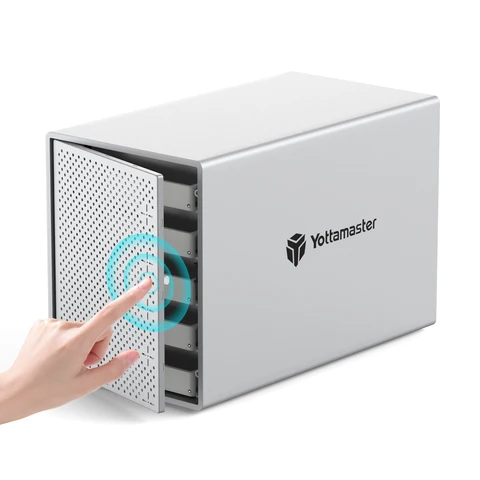
The Yottamaster Y-Pioneer 4 bay and 5 bay enclosures share the same aluminum body style, fan and USB connection options, so the real choice is how many drives you need now and later: the 4 bay lists 88 TB of capacity and the 5 bay lists 110 TB. Our Yottamaster discount code page lists the current code and how to use it.
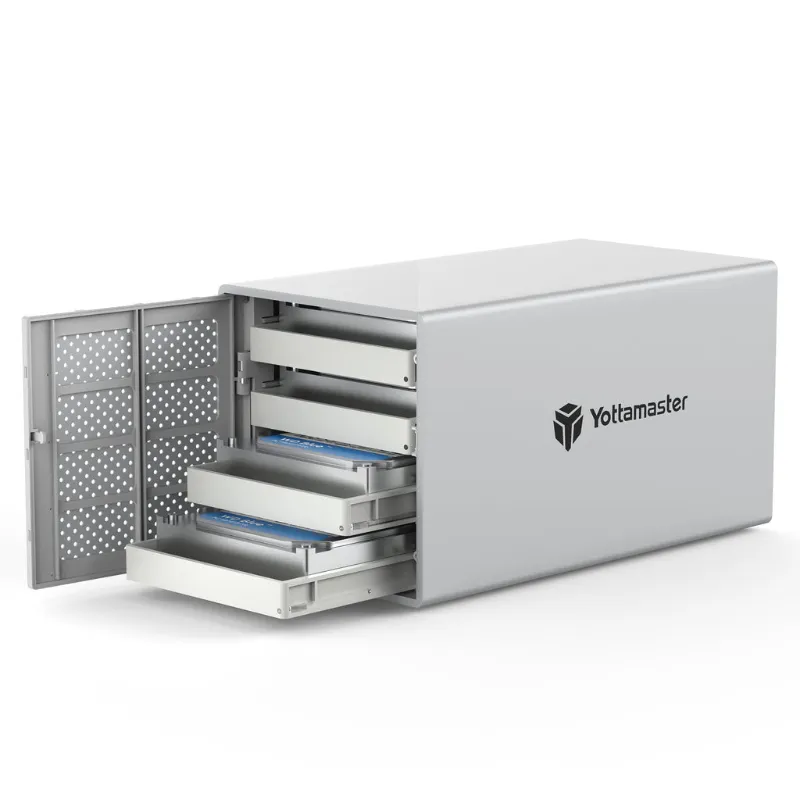
This guide compares the Y-Pioneer 4 bay hard drive enclosure with the Y-Pioneer 5 bay enclosure (PS500C3) using Yottamaster’s own product pages. The figures below are the store’s listings, not measurements from us.
The two enclosures side by side
| Detail | Y-Pioneer 4 bay | Y-Pioneer 5 bay |
|---|---|---|
| Capacity listed | 88 TB (22 TB on a single disk) | 110 TB (22 TB on a single disk) |
| Size | 252 by 136 by 137.5 mm | 252 by 136 by 168.5 mm |
| Body | Aluminum alloy | Aluminum alloy |
| Transmission speed in the spec table | 5 Gbps | 5 Gbps |
| Power | 78W external power supply | 78W external power supply |
| Fan | 80mm | 80mm |
| Supported systems | Windows and Mac | Windows and Mac |
The two are the same width and depth. The difference in height (137.5 mm against 168.5 mm) is the space for one extra drive bay, which is also where the extra 22 TB of listed capacity comes from.
RAID and connection options
Both enclosures are sold in versions. The 4 bay lists RAID USB 3.0, No RAID USB 3.0 and RAID Type-C, with model codes PS4RU3, PS4U3 and PS4RC3. The 5 bay lists the same three with codes PS5RU3, PS5U3 and PS5RC3. The shop dropdown also offers a No RAID Type-C choice for both.
On the RAID versions, the page says the hardware modes are RAID 0, 1, 3, 5, 10, JBOD and clone. Its text describes RAID 5 as the most cost-effective choice for 5 bay enclosures. In plain terms, RAID trades capacity or speed for protection against a drive failing, and the page lists the modes without telling you which to pick, so read up on each before you format drives.
One thing to read carefully is speed. The page headline says up to 6Gbps, while the spec table says 5 Gbps. We would plan around the lower spec table figure, and neither is a Thunderbolt or 10 Gbps connection.
Choosing between 4 and 5 bays
- Pick the 4 bay if you have a few drives and want the smaller footprint. It is shorter, and the page lists a capacity of 88 TB.
- Pick the 5 bay if you want room to add a drive later, or you plan to run RAID 5, which the page highlights for 5 bay enclosures.
- Choose RAID or No RAID before you buy, because the versions are separate listings with different model codes.
- Check the connector. The USB 3.0 versions list a USB Type-B output with a 1 metre USB-A to Type-B cable, and the Type-C version lists Type-C output.
What the product pages say about drives
Both pages say the enclosures fit 2.5 and 3.5 inch drives. The listed capacity assumes 22 TB drives in every bay, so a smaller drive means less total space. Five LED indicator lights show power, reading and drive error states, and the page says a red light means a drive error and the enclosure beeps as a warning. The page says to eject the enclosure and power it off before swapping a drive, and to format a new drive on another device first. Keep the original drive order when you add a drive.
Warranty and a look at the Defender
The pages list a 2 year free replacement and lifetime tech support, and the store lists a 30 day money back return. Check the full terms on Yottamaster’s policy pages.
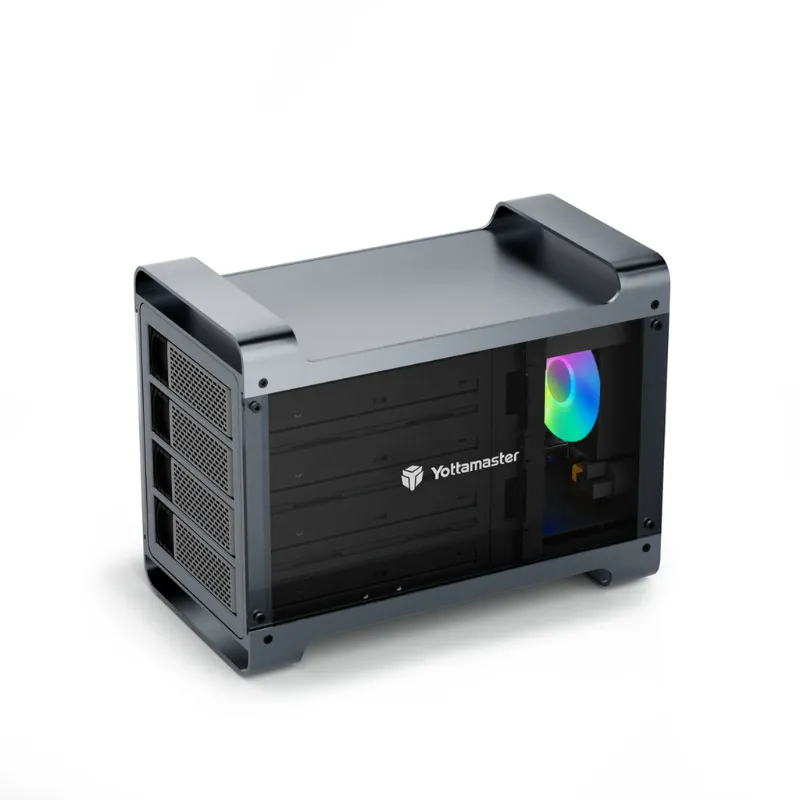
Yottamaster also sells the Defender 4 bay RGB enclosure. Its listing is titled 4 bay, yet its feature text talks about five drive bays and five 18TB drives, so confirm the bay count with the store before you order it. Its page lists an 80mm RGB fan and a 150W power supply.
Questions
What is the difference between the Yottamaster Y-Pioneer 4 bay and 5 bay?
The product pages list 88 TB for the 4 bay and 110 TB for the 5 bay. They share the same width, depth, aluminum body, 80mm fan and 78W power supply, and the 5 bay is taller.
Which Yottamaster enclosure is the PS500C3?
The store lists the Y-Pioneer 5 bay enclosure under the PS500C3 name, and the 5 bay model codes on its page are PS5RU3, PS5U3 and PS5RC3.
How fast are the Y-Pioneer enclosures?
The spec table lists 5 Gbps, while the page headline says up to 6Gbps. Plan around the spec table figure.
Does the Yottamaster 4 bay support RAID?
The RAID versions list hardware RAID 0, 1, 3, 5, 10, JBOD and clone modes. There are also No RAID versions, which are separate listings.
What drive sizes fit the Y-Pioneer enclosures?
The pages say they take 2.5 and 3.5 inch drives, and the listed capacity is based on 22 TB per disk.
Products in this guide
Shopping at Yottamaster? See the discount code
5% OFF All Orders
More in this series
 Yottamaster NVMe Duplicator Troubleshooting: What to Do When Cloning Fails19 Aug 20263 min
 Can M.2 NVMe Enclosures Handle Heat During Long File Transfers?19 Aug 20264 min
 How to Set Up the Yottamaster PS500C3 5 Bay Enclosure and Pick a RAID Mode19 Aug 20263 minYottamaster HC1 Offline Clone vs Software Clone: Which Should You Use?19 Aug 20263 minHow to Clone an M.2 NVMe SSD Without a Computer19 Aug 20264 min