 A ONSRA guide
ONSRA Hobbywing Remote vs NX Remote: Which Fits Your Board?
Which ONSRA remote fits which board, what each display shows and how pairing differs, taken from the product pages.
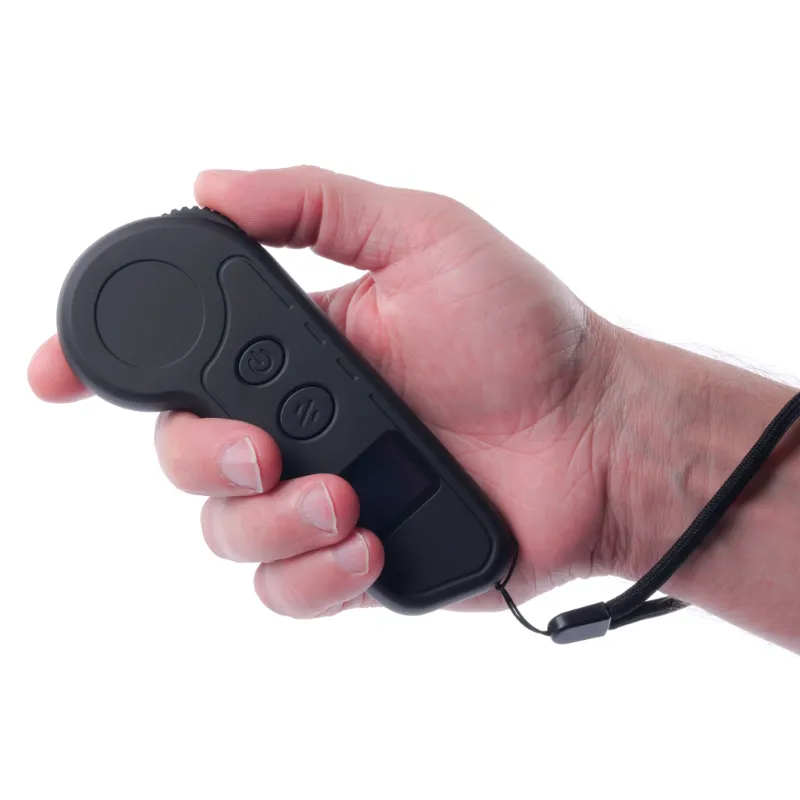
ONSRA sells two kinds of remote, and the one you need depends on your board: the Hobbywing remote is listed for the BLACK Carve 1, BLACK Carve 2 and Challenger, while the NX remote is listed for the BC3, BC3 PRO, VELAR and Challenger PRO. For the current code, see our ONSRA codes and deals.
Which remote fits which board
Fit is the first question, because an electric skateboard remote is paired to the board, not a universal part. The two remotes come with their own compatibility lists on ONSRA’s product pages.
| Hobbywing remote | NX remote | |
|---|---|---|
| Listed boards | BLACK Carve 1, BLACK Carve 2, Challenger, and any Hobbywing-based board that uses the same remote | BC3, BC3 PRO, VELAR, Challenger PRO, and future ONSRA boards |
| Display | LCD showing speed, remote battery and board battery | Built-in 1.3 inch display |
| Control | Oversized roller thumb wheel | CNC aluminium metal throttle wheel |
| Wireless range | Up to 15 meters, as listed | Not stated on its page |
| Versions | Standard and Limited 25km/h | One version |
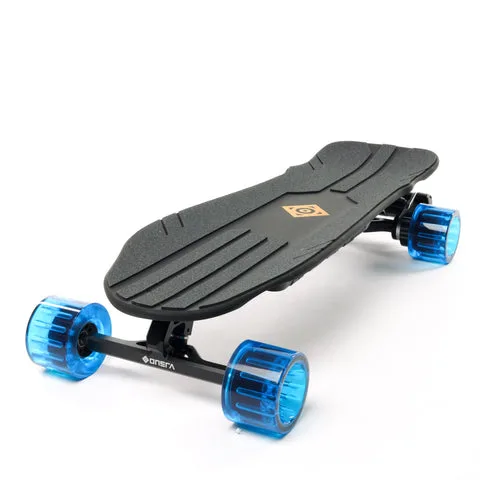
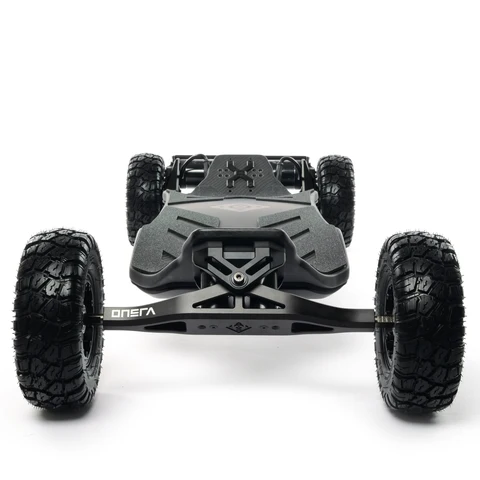
Read the table as a fit guide, not a ranking. The pages do not say one remote is more responsive than the other, and neither gives lag or latency figures, so we do not compare them on that. If you own a board, match the remote to the model name on the lists above, and if you are buying a board, look at the remote named on its own page. The Challenger 2.0 Street page lists the NX remote in its specifications, and so does the VELAR 2.0 Gear Drive page.
What the Hobbywing remote shows and does
The Hobbywing page describes an ergonomically redesigned remote with an oversized roller thumb wheel for acceleration and braking. Its LCD shows these readings:
- Current speed
- Remote battery status
- Board battery status
- Speed mode (1 ECO, 2 MED, 3 PRO)
- Units in km/h or mph
- Wheel diameter adjustment, from 80mm to 180mm
- Total mileage
The page describes the three speed modes this way. ECO (mode 1) is smooth control, beginner-friendly, with a safe top speed. MED (mode 2) is balanced for everyday riding. PRO (mode 3) unleashes the board’s top speed. If you are new to electric skateboards, the page’s own description of ECO is the place to start. The wheel diameter setting is worth setting correctly if you change wheels, since the listed range goes from 80mm to 180mm.
The page also offers a Limited 25km/h version beside the Standard one. It does not explain the difference beyond the name, so read the variant description on the page before you pick.
What the NX remote adds
The NX product page describes a controller with a built-in 1.3 inch display and an ergonomic design with a CNC aluminium metal throttle wheel for precise control of acceleration and braking. It says the NX works with ONSRA boards only, and lists the BC3, BC3 PRO, VELAR and Challenger PRO, plus future boards. The Challenger page calls its remote fully customizable.
ONSRA also sells an NX remote LCD display replacement kit with a protective cover, so the display is a part you can replace. That is a point in the NX remote’s favor if you worry about long-term ownership, but check the kit page for what it includes.
Pairing and setup
Both pages give the steps in their own words. The short versions are below, so you can see how they differ. Always follow the page for your remote.
- Hobbywing: hold the power button on the remote for 5 seconds, wait for the PAIRING screen, hold the power button on the board, then follow the on-screen instructions.
- NX: hold the power button on the remote for 5 seconds, select 2WD, wait for the PAIRING screen, hold the power button on the board, then follow the on-screen instructions.
Both pages link to a pairing video. If pairing does not work, check first that you are using the remote listed for your board, since the NX page says it is for ONSRA boards only.
How to decide
- Replacing a lost or damaged remote: pick the one on your board’s list. If your board is not on either list, check the board’s own product page before buying.
- Buying a new board: the remote comes with it. Look at the specification list on the board page to see which one is included.
- Comparing cost: we leave prices out because they change on the store, so compare them on the two product pages.
Questions
Which ONSRA remote works with the BLACK Carve 2?
The Hobbywing remote page lists the BLACK Carve 1, BLACK Carve 2 and Challenger as compatible. The NX page lists BC3, BC3 PRO, VELAR and Challenger PRO.
What speed modes does the Hobbywing remote have?
The page lists three: 1 (ECO), 2 (MED) and 3 (PRO). It describes ECO as smooth control, beginner-friendly, with a safe top speed.
How far does the Hobbywing remote reach?
The page lists a wireless range of up to 15 meters. The NX page does not give a range figure.
How do I pair the NX remote?
Per its page: hold the remote power button for 5 seconds, select 2WD, wait for the PAIRING screen, hold the power button on the board and follow the screen.
Can I use an NX remote on a non-ONSRA board?
The NX page says it works with ONSRA boards only.
Products in this guide
 Shopping at ONSRA? See the discount code
4% OFF Sitewide
More in this series
 When to Upgrade Kingpin Trucks on Your Electric Skateboard: DKP, TKP and Parts13 Aug 20264 min
 Why Does My Electric Skateboard Vibrate? Deck Flex and Vibration Fixes13 Aug 20264 minElectric Skateboard Gloves: Do You Need Them for High Performance Riding?13 Aug 20263 min
 How Long Do Foam Grip Tape and Standard Grip Tape Last on Electric Skateboards?13 Aug 20263 minHow to Replace 608 Bearings on Your Electric Skateboard13 Aug 20263 min