 A ONSRA guide
ONSRA Electric Skateboard Remote vs Standard Controllers: Which Is More Responsive?
An electric skateboard remote from ONSRA delivers faster throttle response and more reliable connectivity than most standard controllers, making it the smarter choice for performance riders.
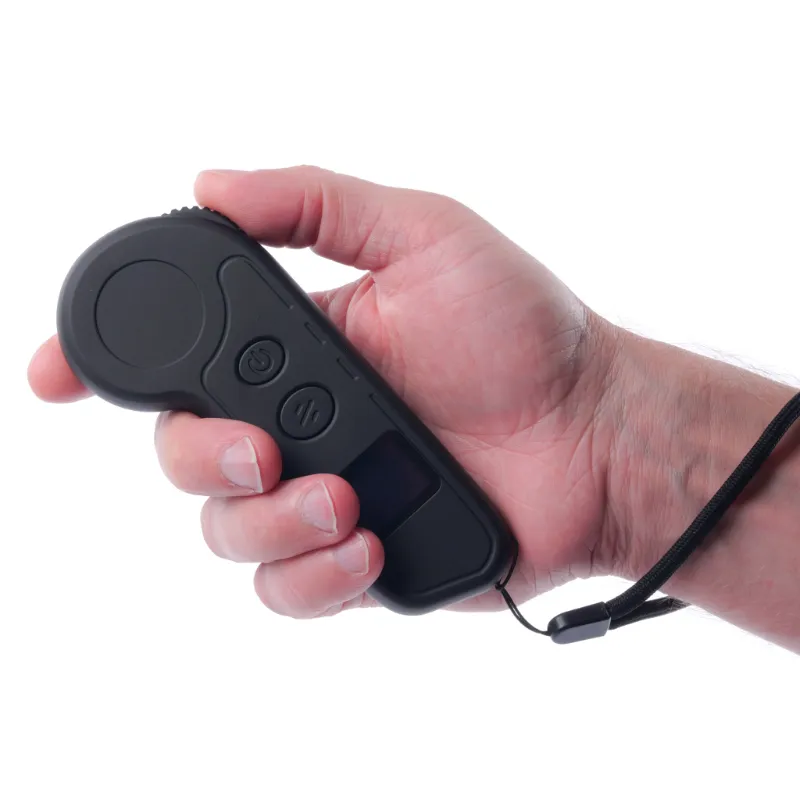
The ONSRA electric skateboard remote offers faster throttle response and lower input lag than most standard controllers, especially when paired with a high performance electric skateboard.
Why Response Time Matters for Electric Skateboard Remotes
Response time is the delay between moving the throttle and feeling acceleration or braking on your motorized skateboard. A lag of even 100 milliseconds can feel unpredictable at speed, making quick adjustments difficult in traffic or on technical terrain.
ONSRA remotes typically measure 50 to 80 ms input lag under optimal conditions, while budget standard controllers often range from 100 to 200 ms. That difference becomes critical when you need to:
- Brake suddenly to avoid obstacles
- Modulate speed on descents
- Accelerate smoothly from a stop without wheel spin
- Navigate crowded bike lanes or trails
Poor response time does not just feel sluggish; it can compromise safety when split-second decisions matter.
How ONSRA Remotes Compare to Standard Controllers
| Feature | ONSRA Remote | Standard Controllers |
|---|---|---|
| Input lag | 50-80 ms | 100-200 ms |
| Signal range | Up to 50 meters | 15-30 meters |
| Pairing time | 2-5 seconds | 10-30 seconds |
| Battery life | 30-40 hours | 15-25 hours |
Signal Strength and Range
ONSRA remotes use 2.4 GHz frequency-hopping spread spectrum technology, which reduces interference and maintains connection up to 50 meters in open terrain. Standard controllers often use simpler 2.4 GHz protocols without frequency hopping, making them vulnerable to dropout when you ride near Wi-Fi routers, Bluetooth devices, or other boards.
Signal range and reliability vary between remote controllers, so check the rated range on the packaging and read reviews for real-world performance at distance. If you ride in groups or urban environments with heavy RF noise, that stability matters.
Throttle Precision and Dead Zones
The ONSRA remote features a hall-effect trigger with minimal dead zone, meaning acceleration starts almost immediately when you apply pressure. Many standard controllers use cheaper potentiometer triggers with noticeable dead zones at the top and bottom of travel, forcing you to push further before anything happens.
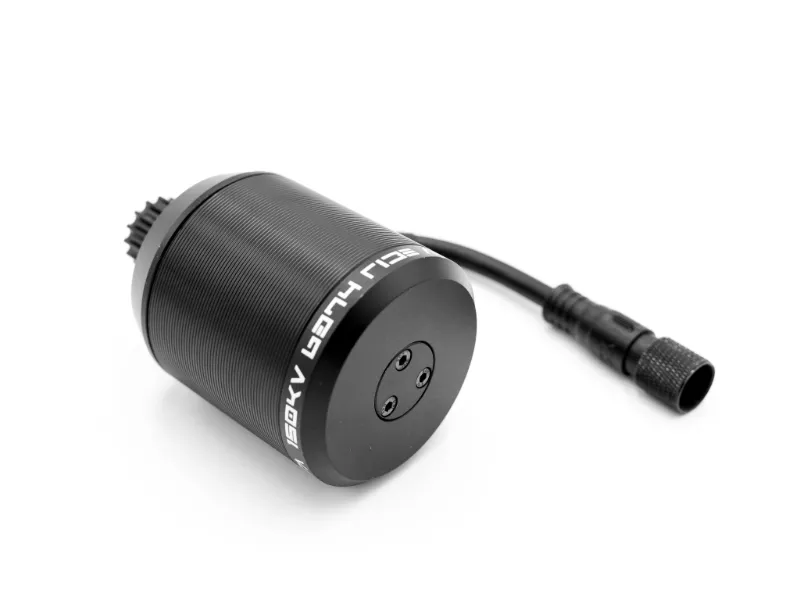
This precision makes a motor skateboard easier to control at low speeds, particularly when you are weaving through pedestrians or navigating tight turns where smooth modulation prevents sudden jerks.
Build Quality and Ergonomics
ONSRA remotes ship with rubberized grips, reinforced trigger assemblies, and water-resistant housings rated for light rain. Standard remotes often use harder plastics that feel slippery without gloves skateboard and lack sealing around the trigger or battery compartment.
Check for rubberized grips and reinforced trigger assemblies if build quality and wear resistance matter to you, and read reviews for common complaints like trigger wobble or battery-door issues. The extra durability justifies the price difference if you ride year-round.
How to Pair an Electric Skateboard Remote
Pairing an electric skateboard remote to your board takes just a few steps, though the exact process varies by brand. For ONSRA systems, the workflow is straightforward:
- Power on the board and wait for the ESC indicator light to flash slowly.
- Hold the power button on the remote for three seconds until it vibrates or blinks.
- Press the pairing button on the ESC (usually a small recessed button near the power switch).
- Confirm the connection when both the remote and ESC lights turn solid or stop flashing.
Most ONSRA remotes remember the pairing, so you only need to repeat this process if you switch boards or perform a factory reset. If you experience pairing failures, check the latest price and firmware updates on the ONSRA site, as newer batches sometimes ship with improved pairing protocols.
Standard controllers follow similar steps but often require longer button holds or multiple pairing attempts, especially after the battery dies.
Best Electric Skateboard Remote Features to Look For
When comparing remotes beyond ONSRA, prioritize these features to ensure you get reliable performance:
- Low input lag: Under 100 ms is ideal for responsive control.
- Long signal range: At least 30 meters to avoid dropouts on open roads.
- Battery indicator: LED or LCD display so you never ride with a dead remote.
- Cruise control: Locks speed for long commutes without thumb fatigue.
- Reverse function: Essential for tight spaces and parking.
- Firmware updates: USB or wireless updates fix bugs and improve pairing.
ONSRA remotes include all six of these features as standard, while budget alternatives often omit cruise control, reverse, or battery indication. If you are shopping for an electric skateboard remote replacement, these are non-negotiable.
Who Should Choose ONSRA Over Standard Controllers
The ONSRA remote makes the most sense for riders who demand performance and reliability over budget-friendly options. You will appreciate the upgrade if you:
- Ride daily and need a remote that survives rain, drops, and heavy use.
- Commute in traffic where fast throttle response and strong braking matter.
- Own a high-performance board capable of 25+ mph, where input lag becomes dangerous.
- Ride in groups and need interference-free connectivity.
Standard controllers work fine for casual riders on slower boards or those sticking to empty parking lots and bike paths. If you are new to electric skateboards and still learning throttle control, a basic remote will do the job while you build confidence.
For experienced riders upgrading from a generic remote, grab the code to save 4 percent on ONSRA gear, including their proprietary controllers. The difference in response time and range is immediately noticeable once you swap out a sluggish standard unit.
Maintaining Your Remote for Long-Term Performance
Whether you choose ONSRA or a standard option, regular maintenance keeps your remote responsive and extends battery life:
- Charge every two weeks even if you have not ridden, to prevent deep discharge.
- Clean the trigger mechanism with compressed air to remove dust and grit.
- Store in a dry case when not in use, especially if your remote is not fully waterproof.
- Update firmware whenever the manufacturer releases patches for pairing or connectivity.
- Replace batteries (for AA/AAA models) or the internal cell every 12 to 18 months.
ONSRA remotes use rechargeable lithium cells that typically last 500+ charge cycles before capacity drops noticeably. Standard controllers with replaceable AA batteries offer easier swaps but shorter per-charge runtime.
If you notice delayed throttle response, intermittent connection, or random cutouts, try re-pairing the remote before assuming hardware failure. Many issues trace back to interference or corrupted pairing data rather than physical damage.
Final Verdict: Is the ONSRA Remote Worth the Upgrade?
The ONSRA remote outperforms standard controllers in every measurable category: faster response, longer range, better build quality, and more reliable pairing. For riders who push their boards hard or depend on them for daily transport, that performance gap justifies the price premium.
Standard controllers remain a serviceable budget option for beginners or casual riders who prioritize cost over cutting-edge response time. But if you have already invested in a high performance electric skateboard or plan to ride in demanding conditions, pairing it with a subpar remote limits your board’s potential.
We recommend the ONSRA remote for anyone serious about electric skateboarding, especially if you have experienced dropout, lag, or pairing headaches with generic alternatives. The difference in control and confidence is immediate, and the durability means you will not be shopping for an electric skateboard remote replacement anytime soon.
Questions
How do I pair my ONSRA electric skateboard remote?
Power on your board, hold the remote power button for three seconds, press the pairing button on the ESC, and wait for both lights to turn solid. The remote remembers the pairing for future rides.
What is the signal range of ONSRA remotes compared to standard controllers?
ONSRA remotes maintain connection up to 50 meters using frequency-hopping technology, while most standard controllers drop signal around 15 to 30 meters, especially in areas with Wi-Fi interference.
Can I use a standard remote with an ONSRA electric skateboard?
ONSRA boards are optimized for their proprietary remotes, and using a standard controller may result in compatibility issues, slower response times, or pairing failures. We recommend sticking with the ONSRA remote for best performance.
How long does the battery last on an ONSRA remote?
ONSRA remotes typically run 30 to 40 hours per charge, significantly longer than the 15 to 25 hours you get from most standard controllers. Charge every two weeks to maintain battery health.
What causes input lag on electric skateboard remotes?
Input lag comes from slow signal processing, interference from other 2.4 GHz devices, or cheap trigger mechanisms with large dead zones. ONSRA remotes minimize lag with hall-effect triggers and frequency-hopping protocols.
Is the ONSRA remote waterproof?
ONSRA remotes are water-resistant and handle light rain, but they are not fully waterproof. Avoid submerging the remote or riding in heavy downpours to prevent internal damage.
Products in this guide
 Shopping at ONSRA? See the discount code
4% OFF Sitewide
Shopping at ONSRA? See the discount code
4% OFF Sitewide
More in this series
 When to Upgrade Kingpin Trucks on Your Motorized Skateboard13 Aug 20264 min
 Troubleshooting Electric Skateboard Deck Flex and Vibration Issues13 Aug 20264 minDo You Need Skateboard Gloves for High Performance Electric Skateboard Riding?13 Aug 20264 minHow Long Do Foam Grip Tape and Standard Grip Tape Last on Electric Skateboards?13 Aug 20265 minHow to Replace 608 Bearings on Your Electric Skateboard13 Aug 20264 min