 A KEMOVE guide
KEMOVE TMKB T81E: What to Know Before You Buy
The TMKB T81E is a gasket-mount, hot-swap keyboard with pre-lubed linear switches and a volume knob. Here is what to check before buying.
The KEMOVE TMKB T81E is a gasket-mount, hot-swappable mechanical keyboard that ships with pre-lubed creamy linear switches, a dedicated volume knob and RGB backlighting, and it is programmed through a web driver rather than installed software. It comes in white or black, with a one year warranty and 30 day returns from KEMOVE’s official store. Before you buy, it is worth knowing what each of those features means for you, and one warranty detail that matters if you plan to swap switches. For the current code, see our KEMOVE codes and deals.
What the TMKB T81E offers
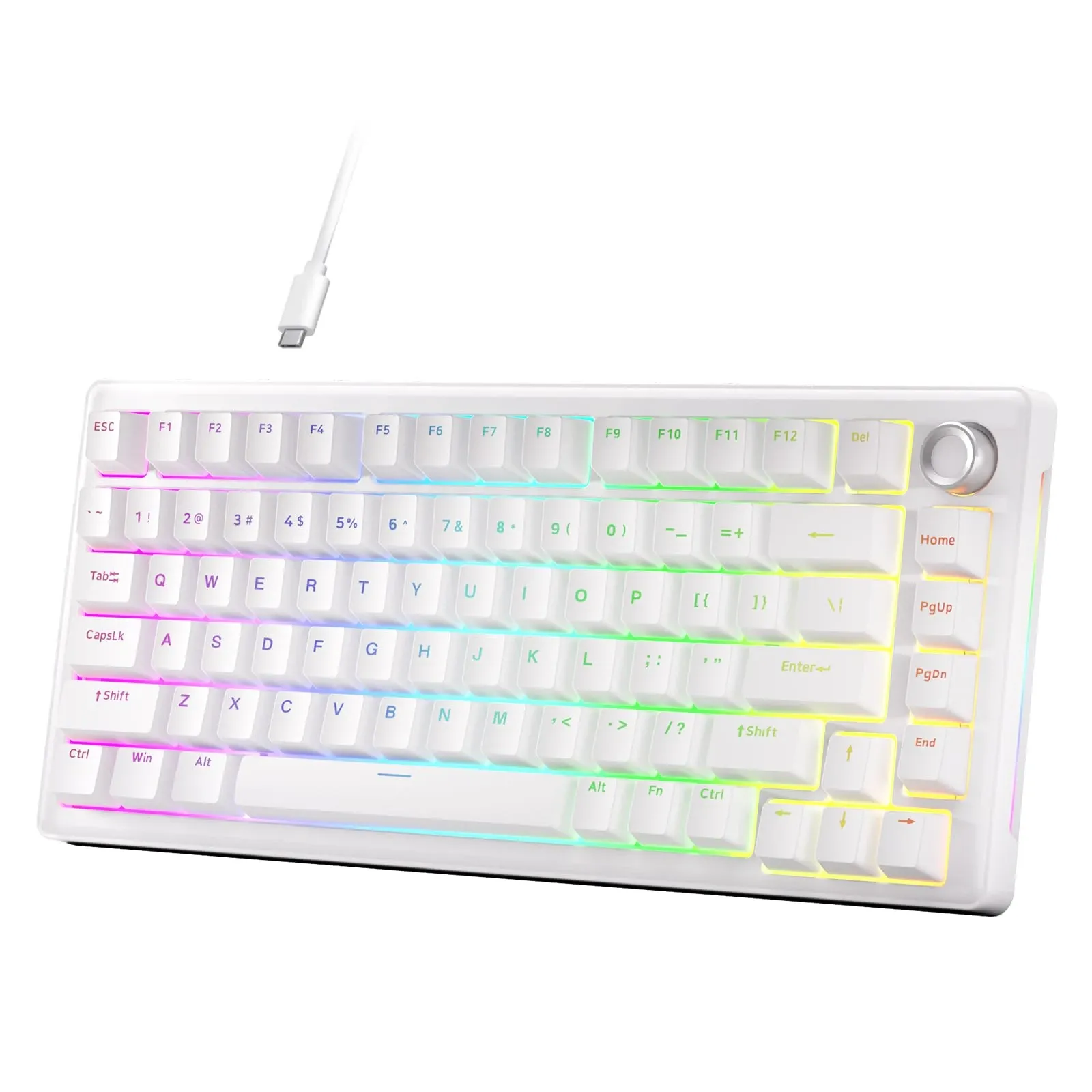
The TMKB T81E Gasket Mechanical Keyboard page lists four headline features:
- Gasket mount. The plate sits on gaskets instead of being screwed tight to the case. KEMOVE describes gasket mounting on its K94 page as giving a softer, more controlled key feel with a fuller sound.
- Hot-swappable sockets. You can change the switches without soldering, using a switch puller.
- Pre-lubed creamy linear switches. Linear switches travel straight down with no tactile bump or click. KEMOVE ships them already lubricated and describes the feel as creamy.
- A dedicated volume knob and RGB backlighting, plus programming through KEMOVE’s web driver.
At the time of writing, KEMOVE’s US store lists the T81E at $49.99, in White or Black, with an expected delivery of 3 to 7 days.
Programming and setup
KEMOVE describes the T81E as offering driver-free programmability through an advanced web driver. In practice, that means you can remap keys and adjust lighting from a browser page rather than installing a program first. The KEMOVE Driver Center also lists a Windows download for the T81E if you prefer software.
A few things to know from KEMOVE’s FAQ:
- RGB, knob and screen functions depend on the model. On boards with onboard controls, you can adjust brightness, effects and volume directly; deeper customisation goes through the driver listed for the model.
- KEMOVE’s FAQ says its keyboards switch between Windows and macOS layouts in one of three ways depending on the model: a physical switch, a key combination or driver settings. The T81E user manual, linked from KEMOVE’s manuals page, gives the exact method.
- QMK and VIA programming is a feature KEMOVE lists for supported models such as the K94. The T81E page lists the web driver instead, so if QMK or VIA matters to you, look at the K94.
Hot-swap, switches and the warranty
Hot-swap is the T81E’s main appeal for anyone who wants to try different switches. KEMOVE’s FAQ gives two rules: turn off and unplug the keyboard before replacing switches, and use the switch type your PCB supports, such as 3-pin or 5-pin when the product page lists it. The T81E page does not state the pin type, so ask KEMOVE support at [email protected] before you buy a set of replacement switches.
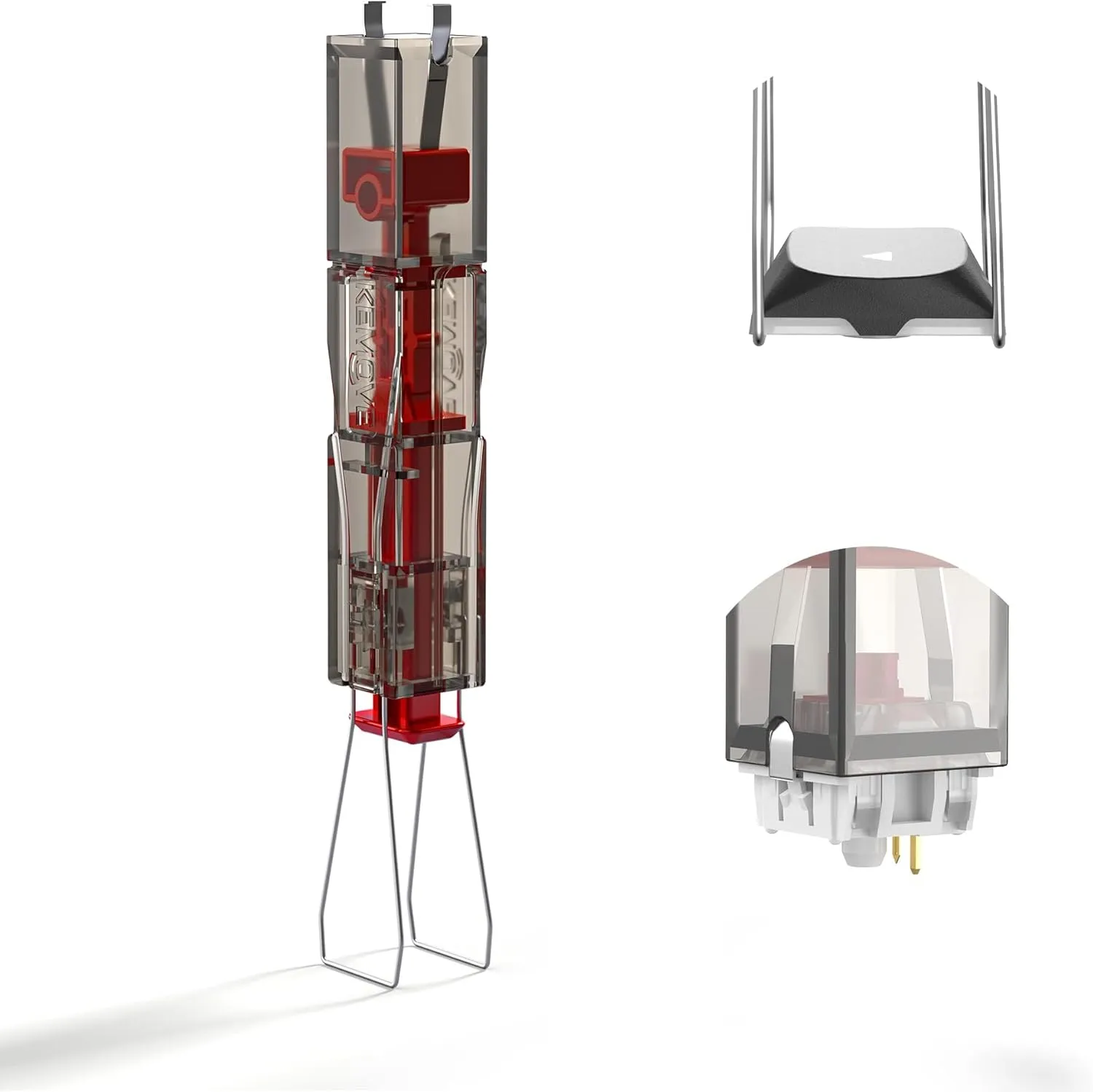
KEMOVE sells the P10 2-in-1 Switch and Keycap Puller, which it describes as working with MX-style hot-swap switches and keycaps from 1U to 6.25U+, if your board did not come with a puller you like. Our separate guide on this store walks through removing keycaps and switches safely.
Now the detail to check. KEMOVE’s refund and warranty policy lists modifying, removing, customising or swapping parts among the actions that void the warranty, alongside opening the case and flashing firmware. That sits awkwardly next to a hot-swap feature, so if your board is new and you want to keep its one year warranty, ask support how switch swaps are treated before you change any.
Who the T81E suits, and buying notes
- It suits you if you want a gasket-mount, hot-swap board with linear switches out of the box, a physical volume knob, and browser-based setup.
- Look at the TMKB T68E if you want the same feature set (gasket mount, hot-swap, creamy linear switches, volume knob, RGB, web driver) in KEMOVE’s other TMKB gasket model, listed at $39.99. Compare the layout images on the two pages against the keys you use.
- Look at the KEMOVE K94 if you need a numpad, wireless connection (Bluetooth or 2.4GHz as well as USB-C), QMK and VIA in wired mode, a display and an 8000mAh battery. Our comparison guide on this store covers all three.
On buying from the official store, KEMOVE’s FAQ lists a one year limited warranty against manufacturing defects under normal use, and free returns or exchanges within 30 days of delivery for eligible products. Keep the original packaging, accessories and proof of purchase. The warranty does not cover misuse, liquid damage, unauthorised modification or abnormal wear, so keep drinks clear of the desk.
Questions
What is the KEMOVE TMKB T81E?
A gasket-mount, hot-swappable mechanical keyboard with pre-lubed creamy linear switches, a volume knob, RGB backlighting and web driver programming, sold in white or black.
Is the TMKB T81E hot-swappable?
Yes. KEMOVE lists it as hot-swappable, so switches can be changed without soldering. Unplug it first and use the switch type its PCB supports.
Does the T81E support QMK or VIA?
KEMOVE lists QMK and VIA for supported models such as the K94. The T81E page lists programming through KEMOVE's web driver instead.
Does swapping switches void the KEMOVE warranty?
KEMOVE's policy lists swapping or modifying parts among actions that void the warranty, so ask support before changing switches on a new board.
What warranty does the KEMOVE T81E have?
KEMOVE's official store lists a one year limited warranty against manufacturing defects, plus free returns or exchanges within 30 days of delivery for eligible products.
Products in this guide
Shopping at KEMOVE? See the coupon code
5% OFF Sitewide
More in this series
 Mechanical Keyboard Switch Lifespan: How Long Do Switches Last?6 Aug 20265 min
 How Do 60, 68 and 80 Percent Keyboards Differ?6 Aug 20264 minDo Quiet Keyboards Work for Office Use? KEMOVE’s Silent Lineup6 Aug 20263 minHow to Remove Keycaps and Switches Without Damaging Your Keyboard6 Aug 20263 minKEMOVE T68E vs T81E vs K94: Which Keyboard Should You Buy?6 Aug 20263 min