 A Udexreal guide
Do Udexreal Haptic Gloves Improve VRChat Immersion?
Haptic gloves deliver finger tracking and tactile feedback that standard VR controllers can't match, especially in social apps like VRChat.
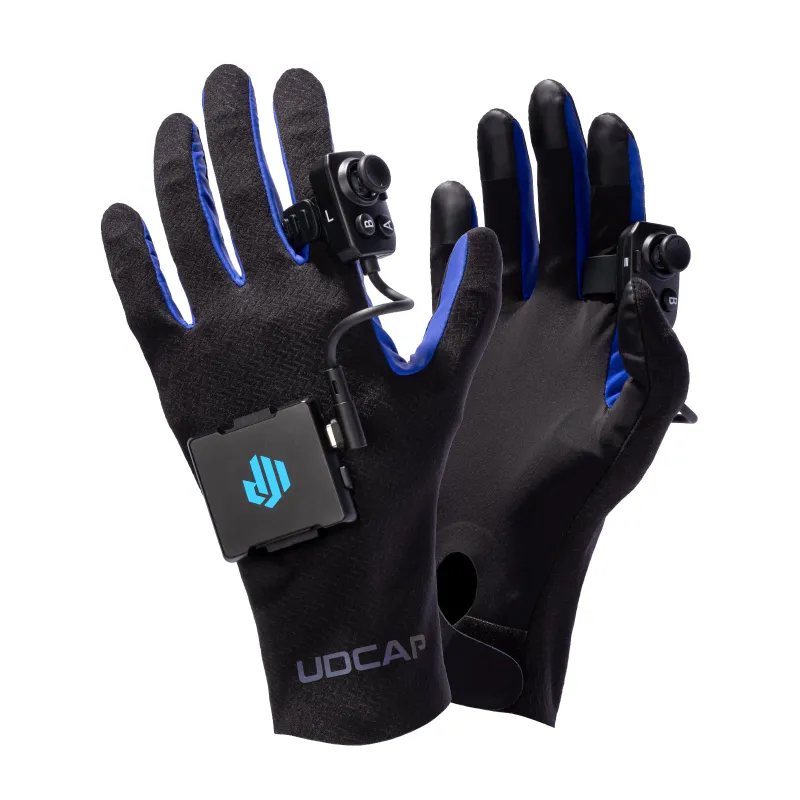
Haptic gloves add finger tracking and tactile feedback to VR, and for VRChat specifically, that mainly changes how natural your hand gestures look to other players and how much a virtual touch or a high five feels like something actually happened. The Udexreal Dexcap gloves pair with Quest headsets over Bluetooth. This guide covers how gloves like these work, what to check before buying, and who is likely to get the most out of them.
What Are Haptic VR Gloves and How Do They Work
A haptic VR glove combines two separate features. Finger tracking uses flex sensors across each finger to read how much you are bending it, so your in-game hand can point, wave or give a thumbs-up instead of relying on a handful of preset button gestures. Haptic feedback uses small vibration motors, usually in the palm, that pulse when you touch or grab a virtual object, giving a physical cue that something in the game world responded to your hand.
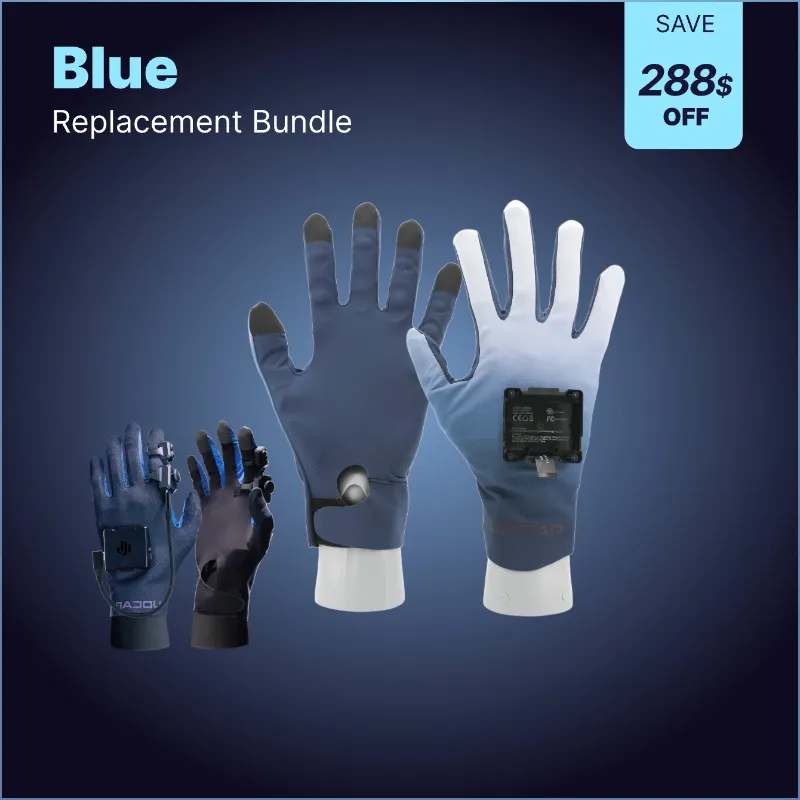
The Udcap VR gloves use flex sensors and palm vibration motors for this, and pair with a headset over Bluetooth rather than needing external base stations, which is a simpler setup than older SteamVR glove systems built around lighthouse trackers.
Haptic Gloves vs Standard Controllers
Standard VR controllers give you buttons, triggers and a joystick, mapped to a small set of preset hand poses in most games. A haptic VR glove instead tracks each finger on its own, so gestures like pointing, counting or a peace sign show up as your actual hand shape rather than an animation triggered by a button. In VRChat and other social spaces, that difference is mostly about how expressive your hand looks to other people, plus the added touch feedback when you interact with objects or other players.
The tradeoff is added setup, and a glove to charge, calibrate and put on, compared with simply picking up a controller. Whether that tradeoff is worth it depends on how much of your VR time goes to gesture-based social interaction versus fast-paced games where quick button access matters more.
What to Look for in Haptic VR Gloves
- Headset compatibility. Check whether a glove needs a PC and external trackers, or pairs directly with a standalone headset like Quest, which the Quest 3 compatible gloves from Udexreal are built for.
- Tracking method. Flex sensors, fabric stretch sensors and camera-based tracking each work differently; the product page and the manufacturer’s own specifications are the place to compare tracking approaches for a given model.
- Haptic type. Vibration motors give a basic touch cue. Some systems add force resistance that physically limits finger movement when you grip something, a different and typically bulkier, pricier approach.
- Battery life and charging. Check the manufacturer’s stated battery life and charging time for the model you are considering, since this varies and affects how long a session can run before a recharge.
- Fit. Glove sizing affects both tracking accuracy and comfort over a session, so check the sizing guidance on the product page before you order.
VRChat Avatar Compatibility
Finger tracking only shows up in VRChat if the avatar you are wearing has finger bones mapped in its rig. An avatar built with a standard humanoid rig that includes finger bones will generally show individual finger movement, while an older or simply-rigged avatar may only support a basic open or closed hand, regardless of how good the glove’s own tracking is. If expressive hand gestures matter to you, check an avatar’s rig before assuming gloves will show every finger movement on it.
How Haptic Gloves Compare to Built-in Hand Tracking
Quest headsets include a free hand-tracking feature that uses the headset’s own cameras to read your hands with no extra hardware. It works for basic gestures, but tracking can struggle when one hand passes behind the other or leaves the camera’s view, and it has no way to give tactile feedback when you touch something.
A dedicated haptic glove adds sensor-based tracking that does not depend entirely on the headset’s camera view, plus the vibration feedback that hand tracking cannot provide. Other haptic glove systems on the market use different combinations of tracking and feedback, including fabric stretch sensors or force-resistance mechanisms that physically limit finger movement. Check each maker’s own specifications rather than assume one performs better, since that varies by model and changes as products update.
Who Should Consider Haptic Gloves
They tend to suit you if you:
- Spend a meaningful amount of time in VRChat, Rec Room or other social VR spaces where hand gestures are part of how you communicate
- Stream or create VR content and want more expressive avatar control
- Play VR games where touch feedback helps with timing, such as rhythm or object manipulation titles
- Already own a compatible Quest headset and want more hand expression without a full PC VR setup
Standard controllers may suit you better if you:
- Mostly play fast-paced games where quick, precise button access matters more than gesture control
- Keep VR sessions short, where the setup and charging routine outweighs the benefit
- Have hands that fall outside the sizing the manufacturer lists for a given glove
Built-in hand tracking is a free way to try basic gesture control before deciding whether a dedicated glove is worth adding.
Setup and Care
Setting up a Bluetooth-paired glove system generally means installing a companion app on your headset or phone, pairing the gloves, and running a calibration routine that has you flex each finger through its range of motion so the software can map your hand. For PC VR, a desktop driver usually bridges the glove data into your VR software. Once calibration is saved, later sessions typically just need the gloves powered on and reconnected.
For upkeep:
- Wipe the interior fabric with a damp cloth after use to keep it clean
- Store the gloves on their charging dock between sessions so they are ready to go
- Recalibrate if tracking starts to feel off, particularly after a firmware update
For current pricing, see the current Udexreal discount code before you order the Udcap VR glove or another model in the range, including the VR gloves and haptic gloves listings, the VRChat-focused option, and the other VR gaming glove picks on the same page.
The Bottom Line on Haptic Gloves for VRChat
Haptic gloves add real value for VRChat specifically when finger-level gesture and touch feedback matter to how you spend your time in it, whether that is streaming, avatar work, or regular social hangouts where hand expression is part of the experience. For fast-action games or occasional short sessions, the extra setup and charging routine may not be worth it over a standard controller. Check the battery life, charging time, headset compatibility and sizing listed on the product page for the specific model you are considering, since those details decide day to day comfort more than any single feature on its own.
Questions
Do haptic gloves work with all VRChat avatars?
They work with any VRChat avatar that has finger bones mapped in its rig. A well-rigged humanoid avatar generally supports full finger tracking, while an older or simply-rigged avatar may only show a basic open or closed hand.
How long does the battery last on Udexreal VR gloves?
Battery life and charging time vary by model. Check the manufacturer's listed figures for the exact runtime and charge time of the model you are considering before you buy.
Can I use haptic gloves with Quest 3 without a PC?
Yes. Udexreal's haptic gloves pair with Quest 2 and Quest 3 headsets over Bluetooth and use the headset's own cameras for tracking, so no PC or external base stations are needed for standalone Quest games and VRChat.
Are VR gloves better than hand tracking for VRChat?
VR gloves can offer steadier tracking and add haptic feedback, which the free hand tracking built into Quest headsets does not have. Hand tracking works for basic gestures but can struggle when one hand blocks the camera's view of the other.
Do haptic gloves get uncomfortable during long VR sessions?
Any handworn device can feel more tiring over a long session than a lightweight controller, especially if the fit is not right for your hand size. Taking breaks and adjusting the straps can help if you notice fatigue.
What's the difference between Udexreal and SenseGlove haptics?
Udexreal uses vibration motors for haptic feedback. SenseGlove Nova instead adds force resistance that physically limits your fingers when gripping a virtual object, which tends to mean a bulkier glove that needs a PC connection. Check each maker's current specifications, since these details change over time.
Products in this guide
Shopping at Udexreal? See the discount code
10% OFF All Orders
More in this series
StretchSense vs Udexreal Dexcap: Which VR Hand Tracking System to Buy20 Aug 20264 minHow Long Do VR Haptic Gloves Last? Durability and Care Tips20 Aug 20264 minDo Haptic VR Gloves Work with SteamVR and VRChat? Compatibility Guide20 Aug 20264 minVR Gloves vs Controllers: Which Is Better for Full-Body VR Gaming?20 Aug 20265 minHow to Set Up Finger Tracking Gloves with Meta Quest 320 Aug 20265 min