 A Sofabaton Universal Remote guide
Sofabaton X1S vs X2 vs X3: Which Universal Remote Should You Buy?
The sofabaton u2 universal remote offers budget-friendly control for up to 15 devices, while the X1S, X2, and X3 add screens, activities, and smart-home integration at higher price points.
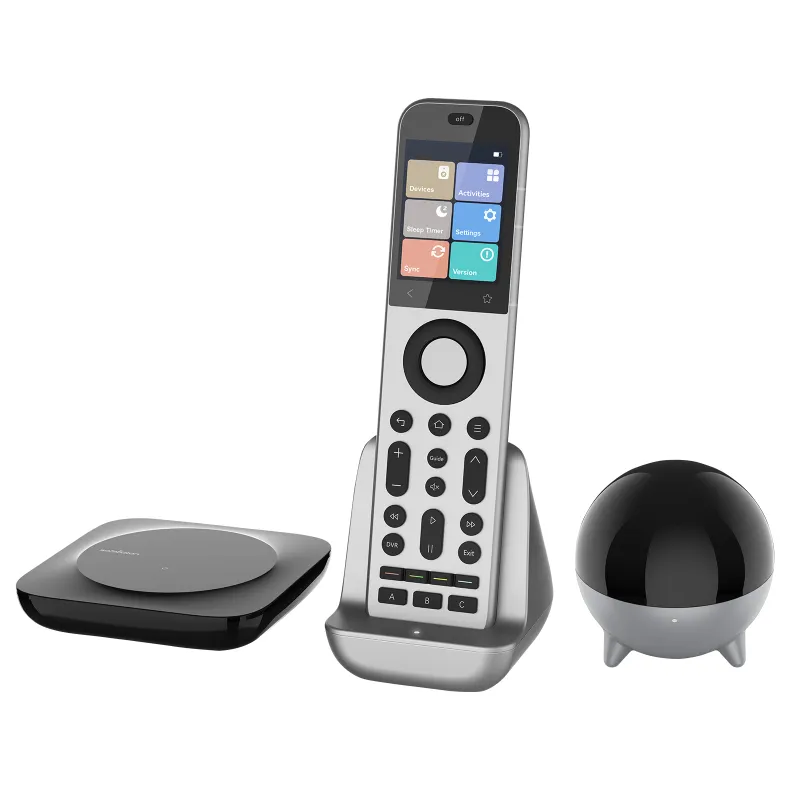
The sofabaton u2 universal remote delivers straightforward control for up to 15 devices at an entry-level price, making it ideal for households that want to consolidate remotes without investing in advanced automation. Meanwhile, the SofaBaton X1S, sofabaton x2, and sofabaton x3 step up with color touchscreens, one-tap activity macros, and hub-based smart-home integration.
What sets the sofabaton u2 universal remote apart
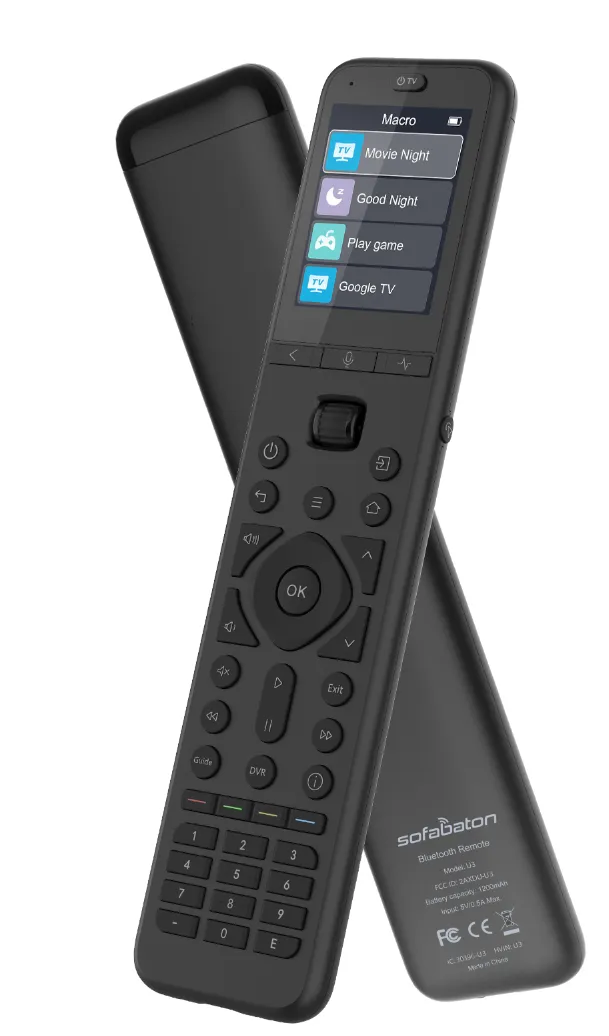
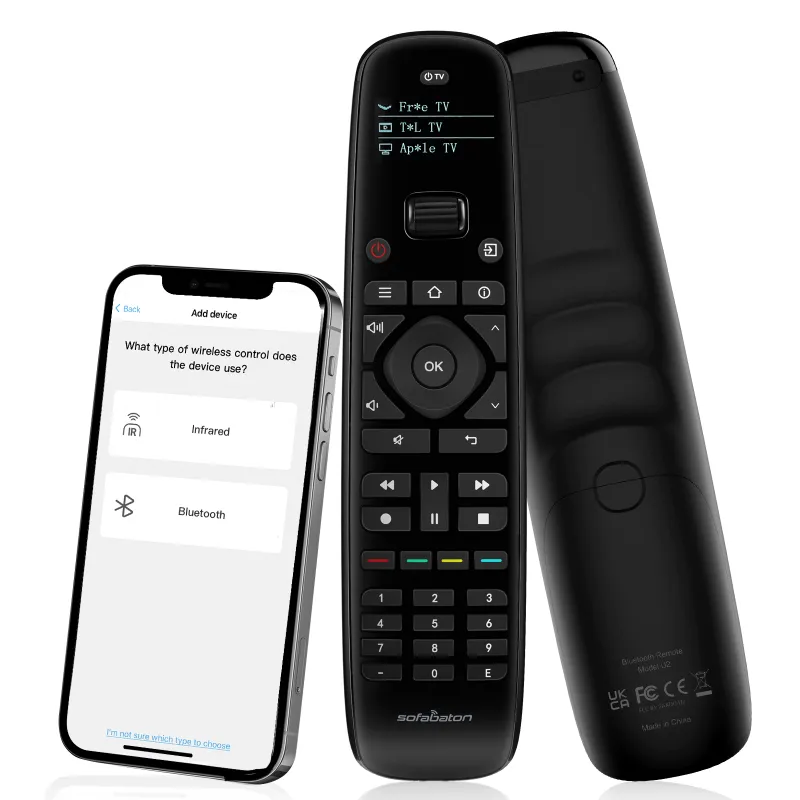
The U2 takes a traditional button-first approach with a backlit keypad and no touchscreen. You program devices directly on the remote using IR codes from its built-in database or by learning commands from your existing remotes. It supports up to 15 devices across categories like TVs, soundbars, cable boxes, DVD players, and streaming sticks, and it stores those configurations in the remote’s internal memory.
Because the U2 relies purely on infrared, it requires line-of-sight to your equipment. There’s no RF, Bluetooth, or Wi-Fi, so cabinet doors and closed AV racks will block signals. Setup happens on the remote itself rather than through a smartphone app, which speeds up initial programming but limits your ability to back up or share configurations. CNET calls it the best budget universal remote for users who prioritize simplicity over smart-home features.
Key U2 features:
- 15-device capacity with IR-only control
- On-remote programming via code entry or learning mode
- Backlit buttons for low-light use
- No app, hub, or subscription required
- Check current pricing with our discount code
How the X1S, X2, and X3 expand control options
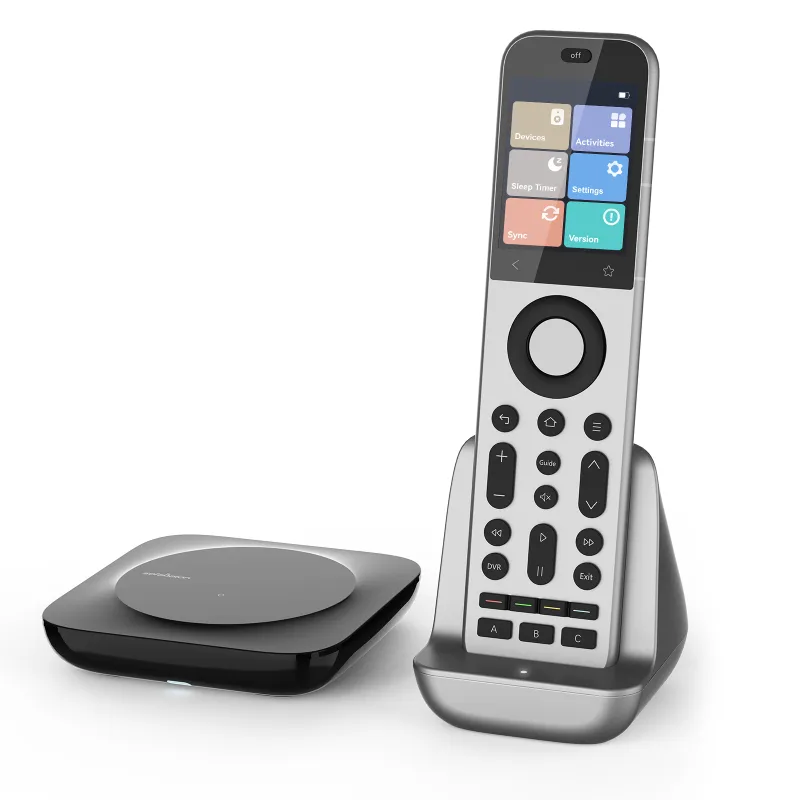
All three stepped-up models add a 2.4-inch color LCD that displays custom button labels, device icons, and activity shortcuts. They also introduce activity-based control, so a single tap can power on your TV, switch inputs, start your receiver, and dim smart lights in sequence. The X1S uses Bluetooth and IR, while the X2 and X3 add a separate hub for RF, Wi-Fi, and IP control of devices hidden in cabinets or other rooms.
The sofabaton x2 universal remote supports up to 60 devices and 50 activities, handles Bluetooth headphones, and ships with the hub for cabinet-friendly RF transmission. The sofabaton x3 raises the ceiling to 100 devices and unlimited activities, adds voice-assistant integration (Alexa, Google), and includes a charging dock. The X1S sits between the U2 and X2, offering Bluetooth and app-based setup but no hub, so it’s limited to line-of-sight IR and Bluetooth connections.
Each model uses the SofaBaton smartphone app for setup, device database updates, and activity programming. You can back up your configuration to the cloud, clone settings to a second remote, or tweak button layouts from your phone.
Choosing between the U2 and the X series
Pick the U2 if you want a straightforward replacement for a pile of manufacturer remotes, your devices sit in open shelving, and you don’t need activity macros or smart-home tie-ins. Its button layout is intuitive, the learning mode handles oddball equipment, and you’ll never worry about app updates or hub firmware. HighTechDad found it answered the call for users tired of juggling remotes, especially in secondary rooms where simplicity matters more than automation.
Choose the X1S if you want activity control and Bluetooth support but don’t need a hub. It bridges the gap between the U2 and the X2, offering touchscreen convenience and app-based programming while keeping costs closer to the budget tier.
Go with the X2 if your gear lives behind cabinet doors, you control more than 15 devices, or you want one-tap routines that coordinate your TV, receiver, and streaming box. The included hub eliminates line-of-sight issues and opens the door to IP-controlled projectors or network AV receivers.
Upgrade to the X3 when you’re managing a whole-home theater setup with dozens of zones, you rely on voice assistants daily, or you need unlimited activity customization. The charging dock also saves you from hunting for AAA batteries every few months, and the grab the discount code here to save on whichever model fits your setup.
Device compatibility and programming workflow
All four remotes pull from the same cloud IR database, which covers thousands of brands across TVs, soundbars, cable boxes, DVD/Blu-ray players, projectors, and streaming devices. The U2 lets you search by brand and device type on the remote’s small LCD, then test codes until you find a working match. If your equipment isn’t in the database, you can aim your original remote at the U2 and teach it each button one by one.
The X1S, X2, and X3 streamline the process through the smartphone app, where you search by brand, add devices to virtual rooms, and assign them to activities. The app also checks for firmware updates and database refreshes, so newer devices get added without waiting for a hardware revision. The SofaBaton U2 user manual walks through code entry and learning mode step-by-step if you prefer printed instructions.
Compatibility pain points:
- Roku and Fire TV sticks: the U2 requires line-of-sight IR, so sticks hidden behind the TV may miss commands; the X2 and X3 handle these via Bluetooth or IP
- Sonos speakers and Hue lights: only the X2 and X3 hub supports IP control for networked audio and smart-home devices
- Older equipment: all four remotes handle legacy IR gear equally well through learning mode
Pricing, battery life, and where to buy
The U2 runs on two AAA batteries that last several months depending on use. The X1S uses four AAAs, while the X2 ships with a rechargeable battery pack good for weeks per charge. The X3 includes a charging dock, so you drop the remote in the cradle overnight and never think about power again.
Price-wise, the U2 sits at the entry tier, the X1S and X2 occupy the mid-range, and the X3 commands a premium for unlimited activities and voice integration. We regularly update our Sofabaton discount code page with current offers, including the active 5% off sitewide deal that applies to every sofabaton universal remote in the lineup.
Warranty and support are identical across models: one-year limited hardware coverage and email-based troubleshooting through SofaBaton’s support portal. Firmware updates arrive via the smartphone app for the X series, while the U2 receives database updates when you sync it to a PC using the optional USB cable.
Which remote fits your home theater
We recommend the U2 for guest rooms, basements, or anyone who just wants fewer remotes on the coffee table without learning new software. It’s also the smart pick if your gear sits on open shelves and you rarely add new devices.
The X1S makes sense when you want the touchscreen experience and activity control but don’t need the hub’s RF or IP features. It’s a solid middle ground for apartment setups where all your equipment stays in the same room.
The X2 suits dedicated home-theater enthusiasts with cabinet-enclosed receivers, projectors in the ceiling, or a mix of IR, Bluetooth, and network devices. The hub eliminates the line-of-sight headaches that trip up the U2 and X1S.
Finally, the X3 is built for power users managing multiple zones, integrating voice assistants, or running complex routines that touch lighting, shades, and AV equipment. If you’re already deep into smart-home automation, the X3 becomes the central controller for your entire media environment.
Questions
Can the sofabaton u2 universal remote control devices in a closed cabinet?
No, the U2 uses infrared only and requires line-of-sight to your equipment. The X2 and X3 include a hub that sends RF signals through cabinet doors and walls.
Do I need a smartphone to set up the U2?
No, the U2 programs directly on the remote using its built-in screen and buttons. The X1S, X2, and X3 require the SofaBaton smartphone app for setup and activity programming.
How many devices can each SofaBaton remote control?
The U2 handles 15 devices, the X1S supports 30, the X2 controls up to 60, and the X3 manages 100 devices. All models let you switch between devices quickly using the touchscreen or dedicated buttons.
Which SofaBaton remote works with Alexa and Google Assistant?
Only the X3 offers native voice-assistant integration. You can trigger activities and control devices by voice when paired with Alexa or Google Home.
Will the X1S control my Roku stick if it is behind the TV?
The X1S uses Bluetooth for Roku control, so it works without line-of-sight as long as you're within Bluetooth range. The U2 requires IR line-of-sight for all devices including Roku.
Can I use the same discount code for any SofaBaton model?
Yes, our current 5% off code applies to the U2, X1S, X2, X3, and all other SofaBaton products sitewide. Check the coupon page for the latest offer and expiration date.
Products in this guide
 Shopping at Sofabaton Universal Remote? See the discount code
5% OFF All Orders
Shopping at Sofabaton Universal Remote? See the discount code
5% OFF All Orders
More in this series
Sofabaton Remote Not Syncing: Quick Troubleshooting Steps6 Aug 20264 minWhat Devices Are Compatible With Sofabaton Universal Remotes?6 Aug 20264 minSofaBaton X2 vs X3: Is the Upgrade Worth It?6 Aug 20264 minDoes the Sofabaton U2 Work With Older TV Models?6 Aug 20264 minHow to Program a Sofabaton Universal Remote for Multiple Devices6 Aug 20264 min