 A Sofabaton Universal Remote guide
Sofabaton U2 vs U3: Which Remote Fits Your Setup?
A plain comparison of the Sofabaton U2 and U3 remotes, built on what their product and compare pages list, with the gaps left marked as not stated.
The Sofabaton U3 adds RF learning, three simultaneous Bluetooth connections, an Air Mouse and Google voice support to what the U2 lists, so pick the U3 if your setup mixes IR, Bluetooth and RF devices and the U2 if IR and Bluetooth cover everything you own. Our Sofabaton Universal Remote discount code page lists the current code and how to use it.
What each product page lists
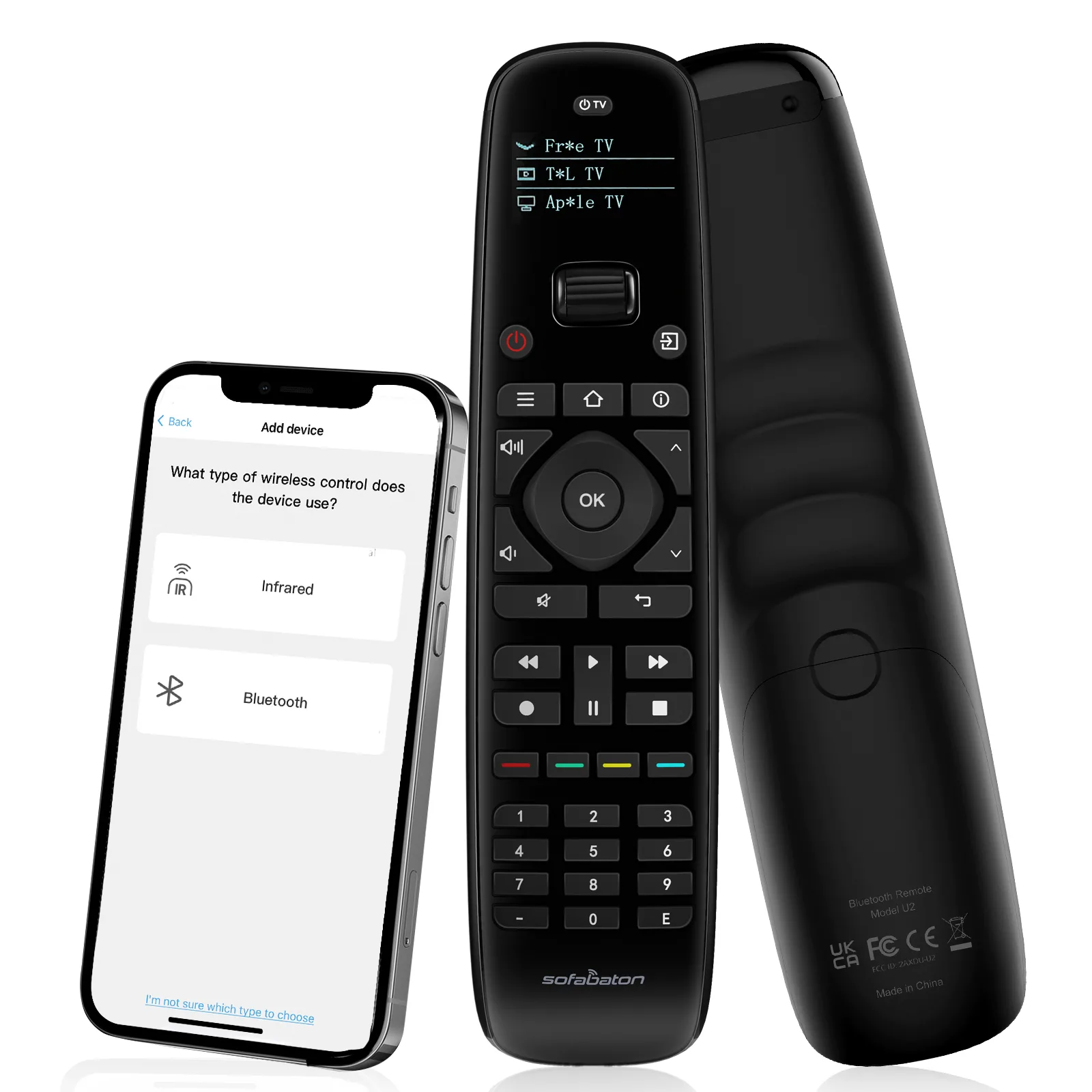
The Sofabaton U2 page describes a universal remote that replaces 15 or more infrared and Bluetooth remotes. It lists IR and Bluetooth control, customizable macros, a raise-to-wake feature and a scroll wheel for switching quickly between devices. It does not list RF support.
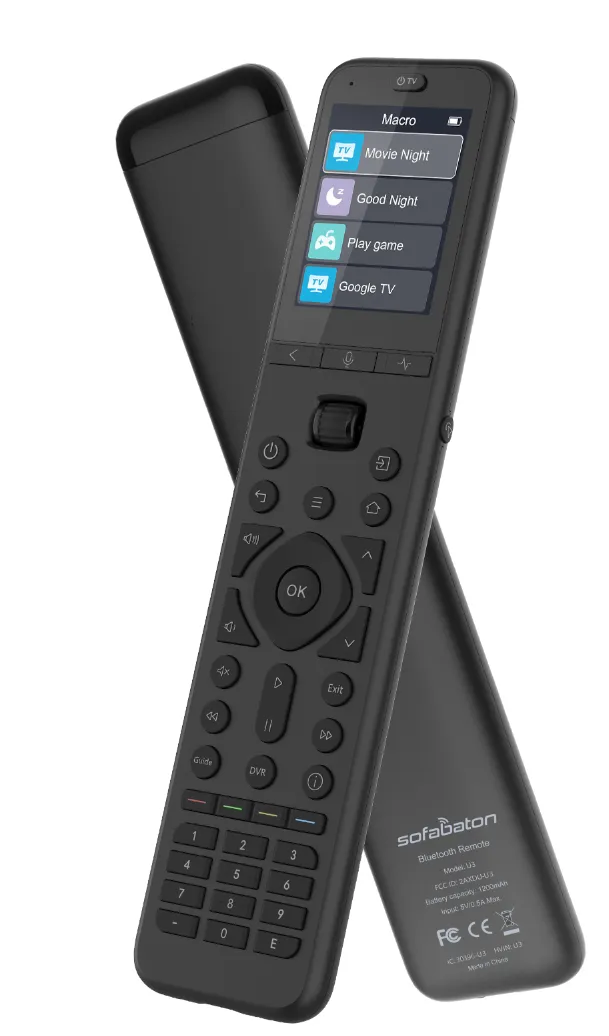
The Sofabaton U3 page lists IR and Bluetooth control plus RF433 and RF315 learning, customizable macros, Air Mouse and a Google built-in voice function. Here is how the two compare where both pages give a detail:
| U2 | U3 | |
|---|---|---|
| Signals listed | IR, Bluetooth | IR, Bluetooth, RF |
| Macros | Yes, customizable | Yes, one-touch |
| Raise to wake | Listed | Wake on lift listed |
| Bluetooth devices at once | Not stated | Up to 3 |
| Voice and cursor | Not listed | Air Mouse and Google built-in voice |
| Display | Not stated on the page | 2.4-inch LCD |
| Battery | Not stated on the page | 1200mAh, rechargeable over USB-C |
| Size and weight | Not stated on the page | 8.78 x 2.03 x 0.64 inches, 5 ounces |
Where the U2 page is silent, we leave the cell as not stated rather than guess. Ask Sofabaton if a U2 detail matters to your decision.
What the extra U3 features do
RF learning
Some devices use radio signals instead of infrared. The U3 page says it can learn RF433 and RF315 commands from a compatible RF remote. If you have a motorized screen, a fan or lights controlled this way, that is the feature to check. The U2 page lists IR and Bluetooth only.
Three Bluetooth devices at once
The U3 page says it can stay connected to up to three supported Bluetooth devices at the same time, so it does not have to disconnect and reconnect as you move between them. If you use only one Bluetooth device, this will not matter to you.
Air Mouse and Google voice
The page says Air Mouse moves an on-screen cursor on compatible Bluetooth interfaces. Google voice support works with Bluetooth-connected devices that natively support Google Assistant. So it is a feature of the devices you pair, not of the remote alone. Check your streaming box before you count on it.
The optional repeater
The U3 page says it uses line-of-sight IR by default and sells an optional R1 Repeater for compatible IR devices inside cabinets or media consoles. If your gear sits behind closed doors, factor that accessory in.
Battery and smart home notes
Sofabaton gives two battery figures for the U3. The compare page says approximately 50 days. The product page says a single charge lasts up to 3 weeks of use. We do not choose between them. Use the shorter one if you want to plan around the worst case.
The compare page lists no smart home support for the U3. If you want Alexa, Google Assistant or Home Assistant control, that points you to the X1S or X2 instead, which Sofabaton lists with those links.
Accessories and setup
The U3 page lists a Dock and a U3 Accessory as add-ons, and a U3 Combo set that bundles the remote with an extra. The U2 page lists the remote alone. A dock matters if you would rather set the remote down to charge than plug in a cable, and the U3 page says it supports an optional charging dock and USB-C charging.
Both remotes work from the same idea. You add your devices, then use macros to chain commands such as turning on the TV, waking the streaming box and setting the volume with one press. The U3 page describes setting up IR devices by choosing a brand from a database, by copying an original remote in learning mode, or by a code-matching method. We cannot say how much work this is for your particular gear, so check Sofabaton’s compatibility page and the U series FAQ on its site before you buy.
Which to choose
- Choose the U2 if your TV, soundbar and streaming box work over IR or Bluetooth and you want to replace several remotes.
- Choose the U3 if you need RF learning, more than one Bluetooth device connected at a time, or Air Mouse.
- Choose an X-series remote if you want smart home links, because the U3 lists none.
- Check the store’s compatibility page for your devices before you buy either one.
Questions
What is the difference between the Sofabaton U2 and U3?
The U3 page lists RF433 and RF315 learning, up to three Bluetooth devices at once, Air Mouse and Google built-in voice. The U2 page lists IR and Bluetooth control with macros.
Does the Sofabaton U3 support smart home control?
The compare page lists none for the U3. It lists IP control, Alexa and Google Assistant for the X1S and more for the X2.
How long does the Sofabaton U3 battery last?
Sofabaton gives two figures. The compare page says approximately 50 days and the product page says up to 3 weeks of use on a single charge.
Can the Sofabaton U3 control devices in a cabinet?
The U3 uses line-of-sight IR by default. The page lists an optional R1 Repeater for compatible IR devices inside cabinets or media consoles.
Does the Sofabaton U2 support RF?
The U2 page lists IR and Bluetooth control and does not list RF. The U3 page lists RF433 and RF315 learning.
Products in this guide
 Shopping at Sofabaton Universal Remote? See the discount code
5% OFF All Orders
More in this series
Sofabaton Remote Not Syncing? The Fixes Sofabaton Lists for Each Model6 Aug 20264 minWhat Devices Are Compatible With Sofabaton Universal Remotes?6 Aug 20264 min Does the Sofabaton U2 Work With Older TV Models?6 Aug 20264 minHow to Program a Sofabaton Universal Remote for Multiple Devices6 Aug 20264 min
 Sofabaton X1S vs X2: Which Universal Remote Fits Your Setup?6 Aug 20263 min