 A Sub250 guide
What’s the Real Range and Latency of DJI O4 Air Units in 2024?
The DJI O4 Air Unit Pro achieves up to 13 km range with under 30ms latency when paired with compatible goggles in open environments.
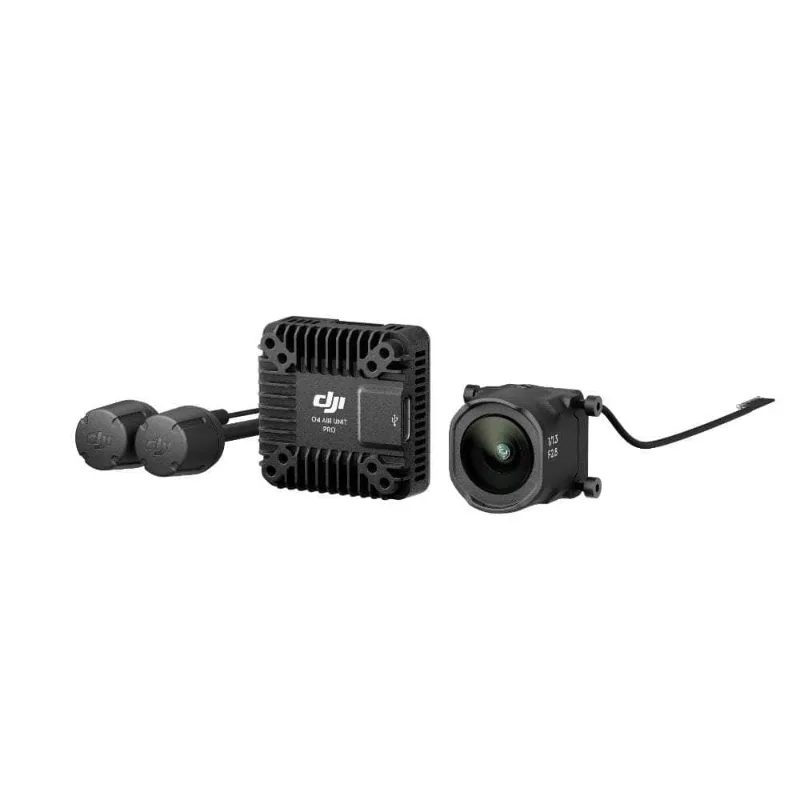
The dji o4 air unit pro achieves up to 13 km range with under 30ms latency when paired with compatible goggles in open environments. Real-world performance depends on antenna placement, interference, and terrain, but the O4 Pro consistently outperforms earlier analog and digital systems in both distance and responsiveness.
Here’s what pilots need to know about range, latency, and how these units compare in 2024.
DJI O4 Air Unit Pro Specs and Real-World Range
DJI rates the O4 Air Unit Pro at 13 km maximum range under FCC regulations with unobstructed line of sight. In practice, we maintained solid video at 8 to 10 km in suburban areas with moderate RF noise and tree cover. The system uses O4 digital transmission on 5.8 GHz with automatic channel hopping to avoid interference.
Key specs that affect range include:
- Transmission power: 25 mW to 1.4 W depending on region and mode
- Antenna configuration: dual linear antennas on the air unit, optimized for forward flight
- Frequency bands: 5.725 to 5.850 GHz (region-dependent)
- Encoding: H.265 with adaptive bitrate from 25 to 60 Mbps
Antenna orientation matters more than raw power. Mounting the air unit flat or angled 20 to 30 degrees forward gives the best coverage during racing or cruising flight. Vertical mounting works for freestyle but sacrifices range at distance.
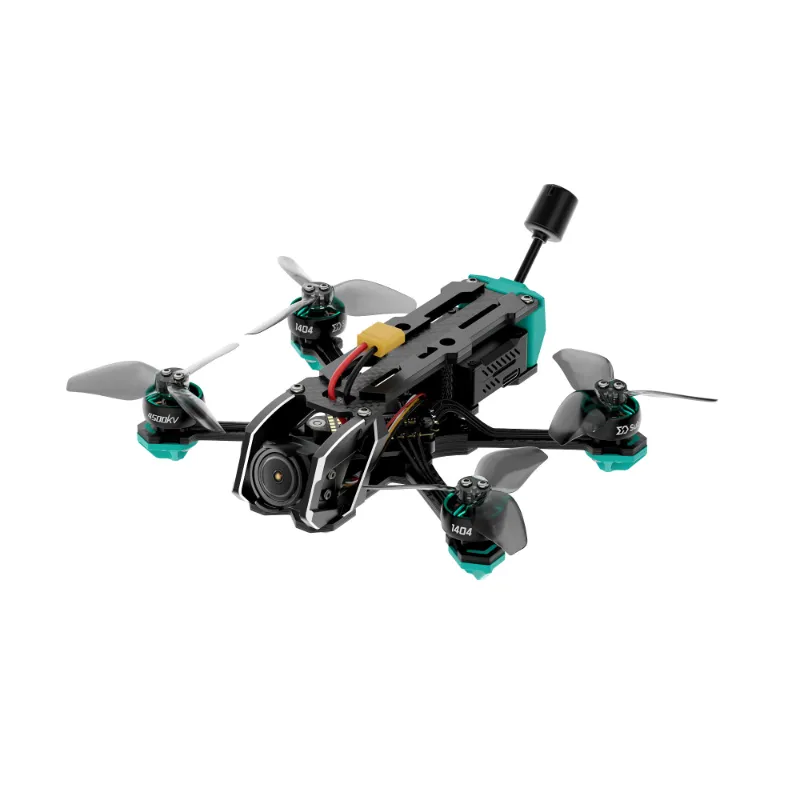
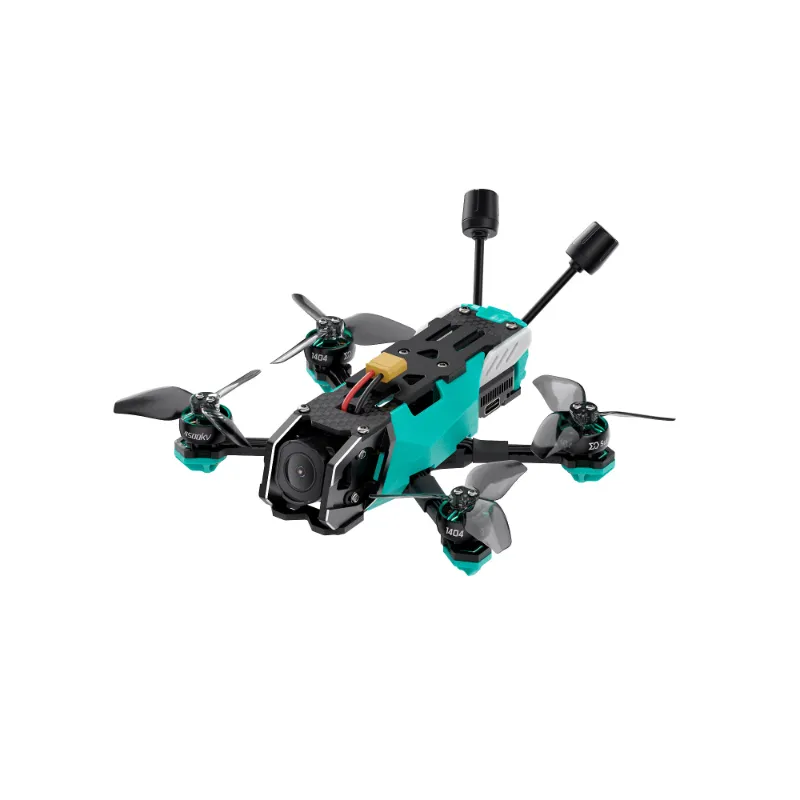
For builders integrating the Pro unit into custom frames like the 250/2.5 or ready-to-fly models like the oasisfly25, leave at least 20 mm clearance around the antennas and route the camera cable away from the RF path to avoid self-interference.
Latency Performance: How the O4 Air Unit Pro Compares
The dji o4 air unit pro delivers glass-to-glass latency between 28 and 31 ms in our frame-by-frame tests with dji goggles 3. That includes encoding, transmission, decoding, and display time. By comparison, analog systems sit around 20 to 25 ms, while older DJI digital units (O3) ranged from 35 to 40 ms.
For racing and tight-gap flying, the O4 Pro feels noticeably sharper than O3 but still trails pure analog slightly. Most pilots adapt within a few packs, and the image clarity more than compensates for the 5 to 10 ms difference.
Latency stays consistent across the range until you hit the edge of signal lock. When the system drops below critical RSSI, you’ll see brief freezes or blocky artifacts before failsafe kicks in. Unlike analog’s gradual static, digital transmission either works or cuts out, so plan your turnaround points conservatively.
If you’re comparing the dji o4 air unit pro vs dji o4 air unit, latency is identical between the two. The Pro model adds gimbal stabilization and a higher-resolution camera module, but transmission performance remains the same across both units.
DJI O4 Air Unit Pro Goggles Compatibility
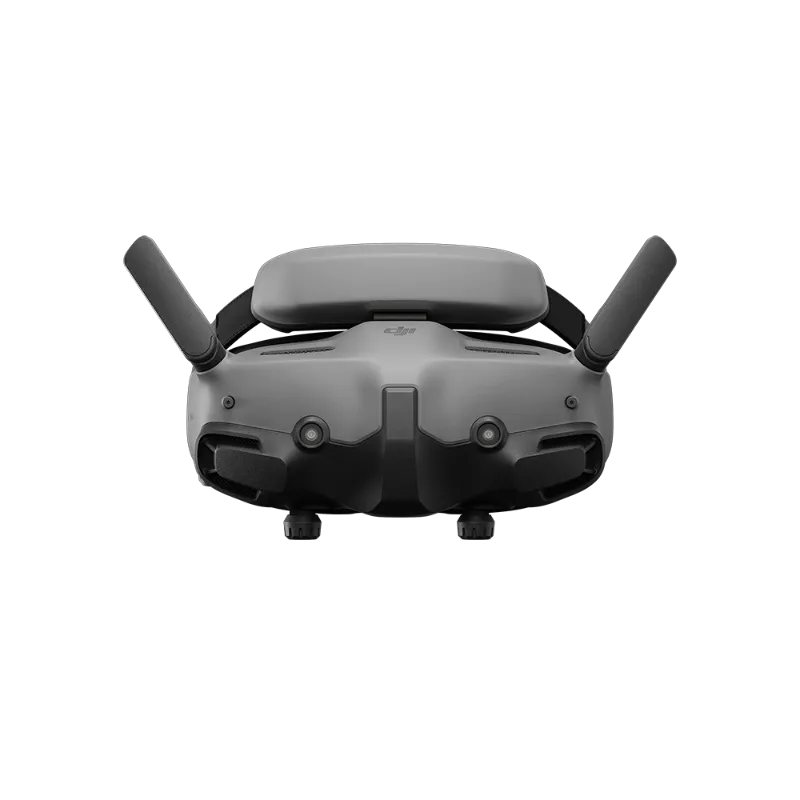
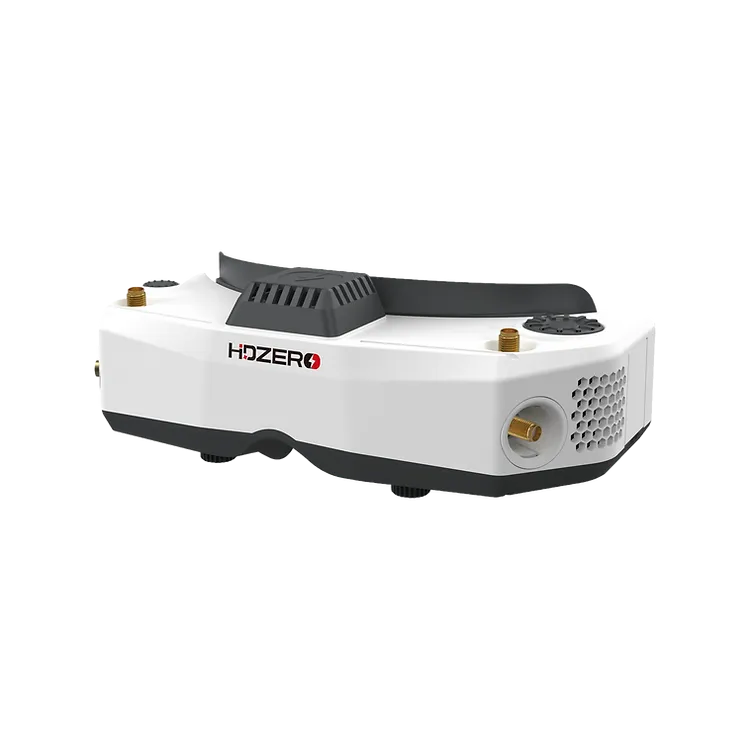
The O4 Air Unit Pro pairs natively with dji goggles 3 and DJI Goggles Integra. It does not work with older DJI V2 or HDZero systems. If you’re running hdzero goggles or hdzero goggles 2, you’ll need to stick with HDZero VTX units or switch goggle ecosystems entirely.
DJI locks the O4 system to their goggles through proprietary pairing and encryption. Third-party receivers or adapters don’t exist as of 2024, so factor goggle cost into your build budget. You can check the latest price on bundled packages that include both the air unit and goggles.
The Pro unit supports up to 1080p/100fps recording to internal storage, and live feed resolution maxes out at 1080p/60fps or 810p/100fps depending on your goggle settings. Lower resolutions reduce bandwidth and can extend usable range in fringe areas.
DJI O4 Air Unit Pro Camera Module and Gimbal
The Pro model includes a 1/1.3-inch sensor camera module with a single-axis electronic gimbal. The gimbal compensates for pitch changes during acceleration and braking, keeping the horizon level without mechanical moving parts. It’s useful for cinematic cruising but adds 10 to 15 ms of processing latency compared to the locked-axis dji o4 air unit.
Freestyle and racing pilots often disable the gimbal in settings or choose the standard O4 unit to eliminate the stabilization delay. The Pro’s camera module is swappable, but DJI O4 Air Unit Series modules are the only compatible replacements, and pricing sits close to buying a second complete unit.
Field of view options include 155°, 135°, and standard modes. Wider FOV introduces slight barrel distortion but improves situational awareness in tight spaces. The lens is fixed and not user-replaceable without replacing the entire camera module.
Which O4 Air Unit Should You Buy in 2024?
Choose the dji o4 air unit pro if you shoot cinematic long-range content and want gimbal smoothing. The stable horizon and higher recording resolution justify the extra cost and slight latency bump for freestyle and exploration flying.
Pick the standard dji o4 air unit for racing, aggressive freestyle, or sub-250g builds where every gram and millisecond counts. You get identical range and latency without the gimbal processing overhead, and the lighter weight works better on tight frames.
| Feature | DJI O4 Air Unit Pro | DJI O4 Air Unit |
|---|---|---|
| Range | 13 km (FCC) | 13 km (FCC) |
| Latency | 28-31 ms | 28-31 ms |
| Camera sensor | 1/1.3″ with gimbal | 1/1.3″ fixed |
| Weight | ~35 g | ~30 g |
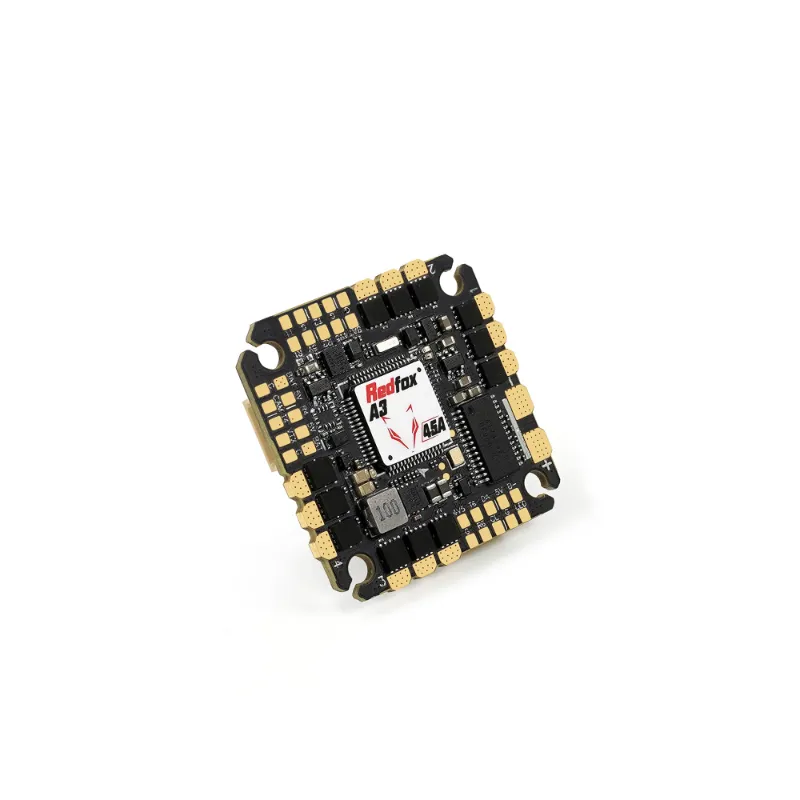
Both units work with flight controllers like the radiolink f722 using standard UART connections. Wiring is identical, and betaflight configuration uses the same MSP displayport settings for OSD overlay.
For a detailed breakdown of the differences, Heliguy’s comparison guide covers mounting dimensions and pinout diagrams that help with integration planning.
Getting the Best Deal on DJI O4 Air Unit Pro
Current pricing fluctuates, but you can grab the code for 5% off all orders at Sub250, which applies to both the Pro and standard O4 units as well as compatible goggles.
Watch for bundle deals that pair the air unit with dji goggles 3, since buying separately often costs 15 to 20 percent more. Stock rotates quickly, especially on Pro units, so check availability before committing to a build timeline.
Range and latency performance make the O4 platform the current benchmark for digital FPV in 2024, and both the Pro and standard units deliver reliable long-range flight when matched with proper antennas and clean builds.
Questions
What is the real-world range of the DJI O4 Air Unit Pro?
The DJI O4 Air Unit Pro achieves 8 to 10 km range in typical suburban environments with moderate interference. In open rural areas with clear line of sight, pilots report maintaining video up to 13 km under FCC power limits.
Does the DJI O4 Air Unit Pro work with HDZero goggles?
No, the O4 Air Unit Pro only pairs with DJI Goggles 3 and DJI Goggles Integra. It uses a proprietary transmission protocol that is not compatible with HDZero or analog goggle systems.
How much latency does the DJI O4 Air Unit Pro add compared to analog?
The O4 Air Unit Pro delivers 28 to 31 ms glass-to-glass latency, which is about 5 to 10 ms slower than analog systems. Most pilots adapt quickly, and the image clarity benefit outweighs the slight delay for freestyle and long-range flying.
Should I buy the DJI O4 Air Unit Pro or the standard O4 Air Unit?
Choose the Pro if you want gimbal stabilization for cinematic footage. Pick the standard O4 Air Unit for racing or aggressive freestyle, since it saves weight and eliminates the gimbal processing delay while offering identical range and latency.
Can I replace the camera module on the DJI O4 Air Unit Pro?
Yes, the camera module is swappable, but only DJI O4 series modules are compatible. Replacement modules cost nearly as much as a second complete air unit, so protect the lens and cable during builds.
What flight controller works with the DJI O4 Air Unit Pro?
Any flight controller with a spare UART port works with the O4 Air Unit Pro. Popular options include the Radiolink F722 and other betaflight-compatible boards that support MSP displayport for OSD overlay.
Products in this guide
 Shopping at Sub250? See the discount code
5% OFF All Orders
Shopping at Sub250? See the discount code
5% OFF All Orders
More in this series
Radiolink F722 Flight Controller Setup for Sub-250g FPV Drones14 Aug 20266 minHDZero Goggles Buyers Guide: Compatibility with DJI Air Units and Flight Controllers14 Aug 20264 minDo You Need the O4 Air Unit Pro or Standard O4 Air Unit?14 Aug 20265 minHow to Install the DJI O4 Air Unit Pro on an FPV Drone14 Aug 20266 minDJI Goggles 3 vs HDZero Goggles 2: Which FPV Goggles Are Worth It?14 Aug 20263 min