 A MAXKGO guide
Flipsky FT85BD VESC ESC Not Working? Common Issues and Fixes
Common flipsky ft85bd failures are fixable. We cover power checks, AM32 configurator flashing, and when to swap to a 12s ESC or 4 in 1 ESC.
If your flipsky ft85bd VESC ESC is not working, the problem is almost always power wiring, a bad firmware flash, or a simple setting that got reset. Below we walk through the real-world fixes that work.
Common Power and Connection Issues with the flipsky ft85bd
The most frequent reason a board stops responding is a loose or reversed power connection. The flipsky ft85bd is a dual ESC rated for 84V and 200A peak, so it demands clean, thick wiring. Before you touch any software, confirm these basics:
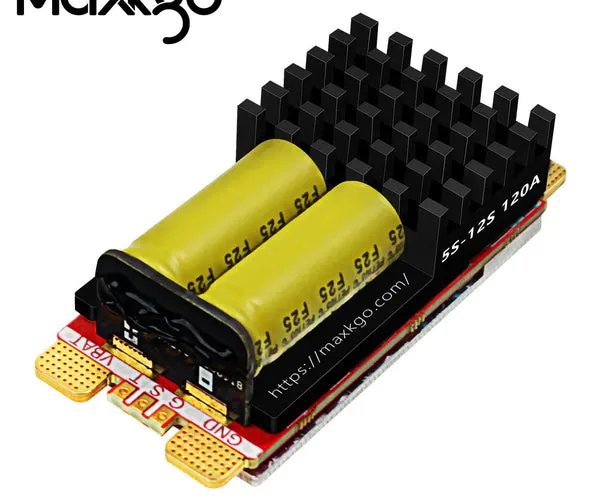
- Battery voltage is within range. Use a multimeter on the input XT connectors. If you are running a 12s esc setup, the pack should read roughly 44.4V nominal.
- All phase wires are fully seated and not shorting against the motor housing.
- The 5V BEC output is not overloaded. If your receiver or AUX devices draw more than 1A, the internal regulator can brown out.
- The on/off switch is actually working. Some boards arrive with a bad switch; we bypass it with a jumper for testing.
If the board powers on but the motor does not spin, the next step is a firmware check.
Firmware and Configuration Problems
The flipsky ft85bd runs VESC firmware, but it can also be flashed with AM32 firmware for certain use cases. We have had the most reliable results using the stock VESC firmware loaded through the am32 configurator or the official VESC Tool. Here is what to check:
- Wrong firmware version. Download the correct file from the Flipsky FT85BD community thread on Endless Sphere.
- Configurator not detecting the board. Make sure you installed the correct USB driver (CP210x or STM VCP). Windows users often need to hold the BOOT button while plugging in the USB cable.
- App settings are zeroed out. After a reflash, motor current, battery current, and throttle ramp values all reset to zero. You must re-enter them.
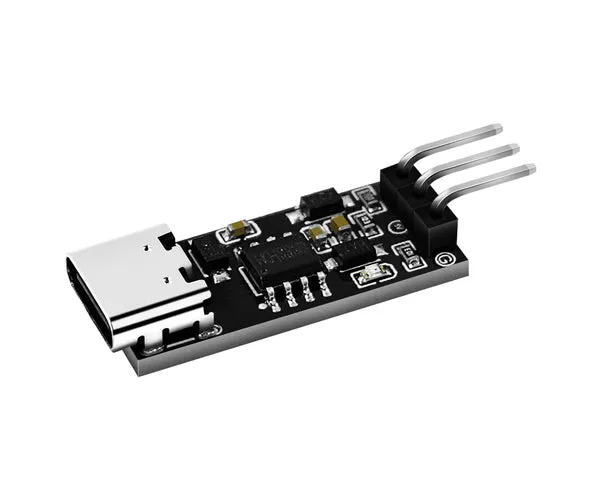
We recommend using the am32 configurator for a clean flash if you are switching between firmware types. The tool is lightweight and works well with STM32-based ESCs like the ft85bd.
How to Flash and Configure Your ESC Properly
Follow these steps to get your board back online. We have done this dozens of times, and the sequence matters.
| Step | Action | Tip |
|---|---|---|
| 1 | Download the latest firmware from the FLIPSKY FT85BD ESC Instruction Manual | Match the hardware revision printed on the board |
| 2 | Install the am32 configurator or VESC Tool | Use admin mode on Windows |
| 3 | Hold the BOOT button, connect USB, then release | You should see a new COM port appear |
| 4 | Flash the firmware file | Do not disconnect power during flash |
| 5 | Reboot and run motor detection | This sets the hall sensor timing and resistance |
After motor detection, test the throttle at low speed first. If the motor stutters or runs backwards, swap any two phase wires and repeat detection.
Hardware Failure: When to Repair vs. Replace
Not every issue is firmware. The ft85bd uses an LTC6813 battery monitor IC internally, and that chip can fail if a cell balance wire is shorted or reversed. Signs of hardware failure include:
- The board gets hot instantly when power is applied.
- USB communication is dead even with the BOOT button held.
- Visible burn marks near the MOSFETs or the LTC6813 package.
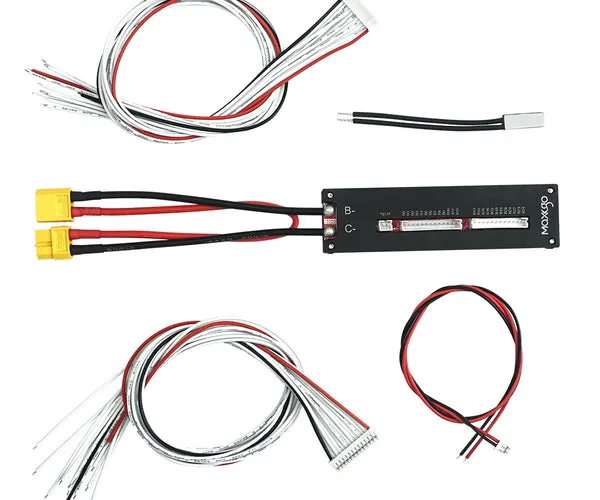
If you confirm hardware damage, the most cost-effective move is to replace the board. We have had good results swapping to a 4 bms kart setup for high-current applications, or using a 4 in 1 esc if you are running a four-motor build. The 4-in-1 design spreads the heat load across four separate FET stages, which reduces the risk of a single-point failure.
ESC Upgrade Options for More Reliability
If you have had repeated issues with the flipsky ft85bd, consider one of these alternatives based on your build:
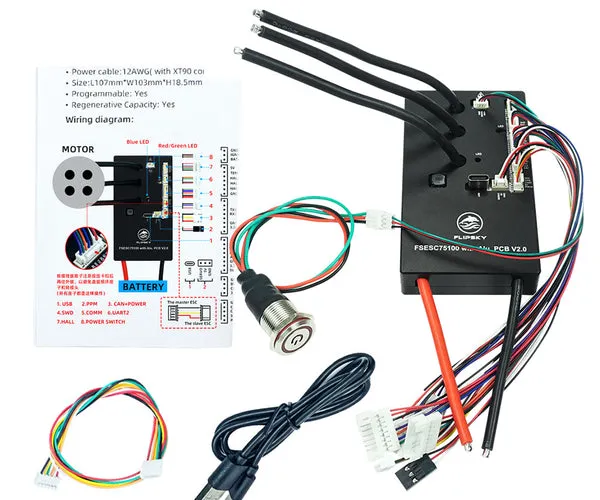
- flipsky 75100: A single-channel ESC rated for 100A continuous. Great for lighter boards or as a replacement per motor.
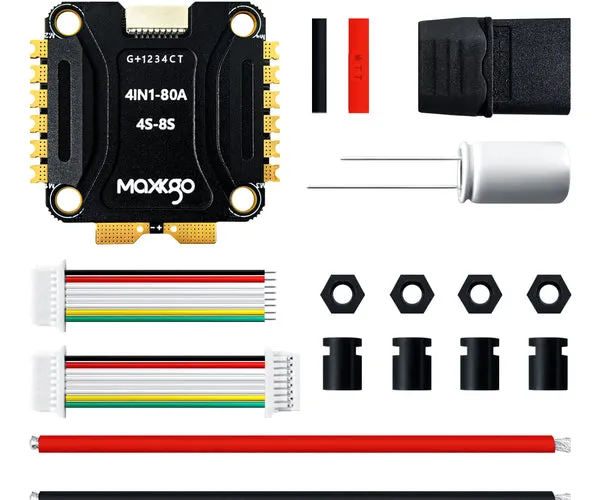
- 80a 4 in 1 esc: Ideal for compact four-motor builds where space is tight and you want a single power input.
- 4 1 esc: Same form factor as the 4-in-1 but with slightly different firmware tuning options if you prefer AM32.
For a one-wheel style build, the onewheel pint battery module paired with a single 75100 can be a simpler, more reliable combo than a dual ESC.
Maintenance Tips to Prevent Future Failures
The ft85bd is a capable board, but it is not sealed. Here is how we keep ours running:
- Add a heatsink. The stock aluminum plate is okay, but a 40x40mm stick-on heatsink with thermal tape drops operating temps by 10-15°C.
- Use a fuse. An inline 80A ANL fuse between the battery and the ESC protects the LTC6813 chip from a dead short.
- Flash carefully. Every time you connect the am32 configurator, double-check that you selected the correct COM port. Flashing the wrong firmware can brick the board.
- Check your connectors. Bullet connectors loosen over time. We re-crimp any connector that feels wiggly.
For the latest pricing and any active offers, grab the code before you order a replacement or upgrade. Our sitewide discount applies to all the ESCs and modules we linked above.
Final Thoughts
The flipsky ft85bd is a solid dual ESC when the wiring is proper and the firmware matches the hardware version. Most “not working” reports we see are actually a bad USB driver or a zeroed-out config file. Work through the power checks first, then reflash using the am32 configurator, and you will likely be back on the road in under an hour. As always, check the latest price on our store page before you buy.
Questions
Why does my flipsky ft85bd not power on at all?
Check the battery voltage with a multimeter, verify the XT connector is fully seated, and bypass the on/off switch with a jumper to rule out a bad switch. If the board still does not light up, the internal regulator may be damaged.
Can I use the AM32 configurator with the ft85bd?
Yes. The flipsky ft85bd is compatible with AM32 firmware. Hold the BOOT button while connecting USB, then flash the correct firmware file through the AM32 configurator. Make sure you download the file that matches your hardware revision.
What does the LTC6813 chip do on this ESC?
The LTC6813 is a battery monitor IC that handles cell voltage monitoring and balancing. If a balance wire is shorted or reversed, this chip can fail, which usually requires replacing the entire ESC.
How do I know if my ft85bd is bricked or just needs a reflash?
If the board shows no USB activity even when holding the BOOT button, it may be bricked. If it appears as a COM port but does not spin the motor, a reflash and motor detection usually fix it.
Is the flipsky ft85bd good for a 12S ESC build?
Yes, the ft85bd is rated for up to 84V, which covers 12S (50.4V peak). It is a popular choice for dual-motor 12S builds because of its high current rating of 200A peak.
What is a good replacement if my ft85bd fails?
The flipsky 75100 is a reliable single-channel option. For a four-motor setup, the 80A 4 in 1 ESC or the 4 1 ESC are solid drop-in choices that spread heat across multiple FET stages.
Products in this guide
 Shopping at MAXKGO? See the discount code
2% OFF Sitewide
Shopping at MAXKGO? See the discount code
2% OFF Sitewide
More in this series
How to Wire a 4-in-1 ESC With a BMS for a Clean DIY Build5 Sep 20266 minCan You Use a Onewheel Pint Battery Module With a Flipsky ESC?5 Sep 20265 minWhat to Look for in a 12S ESC for Your Electric Skateboard or E-Bike5 Sep 20264 min4-in-1 ESC vs Individual ESCs: Which Is Right for Your Build?5 Sep 20266 minHow to Configure Your Flipsky 75100 ESC With the Am32 Configurator5 Sep 20264 min