 A OdinLake guide
How to Choose an Office Chair for Long Hours at a Desk
The best office chair for long hours delivers adjustable lumbar support, breathable materials, and a seat depth that prevents circulation issues during extended sitting.
The best office chair for long hours generally prioritizes three things: adjustable lumbar support that can move with your spine, breathable mesh or supportive foam that avoids heat buildup, and a seat depth that keeps your thighs supported without cutting off circulation. Most people focus on price first, but spending 8 to 12 hours a day in a poorly designed chair tends to lead to lower back pain, hip discomfort and lost focus over time.
Lumbar support: the non-negotiable feature
Your lower back curves inward, and a chair without proper lumbar support tends to flatten that curve over the course of a workday.
What generally works:
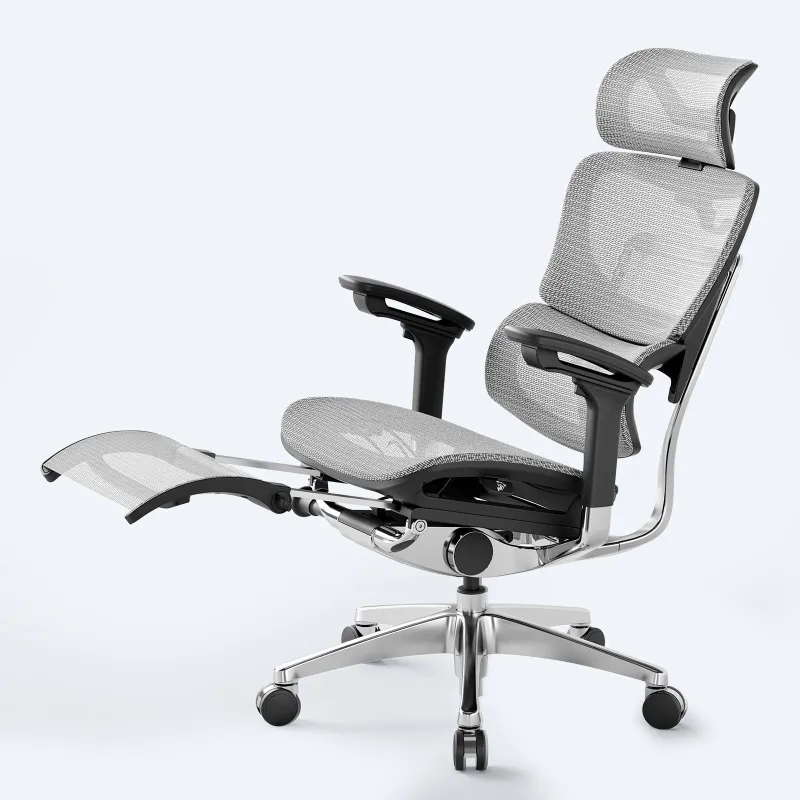
- Height-adjustable lumbar lets you position support where your spine actually curves, typically 6 to 9 inches above the seat
- Depth-adjustable support matters for shorter and taller users, since a fixed-depth pad often misses the mark
- Dynamic lumbar in models like the ergo mesh office chair moves as you lean back, keeping contact through your range of motion
A fixed lumbar pad only works if it happens to line up with your own anatomy. An affordable chair usually includes at least height adjustment, while a premium model adds depth control too. Comparing a herman miller office chair to a budget alternative, lumbar adjustability is generally where the difference is most noticeable by the end of a long day.
Seat design: why depth and cushioning both matter
Seat depth decides whether your thighs rest comfortably or your knees dig into the front edge. Body size makes a real difference here:
| Feature | Shorter users (under 5’6″) | Taller users (over 6’0″) |
|---|---|---|
| Ideal seat depth | 15 to 17 inches | 18 to 21 inches |
| Adjustability needed | Seat slider essential | Slider or deep default |
| Waterfall edge | Prevents leg pressure | Less critical |
A waterfall edge curves down at the front, reducing pressure on the back of your thighs. Paired with a seat slider, this generally suits both a shorter person, whose feet should not dangle, and a heavier or taller person, who needs full thigh support.
- Mesh seats stay cool but offer less padding, better suited to a warm environment
- High-density foam tends to hold its shape for years
- Gel-infused foam reduces pressure points but adds cost
Cheap foam tends to compress within months, leaving you feeling the hard base pan underneath. If a manufacturer does not list a foam density, it is often a sign of lower-grade material. Check the current deals before you buy.
Armrests and adjustability: preventing shoulder strain
Fixed armrests force your shoulders into an unnatural position. 4D-adjustable arms, height, width, depth and angle, let you type with relaxed shoulders and support your forearms during calls or reading.
Adjustment priorities, roughly in order:
- Height, the most important, so arms support your forearms at desk height
- Width, to prevent hunching inward or splaying elbows out
- Pivot, angling inward for typing, useful with a narrower desk
- Depth, sliding forward or back to match your torso length
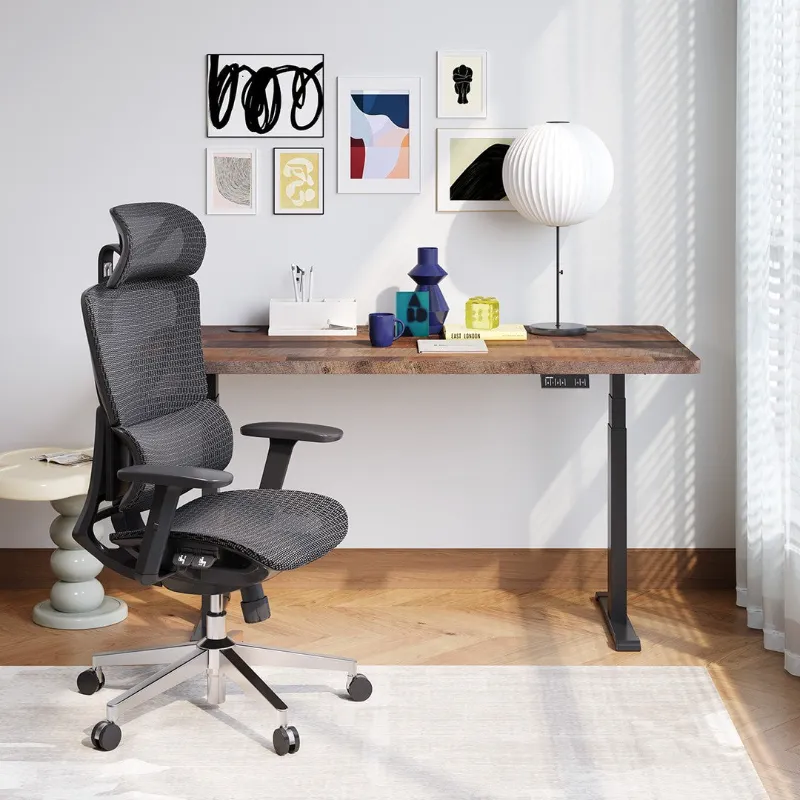
An ergo chair typically includes at least 3D adjustment. The difference tends to show up during video calls, when you want to rest your arms without lifting your shoulders.
Mesh vs. foam backs: breathability and long-term comfort
Mesh advantages: stays cooler in a warm office, conforms to your back without sagging, and is easier to clean since spills and sweat do not soak in.
Foam advantages: feels more cushioned initially, is quieter when you shift position, and tends to feel better in a cold room.
The ergo computer chair category increasingly uses hybrid designs, mesh backs with foam seats. If you run hot or work without great air conditioning, mesh can help avoid a sweaty back by the afternoon.
Recline and tilt: movement keeps blood flowing
Sitting completely still strains the spine. A synchro-tilt mechanism angles the seat and back together, keeping your feet on the floor as you recline, unlike a basic tilt where only the back moves.
Synchro-tilt tends to maintain better posture through the recline range. Look for tension adjustment that lets you set recline resistance to your weight, since a heavier user needs more tension and a lighter user should not have to shove hard to lean back.
Lockable positions let you secure the chair upright for focused work or reclined for reading. A chair with a few lock positions offers a reasonable range for most people.
Practical considerations: casters, base and weight limits
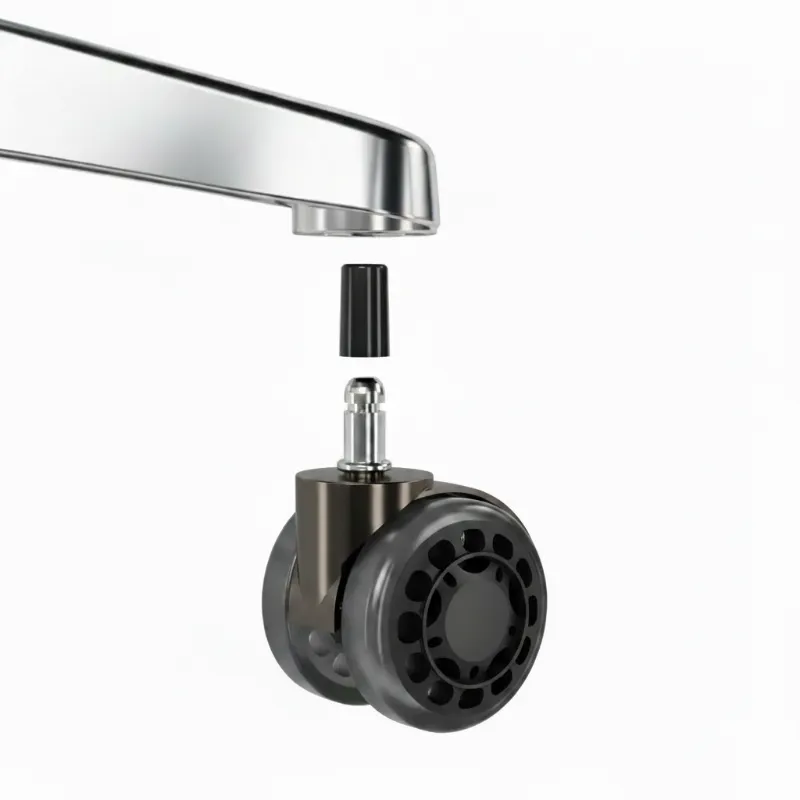
Office chair wheels matter more than most buyers realize. Hard plastic casters can scratch hardwood, while soft rubber casters work on most floors for a modest extra cost.
Weight capacity commonly ranges from 250 to 400-plus pounds. Whatever your budget, it is worth confirming the weight rating matches your needs, since exceeding it tends to void warranties and speed up wear.
A five-point base distributes weight better than a four-point design. Metal or reinforced nylon bases tend to outlast cheap plastic, which can crack under heavy daily use.
Who should consider alternative seating
Not everyone does best in a traditional chair.
- Kneeling chair: reduces lower back load by tilting the pelvis forward, generally better for one to two hour sessions than all-day use
- Papasan chair: comfortable for reading or casual work but lacks the adjustability for ergonomic desk posture
- Ergonomic gaming chairs: often include a supportive lumbar pillow and a deeper recline, appealing if you also game after work
Mixing seating types through the day can help prevent repetitive strain. Pairing a traditional ergonomic chair with a standing desk on a wooden desk frame, or switching to a kneeling chair for an afternoon focus session, are both reasonable options.
Where to buy and how to save
Trying a chair in person is worth doing when possible, though buying online often means a better price. Check OdinLake’s current discount code before you check out.
Before you buy, confirm the return policy. A premium chair often includes a 30 to 60 day trial, since comfort tends to reveal itself over weeks rather than minutes. 8 Best Ergonomic Office Chairs for a Stylish Workspace makes a similar point about judging a chair during real work rather than a quick sit in a showroom.
Match your budget to how many hours you actually sit. If you work from home full time, a chair with premium adjustability tends to pay for itself in comfort over time. A part-time sitter can reasonably prioritize fewer features and still get good ergonomics. Check the current discount code and compare models that fit your body type and work style.
Questions
What is the single most important feature in a chair for long hours?
Adjustable lumbar support tends to matter most, since it keeps the natural curve of your lower back supported through a full workday. Seat depth and breathable material are close behind.
How do I know what seat depth I need?
Sit all the way back in the chair. There should be a gap of a couple of fingers between the back of your knees and the seat edge. If your knees are jammed against the edge or your thighs are not fully supported, the seat depth is not right for your height.
Is mesh or foam better for a long workday?
It depends on your environment and preference. Mesh stays cooler and holds its shape longer, while foam tends to feel more cushioned initially and works better in a colder room. Many ergonomic chairs now combine both.
What weight capacity should I look for in an office chair?
Confirm the chair's rated capacity comfortably covers your weight, generally with some margin. Exceeding a chair's weight rating tends to void the warranty and wears out the base and mechanism faster.
Do I need 4D adjustable armrests?
Not everyone needs all four adjustments, but height adjustment is close to essential so your forearms rest at desk height. Width, pivot and depth adjustment add comfort, especially during video calls or reading.
Are kneeling chairs or gaming chairs good alternatives for long hours?
They can work as part of a mixed setup. Kneeling chairs suit shorter focus sessions rather than a full day, and ergonomic gaming chairs often add a deeper recline and lumbar pillow that some people prefer over a standard office chair.
Products in this guide
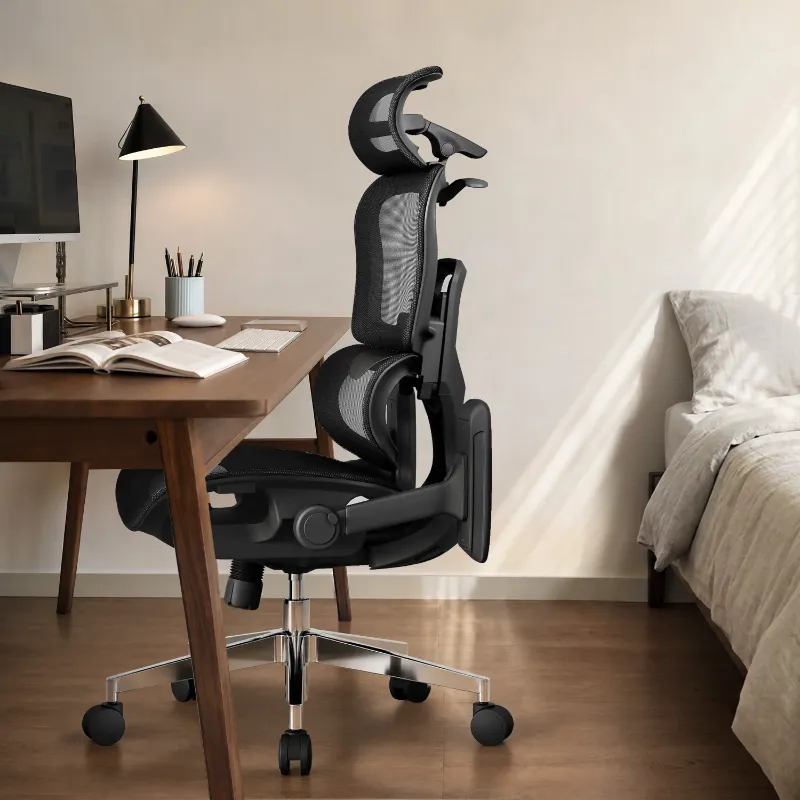 Shopping at OdinLake? See the discount code
5% OFF All Orders
Shopping at OdinLake? See the discount code
5% OFF All Orders
More in this series
 Wooden Desk Care: Preventing Scratches and Water Damage Over Years of Use18 Aug 20266 minWhy Do Mesh Office Chairs Stay Cooler Than Foam?18 Aug 20265 minHow Long Do Herman Miller Office Chairs Last?18 Aug 20265 min
 Can Office Chair Wheels Damage Hardwood Floors?18 Aug 20264 minPapasan Chair vs Kneeling Chair: Which One Actually Supports Your Back?18 Aug 20264 min