 A Simsonn guide
How to Set Up the Simsonn Plus X Racing Wheel for Optimal Performance
Setting up the simsonn plus x correctly transforms your sim racing experience with proper calibration, software tuning, and accessory pairing.
The simsonn plus x delivers exceptional performance when configured correctly, combining haptic feedback, load cell precision, and responsive force feedback that rivals wheels twice the price.
Unboxing and Physical Installation of the Simsonn Plus X
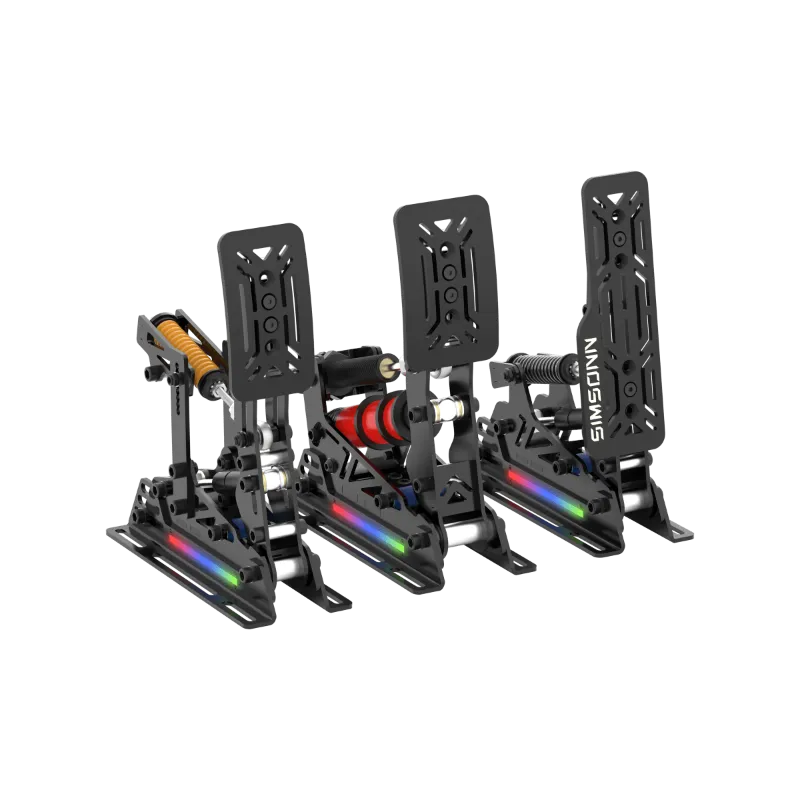
Start by inspecting the box contents: the simsonn plus x wheel base, power supply, USB cable, mounting clamps, and quick-start manual. The wheel base weighs approximately 3.5 kg and requires a stable cockpit or desk mount capable of handling sustained rotational forces.
Mounting steps:
- Position the wheel base on your rig with the mounting holes aligned to your cockpit’s wheel deck
- Insert the included M6 bolts through the base plate and tighten evenly in a cross pattern to prevent warping
- Connect the power supply to the rear port before any USB connection (this prevents firmware confusion)
- Route the USB cable to your PC, avoiding sharp bends near the connector
The base sits lower than many competitors, so measure your sight line before final tightening. Most users position the rim 10-15 cm below eye level for proper racing posture.
Simsonn Plus X Software Configuration and Calibration
Download the latest Simsonn Control Hub software from the manufacturer’s support page. The software handles firmware updates, force feedback tuning, and haptic customization that defines the simsonn plus x experience.
Initial software setup:
- Install the driver package and restart your PC
- Launch Simsonn Control Hub and allow the automatic device detection (15-30 seconds)
- Navigate to Firmware and apply any available updates before calibration
- Run the calibration wizard under Settings > Calibration, turning the wheel fully left and right when prompted
After calibration, adjust the force feedback strength to 80-85% for initial testing. The simsonn plus x haptic feedback system shines when you enable road texture effects at medium intensity and set kerb vibration to 60-70%. These settings provide clear track communication without overwhelming the motor.
Advanced tuning parameters:
- Damping: 15-20% for modern GT cars, 25-30% for vintage F1
- Spring: Keep below 10% to preserve linear steering response
- Minimum force: 3-5% eliminates dead zones without adding artificial weight
Save your profile before launching any sim, and create separate profiles for different car classes since rally cars need higher damping than open-wheelers.
Pairing Pedals and Accessories with Your Wheel Base
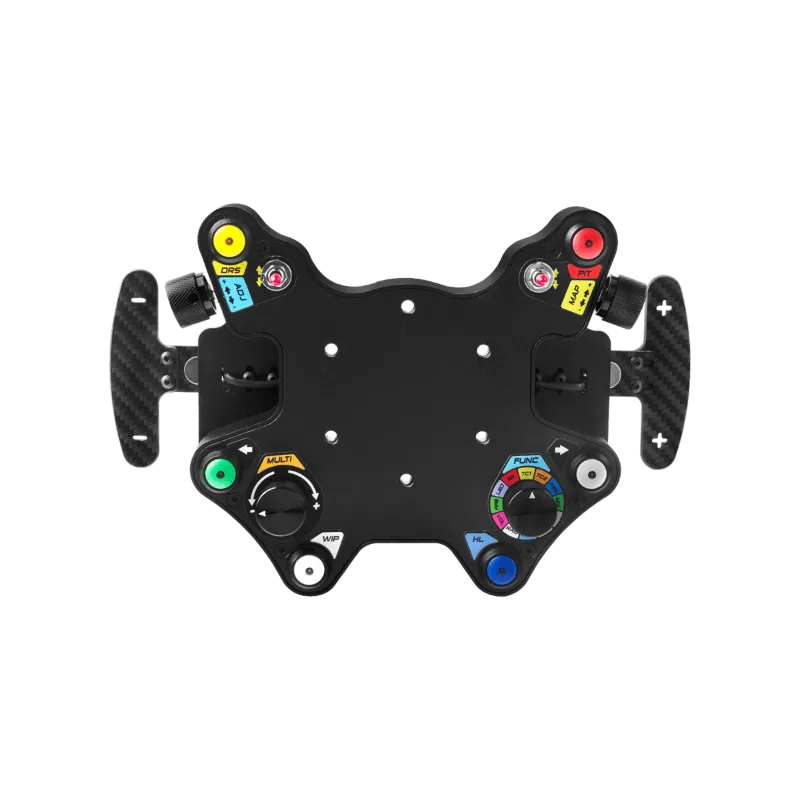
The simsonn plus x integrates seamlessly with the brand’s ecosystem through the sim racing hub, which consolidates all USB peripherals into a single connection. This hub supports up to four devices and eliminates the USB bandwidth issues that plague multi-accessory setups.
Pedal integration:
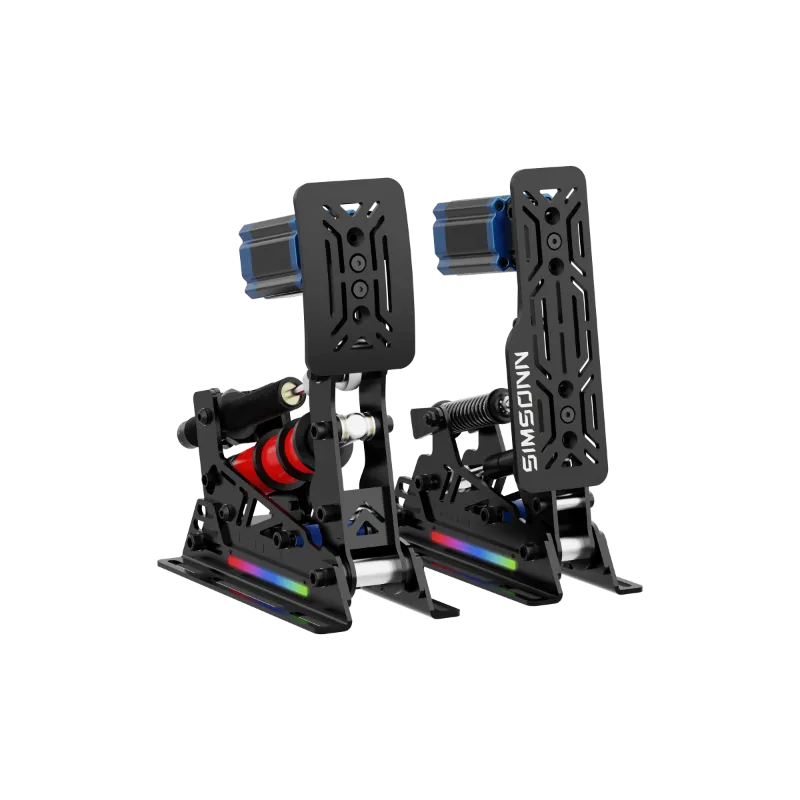
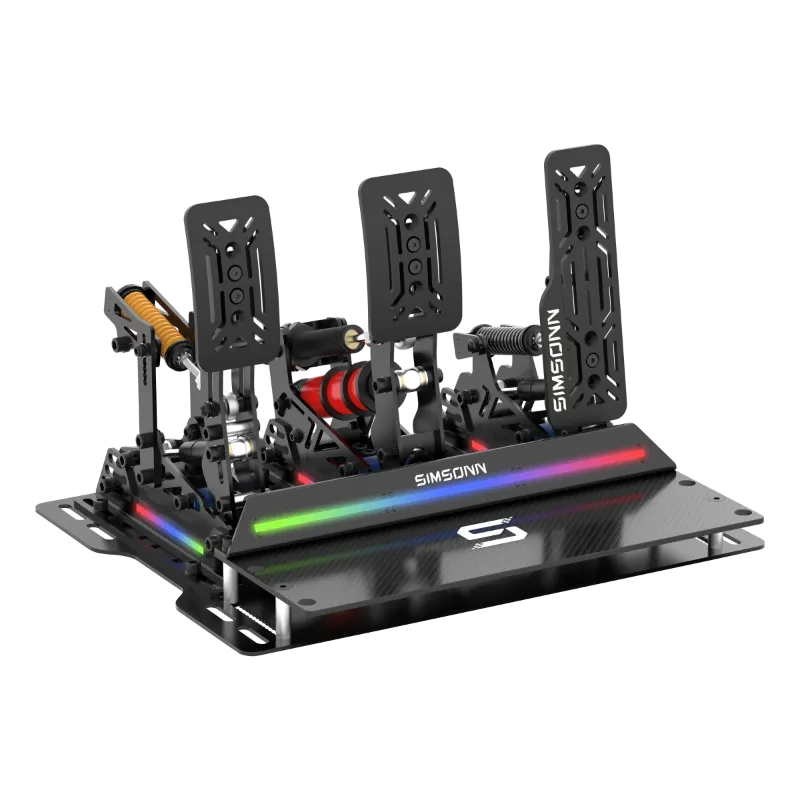
Connect your simsonn pedals or simsonn pro pedals directly to the hub’s pedal port. The load cell brake on both models requires calibration in the Control Hub software under Pedals > Brake Calibration. Press the brake to 100% force and hold for three seconds, then release completely. The software maps your pedal’s physical travel to the game’s 0-100% input range.
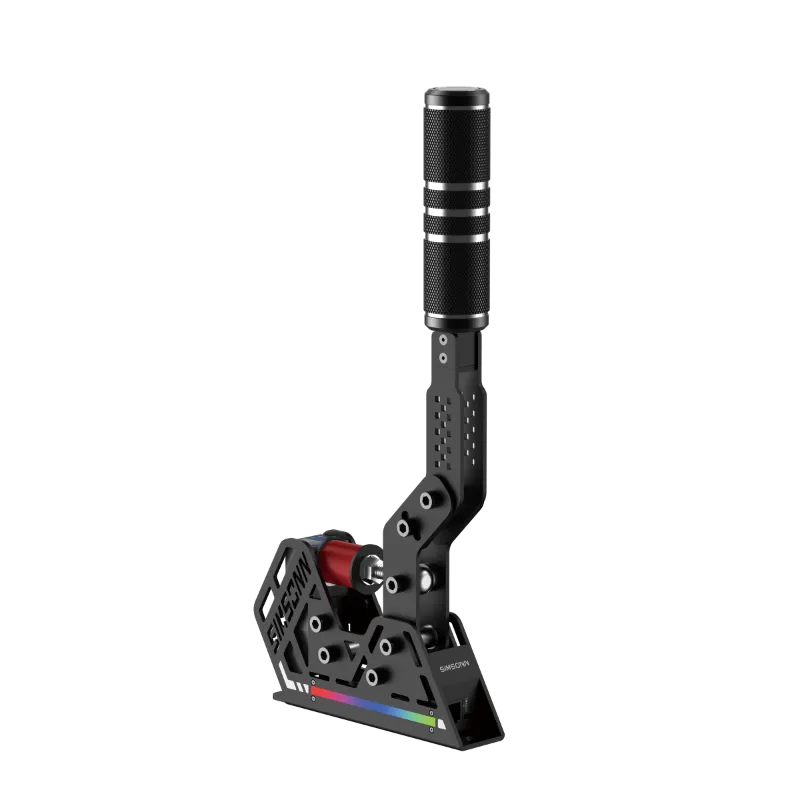
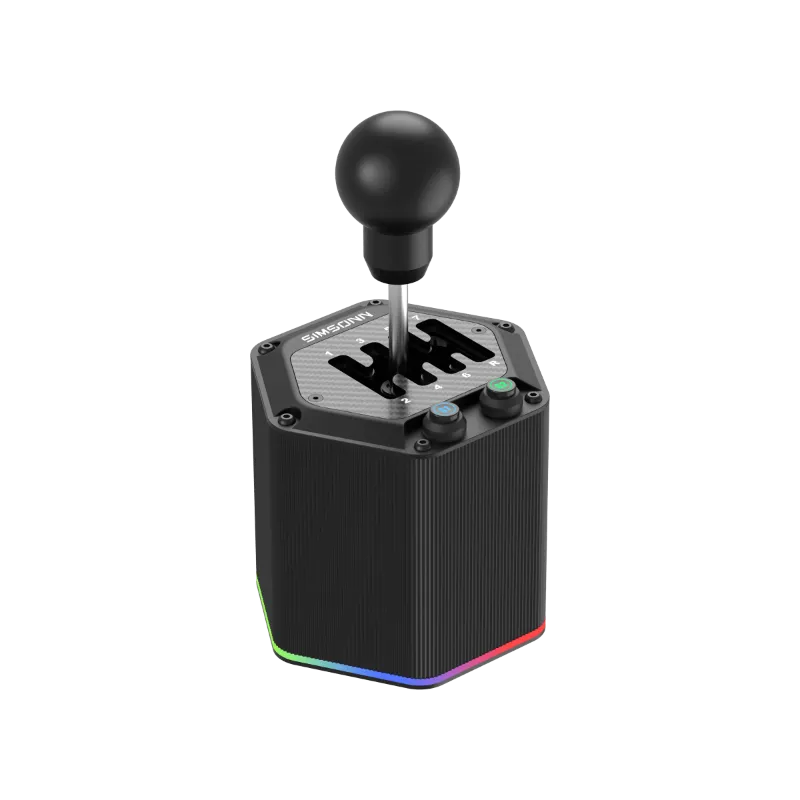
For even more immersion, add the sim racing e brake to the auxiliary port. Rally and drifting games recognize this as a dedicated handbrake axis, and the progressive hall sensor provides analog control for weight transfer tuning. The sim shifter connects to the shifter port and auto-configures in most titles as a standalone controller.
Check the latest bundle pricing and grab our discount code if you’re building a complete ecosystem.
Platform-Specific Setup for PC and Console
Windows PC configuration:
The simsonn plus x appears as “Simsonn Racing Wheel” in Device Manager under Human Interface Devices. Windows automatically assigns it to the first available game controller slot, but you should verify axis mapping in joy.cpl (Windows + R, type joy.cpl). Test all axes and confirm the wheel centers at 50% before launching your sim.
Most racing sims auto-detect the wheel, but you’ll want to manually bind controls in titles like Assetto Corsa Competizione and iRacing. Set steering linearity to 1.0 and disable any in-game speed sensitivity for the most direct connection between your hands and the virtual front tires. The Simsonn Pro load cell configuration responds best to linear brake curves rather than the exponential curves designed for potentiometer pedals.
PlayStation compatibility:
The simsonn plus x requires PS4/PS5 mode activation through the Control Hub software before connecting to your console. Hold the PS button during power-up until the LED flashes blue, confirming console mode. Note that not all games support third-party wheels, so check the manufacturer’s compatibility list for your specific titles.
Simsonn Plus X Setup Troubleshooting and Fine-Tuning
Force feedback feels notchy or grainy:
Lower the overall force feedback strength in both the driver software and your sim. Excessive FFB gain causes the motor to clip, creating a jagged feel through fast transitions. Start at 70% in-driver and 50% in-game, then raise gradually until you feel smooth detail without clipping.
Wheel doesn’t center properly:
Re-run the calibration wizard and ensure the USB cable provides stable power. Some motherboard USB ports don’t deliver consistent voltage under load. Use a powered USB hub or rear motherboard ports rather than front-panel connections.
Pedals register input at rest:
Adjust the dead zone in the Control Hub pedal settings to 1-2%. This eliminates noise from the load cell sensor without creating noticeable lag. If the issue persists, check that the pedal mounting plate sits flat, as flex introduces phantom signals.
For more detailed troubleshooting and to check current pricing with our exclusive code, visit our store page where we maintain updated setup guides and community solutions.
Who Should Choose the Simsonn Plus X Racing Wheel
The simsonn plus x hits the sweet spot for intermediate sim racers who’ve outgrown entry-level gear but aren’t ready to invest in direct-drive systems. We recommend this wheel if you:
- Race 5-10 hours per week and want better feedback than belt-driven wheels
- Plan to build a modular ecosystem with matching pedals and shifters
- Need cross-platform flexibility between PC and console
- Value upgradeability through the hub system over a closed ecosystem
Skip this wheel if:
- You primarily race heavy trucks or rally (direct-drive offers better low-speed detail)
- You already own high-end pedals from another brand and don’t want the integration benefits
- You compete in online leagues where every millisecond of response time matters
The simsonn plus x manual covers additional advanced features like custom LED programming and button mapping that extend the wheel’s versatility as your skills progress. With proper setup following this guide, you’ll extract the maximum performance from every component and enjoy lap times that reflect your true driving ability rather than fighting your equipment.
Questions
Does the simsonn plus x work with the simsonn pro pedals?
Yes, the simsonn plus x pairs seamlessly with the simsonn pro pedals through the sim racing hub. The load cell brake calibrates automatically in the Control Hub software, and both devices share a single USB connection to your PC.
How do I update the simsonn plus x firmware?
Open the Simsonn Control Hub software, navigate to Settings > Firmware, and click Check for Updates. The software downloads and installs firmware automatically while the wheel is connected and powered on.
What force feedback strength should I start with?
Set the driver software to 80-85% and your sim's in-game FFB to 50-60% initially. Increase gradually until you feel detailed road texture without the wheel clipping or feeling notchy through fast corners.
Can I use the simsonn plus x without the racing hub?
Yes, the wheel connects directly to your PC via USB and works independently. The hub is optional and only needed if you want to consolidate multiple Simsonn accessories into a single USB connection.
Why does my wheel center incorrectly after calibration?
This usually indicates inconsistent USB power delivery. Try connecting to a rear motherboard USB port or powered USB hub rather than front-panel ports, then re-run the calibration wizard.
What's the difference between simsonn plus x and pro x models?
The pro x offers higher torque output and metal internal gears compared to the plus x's composite gears. Both share the same software, haptic system, and accessory compatibility through the hub.
Products in this guide
 Shopping at Simsonn? See the discount code
8% OFF All Orders
Shopping at Simsonn? See the discount code
8% OFF All Orders
More in this series
Best Simsonn Sim Shifter Settings for H-Pattern and Sequential Shifting8 Aug 20265 minWhy Are My Simsonn Pedals Losing Calibration? Troubleshooting and Fixes8 Aug 20264 minSimsonn Racing Hub Complete Setup Guide: Compatibility and Installation8 Aug 20265 minDo You Need a Sim Racing E-Brake? Real Benefits for Drifting and Rally8 Aug 20265 minSimsonn Pedals vs Simsonn Pro Pedals: Which Sim Racing Pedals Should You Buy?8 Aug 20264 min