 A Simsonn guide
Best Simsonn Sim Shifter Settings for H-Pattern and Sequential Shifting
A sim shifter delivers the most immersive gear changes when you dial in the right settings for both H-pattern and sequential modes.
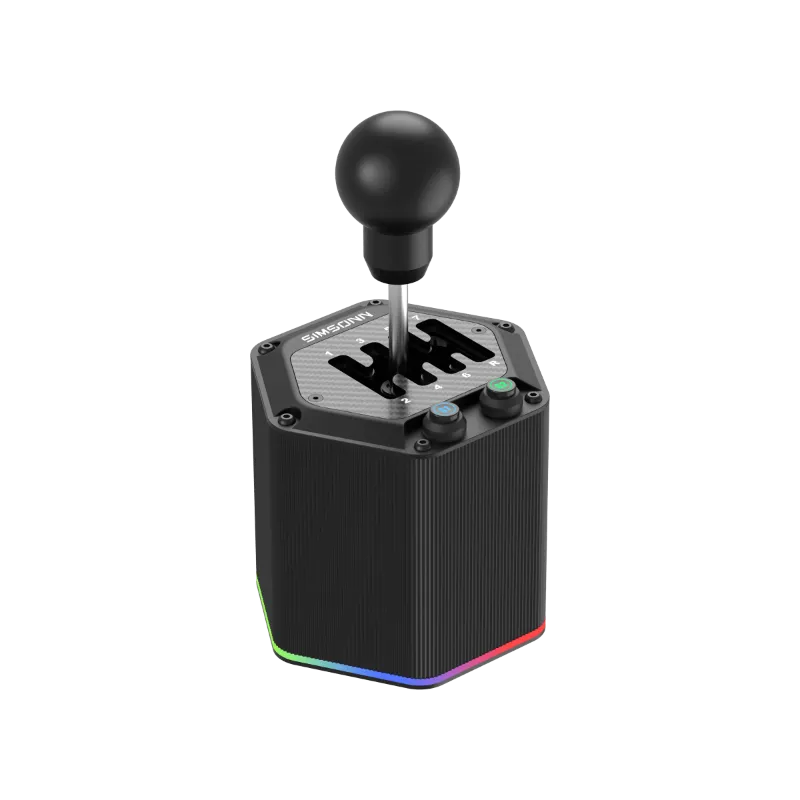
A sim shifter delivers the most immersive gear changes when you dial in the right settings for both H-pattern and sequential modes. This guide walks you through calibration, mode switching, resistance tuning, and pairing your sim shifter with the rest of your rig.
How to Calibrate Your Sim Shifter in Software
Most racing sims auto-detect shifter inputs, but manual calibration ensures every gear registers cleanly. Open your sim’s controller settings and locate the shifter input section. For H-pattern mode, slowly move the lever through each gate while the sim records the axis range. Neutral should sit dead center with no ghost inputs.
Sequential mode typically maps to a single button-pair or axis. Test upshift and downshift separately, then verify the sim registers one gear per click. If you see double-shifts, increase the input debounce delay in your sim or enable a slight deadzone in your wheel base software.
- Assetto Corsa Competizione: use the “Shifter Calibration” wizard under Controls
- iRacing: manually assign each H-pattern gear under Options > Controls > Shifter
- Automobilista 2: calibrate axes in the Input Bindings menu, then test in the Garage
- RaceRoom: select “H-Shifter” mode in Controller Settings and map gears individually
Save your profile and run a test lap before jumping into a race. Understanding shifter mechanics helps you spot calibration drift early.
Best H-Pattern Settings for Realistic Gear Engagement
A realistic sim shifter h-pattern replicates the notchy, mechanical resistance of a manual gearbox. Start by adjusting physical gate resistance if your hardware includes tension screws or swappable springs. Moderate tension prevents accidental neutral dumps while still allowing quick shifts during heel-toe downshifts.
In-game, disable auto-clutch and enable clutch bite simulation so missed shifts stall the engine or grind gears. Set clutch assist to “off” and activate damage modeling. This forces you to match revs and fully depress the clutch, just like a real H-pattern box.
| Setting | Recommended Value | Why |
|---|---|---|
| Clutch Assist | Off | Forces manual bite point control |
| Shifter Debounce | 20-50 ms | Prevents double-gear registration |
| Gate Resistance | Medium-High | Mimics real gearbox feel |
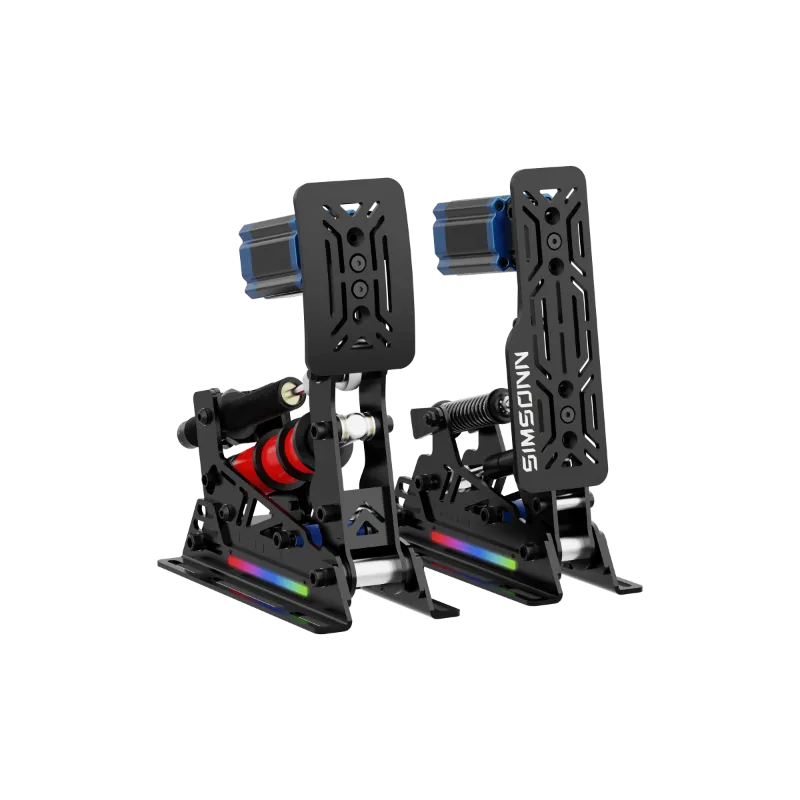
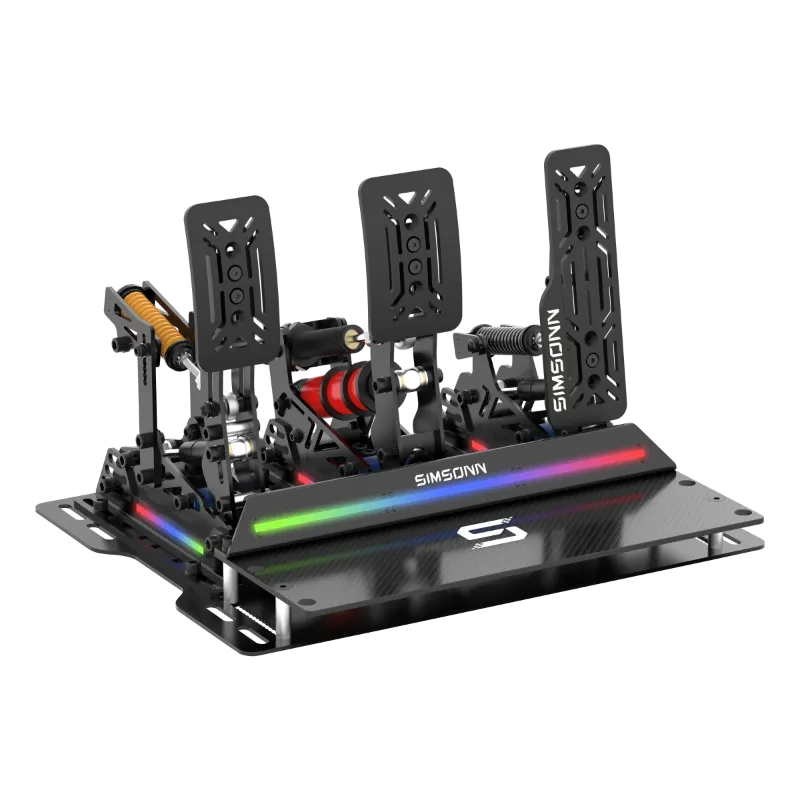
Pair your shifter with simsonn pedals or simsonn pro pedals to nail heel-toe downshifts. A load-cell brake and progressive clutch spring make rev-matching intuitive. Check the latest price on pedal sets that include pressure-curve tuning software.
Sequential Mode Configuration and Toggle Switching
Most modern shifters toggle between H-pattern and sequential with a hardware switch or magnetic plate swap. Sequential mode converts the lever into a push-pull actuator: pull back to upshift, push forward to downshift. This suits GT3 cars, rally stages, and modern Formula rigs.
In software, map sequential up and down to separate buttons rather than an axis. Button inputs trigger faster than analog movement and eliminate mid-gate false neutrals. If your sim supports it, enable “ignore opposite inputs” so simultaneous up-down presses cancel out instead of causing a double-shift.
Test your sim shifter sequential setup in a car that actually uses sequential shifting. Load a GT3 or rally car, not a vintage touring car, and verify shifts respond within 50 milliseconds of lever movement. Latency above that threshold breaks immersion during flat-out upshifts.
- Rally sims (Dirt Rally 2.0, WRC): sequential only, map to buttons
- GT3 / LMP (ACC, Le Mans Ultimate): sequential or paddles, verify shift-cut timing
- Formula (F1 2024, iRacing Formula cars): paddles preferred, sequential as backup
Some drivers run both modes on the same rig by mounting the shifter on a sliding plate or quick-release bracket. Swap between H-pattern for vintage content and sequential for modern machinery without re-calibrating.
Adjusting Physical Resistance and Spring Tension
Physical feel separates a budget shifter from a realistic sim shifter. If your hardware includes adjustable springs or damper cartridges, tune resistance to match the car class you drive most. Lighter tension suits sequential rally stages where speed matters. Heavier springs replicate the clunk of a truck gearbox or vintage racer.
Remove the shifter cover and locate the tension screws or spring perches. Quarter-turn adjustments are enough to feel a difference. Test each change with a five-lap stint, not a single corner. Fatigue becomes obvious during endurance races, so aim for resistance you can pull cleanly after an hour.
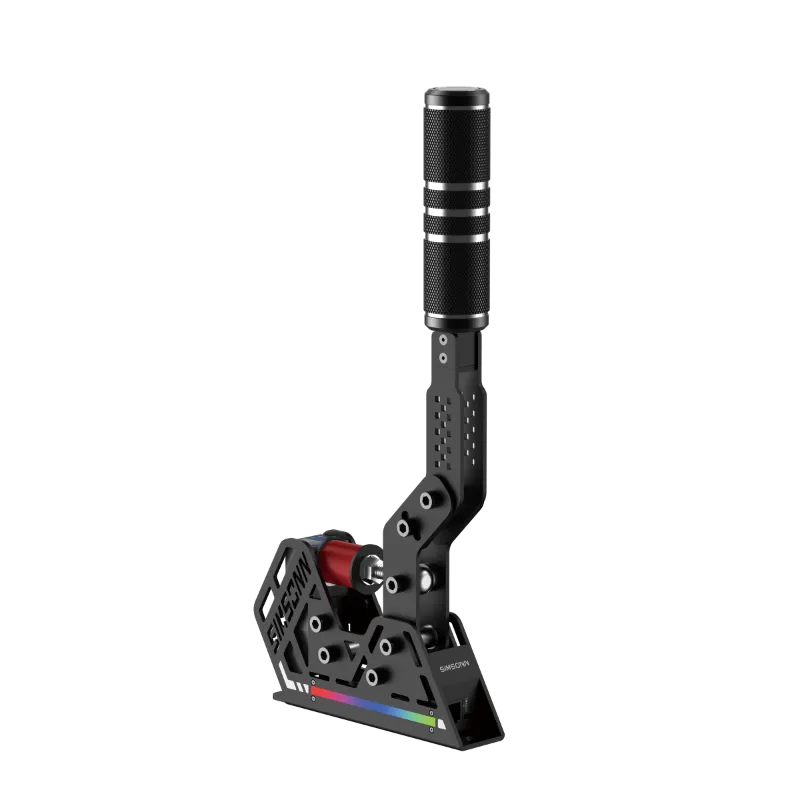
Pair your shifter with a sim racing e brake if you run rally content or drift builds. Mounting the handbrake and shifter on the same side of your rig mimics real rally cockpit ergonomics. Some drivers link both units through a single USB hub to reduce cable clutter and input lag.
External damper mods exist for popular shifter models, but most off-the-shelf units offer enough range. Focus on clean gate engagement before chasing exotic upgrades.
Pairing Your Shifter with Wheels, Pedals, and Hubs
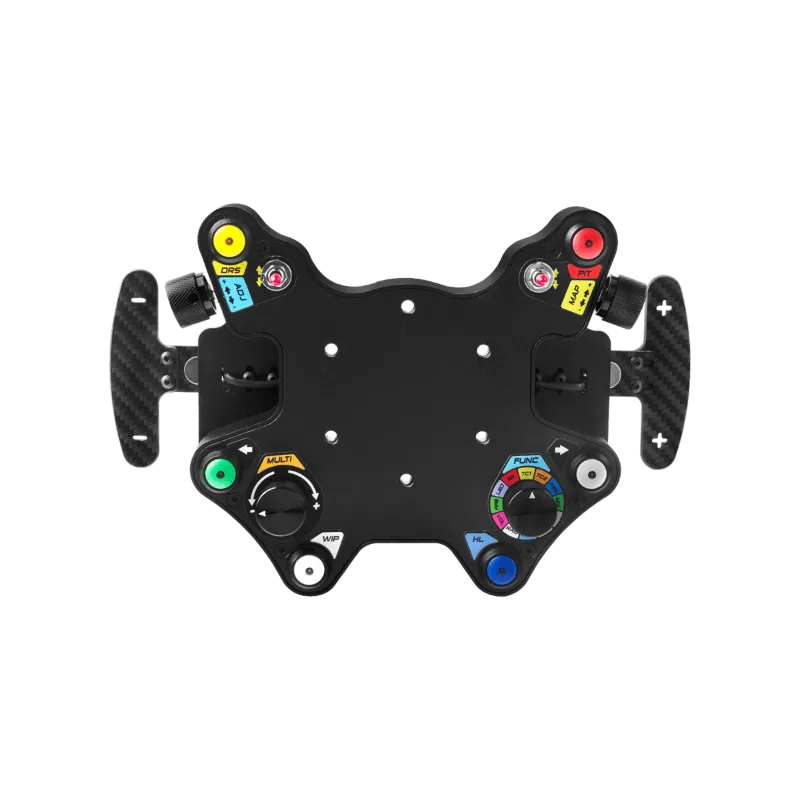
A shifter is only as responsive as the ecosystem it connects to. Most modern units plug directly into a PC via USB, but some require a sim racing hub or wheel base passthrough. Check compatibility before you buy, especially if you run a direct-drive wheel with proprietary protocols.
USB shifters show up as a generic game controller in Windows. Open “Devices and Printers” to verify detection, then bind inputs in your sim. Hub-connected shifters inherit the wheel base’s USB bandwidth, which can reduce total input polling rate if you also run pedals, button boxes, and a handbrake through the same hub.
For the cleanest signal path, connect pedals and shifter to separate USB 3.0 ports and reserve the hub for low-bandwidth accessories like button boxes. If you notice input lag, enable high-performance USB power management in Windows Device Manager for every sim peripheral.
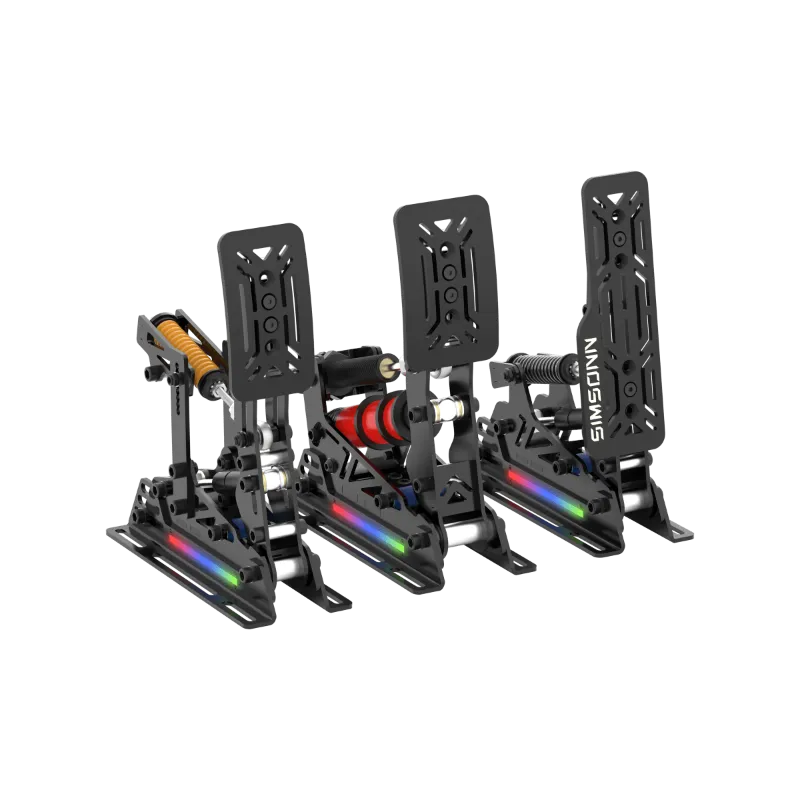
Mounting matters as much as wiring. Bolt your shifter to a rigid bracket or cockpit rail so it doesn’t flex during rapid shifts. Wobbly mounts cause missed gates and false neutrals. Grab the code for 8% off cockpit accessories and mounting hardware when you bundle a simsonn plus x wheel with your shifter setup.
Who Should Optimize Sim Shifter Settings
Dialing in shifter settings pays off most for drivers who run manual-transmission content regularly. If you spend weekends in ACC GT4 cars, iRacing Spec Racer Ford, or Assetto Corsa vintage mods, proper calibration shaves tenths per lap and prevents blown shifts under braking.
Sequential tuning matters for rally sim competitors and endurance team drivers who need bulletproof upshifts during high-load corners. Even casual drivers notice the immersion boost when shifts feel mechanical instead of mushy.
New sim racers should start with auto-clutch enabled and H-pattern disabled until pedal muscle memory develops. Once heel-toe downshifts become automatic, switch to full manual and recalibrate. Comprehensive buyer guides help you choose the right hardware before you dive into tuning.
If you run paddle-shift-only content like modern F1 or GT3, a standalone shifter is optional. But for drivers chasing realism in club racing, historic series, or rally stages, proper settings transform your rig into a true cockpit.
Questions
How do I switch my sim shifter between H-pattern and sequential mode?
Most shifters use a hardware switch, magnetic plate swap, or screwdriver adjustment to toggle modes. Check your manual for the exact mechanism, then recalibrate in your sim software after switching.
Can I use the same calibration for every racing sim?
No. Each sim handles shifter input differently, so you'll need to calibrate axes and assign buttons separately in Assetto Corsa, iRacing, and other titles. Save per-sim profiles to avoid re-mapping every session.
Should I run my shifter and pedals through the same USB hub?
Only if the hub supports high polling rates. For lowest latency, plug shifter and pedals into separate USB 3.0 ports and reserve the hub for button boxes and low-bandwidth accessories.
What spring tension is best for H-pattern shifting?
Medium-high tension mimics real manual gearboxes and prevents accidental neutral drops. Start in the middle of your shifter's adjustment range and tune up or down based on fatigue during longer races.
Do I need a clutch pedal to use a sim shifter in H-pattern mode?
Not technically, but most sims require clutch input for realistic gear engagement. Running H-pattern without a clutch pedal limits immersion and causes missed shifts or engine stalls in sims with damage modeling.
Can I mount a handbrake and shifter on the same rig?
Yes. Rally and drift drivers often mount both on the same side for authentic cockpit ergonomics. Just ensure your rig frame is rigid enough to handle simultaneous inputs without flexing.
Products in this guide
 Shopping at Simsonn? See the discount code
8% OFF All Orders
Shopping at Simsonn? See the discount code
8% OFF All Orders
More in this series
Why Are My Simsonn Pedals Losing Calibration? Troubleshooting and Fixes8 Aug 20264 minSimsonn Racing Hub Complete Setup Guide: Compatibility and Installation8 Aug 20265 minDo You Need a Sim Racing E-Brake? Real Benefits for Drifting and Rally8 Aug 20265 minHow to Set Up the Simsonn Plus X Racing Wheel for Optimal Performance8 Aug 20265 minSimsonn Pedals vs Simsonn Pro Pedals: Which Sim Racing Pedals Should You Buy?8 Aug 20264 min