 A Simsonn guide
Why Are My Simsonn Pedals Losing Calibration? Troubleshooting and Fixes
Simsonn pedals lose calibration due to USB power fluctuations, outdated firmware, or software conflicts—here's how to diagnose and fix each issue.
Simsonn pedals lose calibration primarily because of unstable USB connections, outdated firmware, or driver conflicts with your sim racing software. This guide walks you through the causes and permanent fixes so you can get back to consistent lap times.
Why Simsonn Pedals Drift Out of Calibration
Calibration loss happens when your pedal set forgets its minimum and maximum travel positions, leading to inconsistent brake pressure readings or throttle spikes. The root causes include:
- USB power instability: Budget motherboard USB ports or long cable runs can’t deliver steady 5V power, causing the pedal controller to reset mid-session
- Outdated firmware: Early Simsonn firmware versions had known bugs that failed to save calibration data after a power cycle
- Software conflicts: Running multiple sim racing platforms simultaneously (iRacing and SimHub, for example) can send conflicting input commands
- Loose or worn connectors: The RJ45 or USB-C connections between pedal base and controller can develop intermittent contact
- Electromagnetic interference: Placing the pedal base near power supplies or AC adapters introduces electrical noise
For an outside view, see this simsonn pedals review.
Check Your USB Connection First
USB is the easiest thing to check, so start here before digging into software:
- Plug directly into a motherboard USB 3.0 port: Skip front-panel headers and hubs; they share bandwidth and voltage regulation
- Test a different cable: The stock USB cable may have developed internal breaks; swap it with a high-quality shielded cable under 3 meters
- Enable USB selective suspend disable: In Windows, go to Power Options > Advanced Settings > USB Settings and turn off selective suspend for your sim racing USB port
- Check Device Manager: If your pedals appear and disappear from the device list, you have a hardware power issue
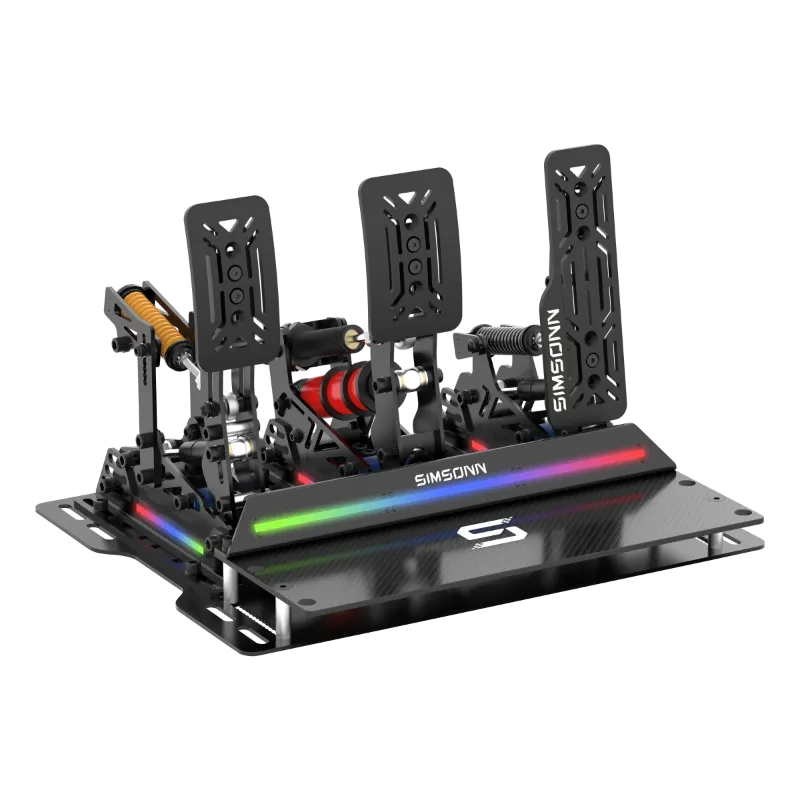
If you use the simsonn pro pedals with a hub, choose a powered hub with its own 5V supply, since voltage sag can reset the pedal microcontroller.
Update Firmware and Simsonn Pedals Software
Simsonn released critical firmware updates that store calibration profiles in non-volatile memory. If you’re running firmware older than version 2.4, calibration resets every time you power cycle.
- Download the latest simsonn pedals software from the official Simsonn support portal
- Connect your pedals, open the software, and navigate to Firmware Update
- Follow the on-screen prompts and do not disconnect during the flash process
- After updating, recalibrate using the software’s built-in wizard
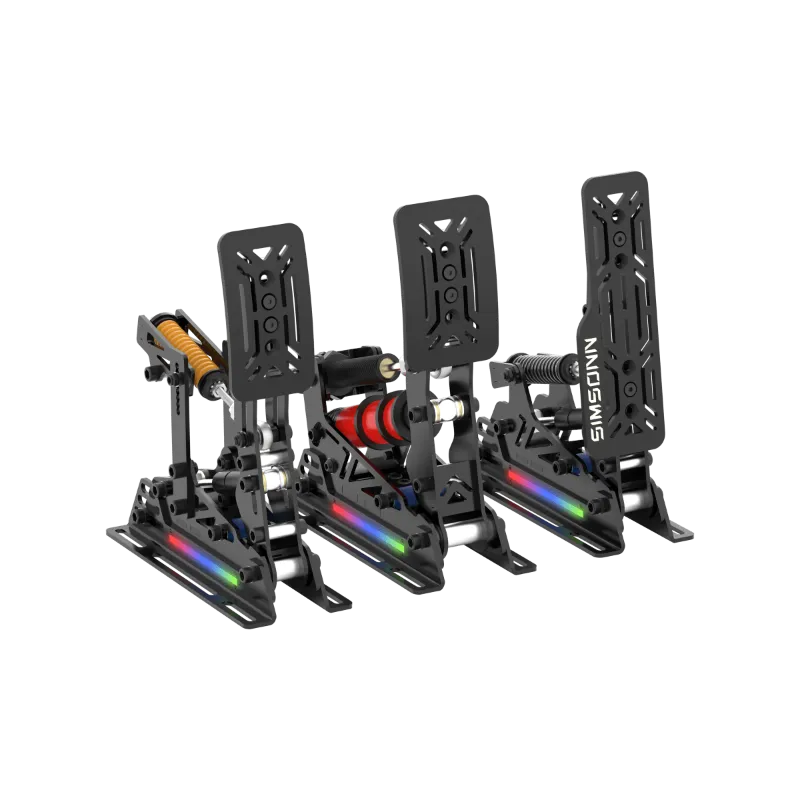
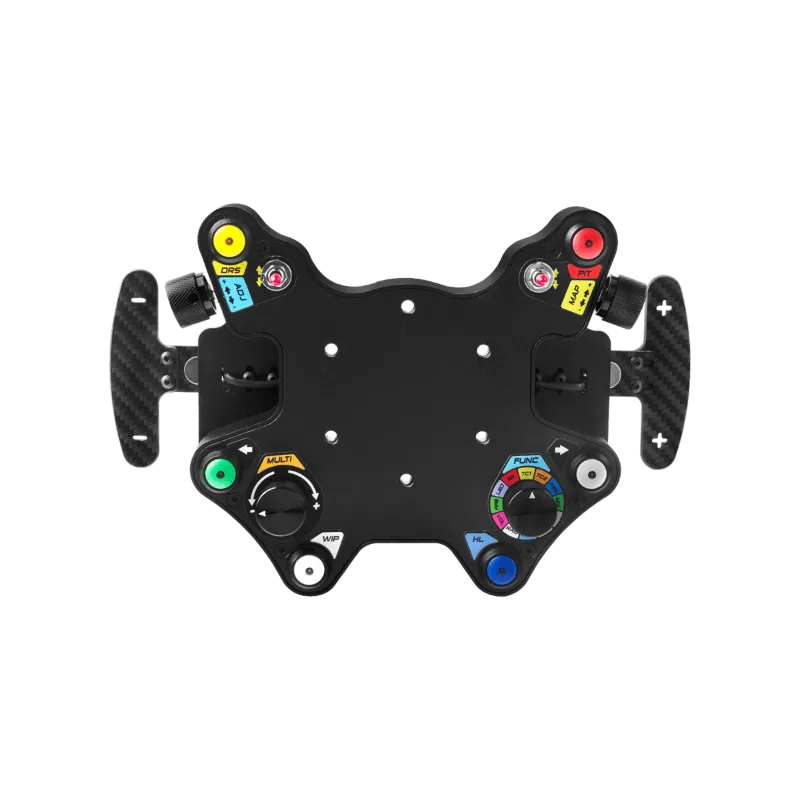
For users with the simsonn plus x ecosystem, ensure your sim racing hub firmware is also current, version mismatches between hub and pedals cause handshake failures that wipe calibration data.
You can grab the code for 8% off firmware-ready hardware if you’re upgrading multiple components.
Recalibrate Step by Step
Manual recalibration fixes software-side drift. We recommend this process after every firmware update or if you notice inconsistent pedal response:
- Open the Simsonn configuration software
- Select your pedal model (standard or Pro)
- Click Calibration Wizard
- Press each pedal fully to set the maximum travel point
- Release completely to set the minimum (resting) position
- Apply the profile and save it to the pedal’s onboard memory, not just the PC
For simsonn pedals compatibility across multiple platforms (PC, PS5, Xbox), create separate calibration profiles for each system. The Pro model supports up to five stored profiles accessible via the mode button.
Eliminate Software and Driver Conflicts
If calibration holds in the Simsonn software but drifts in-game, you have a conflict between the pedal driver and your sim racing platform:
- Close background apps: SimHub, Fanalab, and other telemetry tools can intercept pedal input and apply their own curves
- Disable Steam Input: Steam’s controller layer remaps axes; turn it off in Steam > Settings > Controller > General Controller Settings
- Use exclusive mode: In iRacing or Assetto Corsa, enable “use custom controls” and disable all other input devices while racing
- Check for duplicate devices: If Windows sees two “Simsonn Pedals” entries, uninstall both from Device Manager and reconnect
If the problem continues, try spreading devices across separate USB controllers.
Hardware Maintenance to Prevent Drift
Physical wear accelerates calibration issues. Inspect these components every three months:
- Pedal face bearings: If the brake or clutch pedal wobbles laterally, the load cell can report inconsistent values; tighten or replace the pivot bushings
- Spring tension: Over-compressed throttle springs lose their return force, preventing the pedal from reaching the true zero position
- Cable strain relief: Ensure the USB and RJ45 cables aren’t kinked or pulled tight; use zip ties to secure them with slight slack
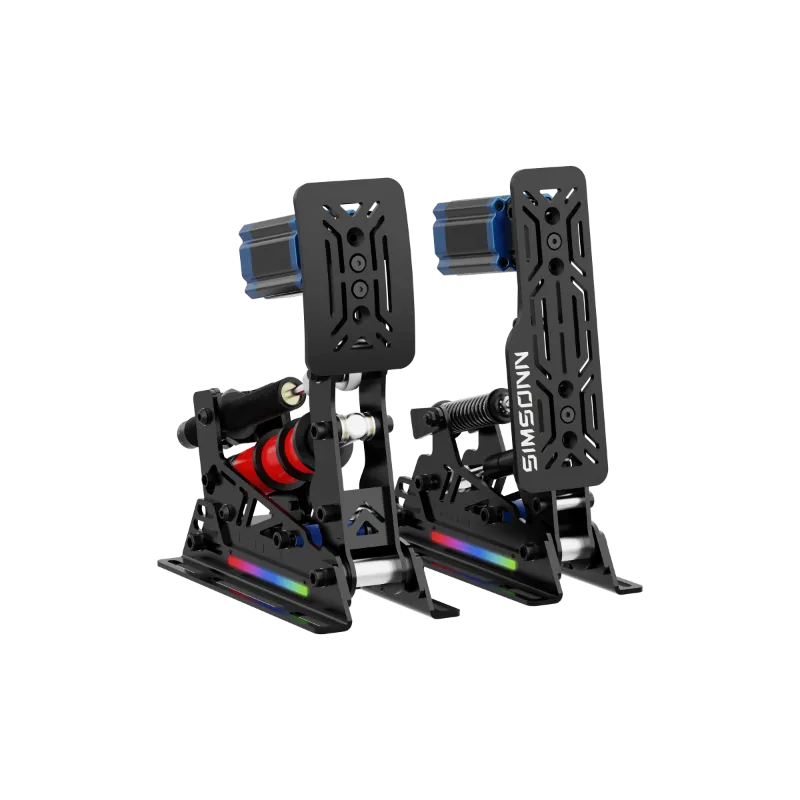
For haptic feedback users, the simsonn pedals haptic motor draws extra current that can push marginal USB ports over the edge. If you experience drift only with haptics enabled, that’s your smoking gun, upgrade to a powered hub or disable haptics.
When to Contact Support or Upgrade
If you’ve completed every step and calibration still drifts, you may have a hardware defect. Simsonn offers a two-year warranty covering controller board failures. Before contacting support, document:
- Firmware version
- USB port type and motherboard model
- Video of the calibration process and the subsequent drift
In rare cases, early production runs had faulty ADC (analog-to-digital converter) chips that couldn’t hold calibration. Simsonn replaced these units under warranty.
For racers upgrading from entry-level sets, the simsonn pro pedals feature a more robust controller with ESD protection and isolated power regulation. You can check the latest price and see if the Pro model fits your budget.
| Feature | Standard Simsonn Pedals | Simsonn Pro Pedals |
|---|---|---|
| Onboard calibration memory | Single profile | Five profiles |
| USB power filtering | Basic | Isolated + ESD protection |
| Load cell resolution | 12-bit | 16-bit |
| Firmware update frequency | Quarterly | Monthly |
Questions
Why do my simsonn pedals reset calibration every time I restart my PC?
This happens when firmware older than version 2.4 fails to save calibration to non-volatile memory. Update your firmware through the Simsonn software, then recalibrate and explicitly save the profile to onboard memory.
Can a USB hub cause calibration drift on sim racing pedals?
Yes, unpowered USB hubs share voltage across all ports, and voltage sag below 4.8V can reset the pedal controller. Use a powered hub with independent 5V supply or plug directly into a motherboard USB 3.0 port.
Do I need to recalibrate simsonn pro pedals for each racing sim?
No, but it helps. The Pro model stores up to five calibration profiles, so you can create optimized presets for iRacing, Assetto Corsa, and other sims with different input sensitivities.
What causes brake pedal calibration to drift mid-race?
Mid-race drift usually means electromagnetic interference from nearby power supplies or a loose RJ45 cable between the pedal and controller. Move power adapters away from the pedal base and reseat all connectors.
Is calibration drift covered under Simsonn warranty?
Yes, if it's caused by a hardware defect like a faulty ADC chip or controller board. Software-related drift from outdated firmware or USB issues is not a warranty claim, but support will walk you through fixes.
How often should I recalibrate my pedals?
With current firmware and a stable USB connection, you should only need to recalibrate after a firmware update or if you physically adjust pedal tension or travel. Monthly recalibration signals an underlying USB or hardware problem.
Products in this guide
 Shopping at Simsonn? See the discount code
8% OFF All Orders
Shopping at Simsonn? See the discount code
8% OFF All Orders
More in this series
Best Simsonn Sim Shifter Settings for H-Pattern and Sequential Shifting8 Aug 20265 minSimsonn Racing Hub Complete Setup Guide: Compatibility and Installation8 Aug 20265 minDo You Need a Sim Racing E-Brake? Real Benefits for Drifting and Rally8 Aug 20265 minHow to Set Up the Simsonn Plus X Racing Wheel for Optimal Performance8 Aug 20265 minSimsonn Pedals vs Simsonn Pro Pedals: Which Sim Racing Pedals Should You Buy?8 Aug 20264 min