 A EXknight guide
MagSafe Keyboard vs. Flip Phone Keyboard Case: Which Mobile Typing Solution Fits Your Setup?
We compare the z flip 7 keyboard case against MagSafe keyboard solutions to help you pick the right mobile typing setup for your daily needs.
If you are torn between a physical keyboard built into your phone and a detachable magnetic board, the choice really comes down to whether you prefer an all-in-one form factor or a modular setup. The z flip 7 keyboard case wraps a full QWERTY layout around your foldable, while a MagSafe keyboard lets you snap a separate typing accessory to the back of any compatible device. Both solve the same problem (faster, more accurate mobile typing) but they serve very different workflows. Below we break down how each works, what they feel like to use daily, and which one we would pick depending on the situation.
What Is a z flip 7 keyboard case?
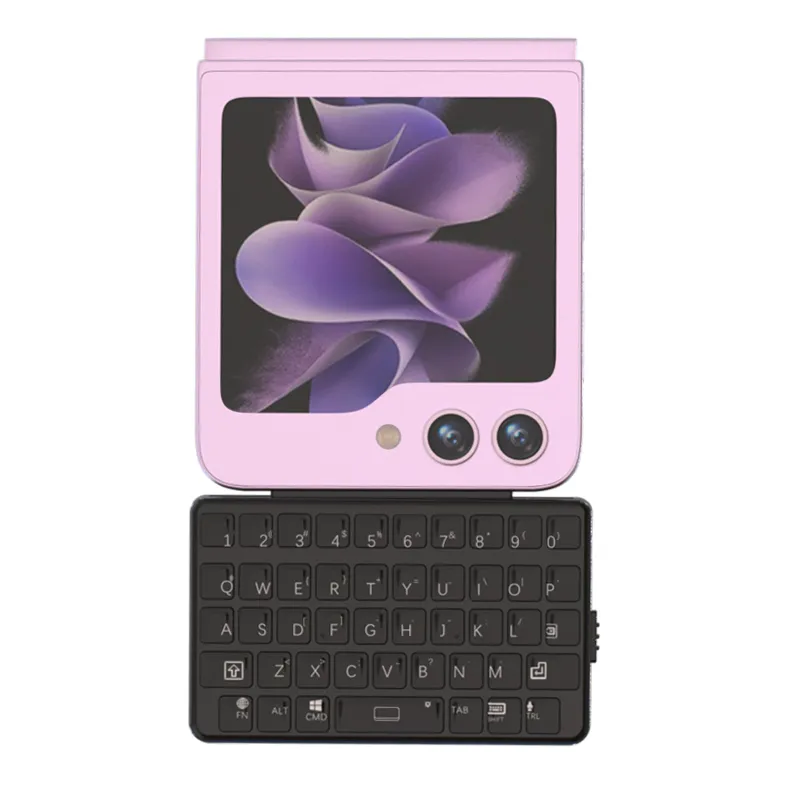
A z flip 7 keyboard case is a protective shell that integrates a physical keyboard into the front or lower half of the case, turning your Samsung Galaxy Z Flip 7 into something closer to a classic flip phone with buttons. These cases typically connect via Bluetooth or utilize the phone’s side pins, so you get tactile feedback without covering the folding screen. The samsung z flip keyboard line is the most well-known example, and it gives you the satisfying click of real keys while keeping the phone’s compact footprint.
The same concept extends to the samsung flip phone keyboard style that works on earlier Z Flip models and to the motorola razr keyboard case for Razr owners. As the community discussion on a Modified Z Flip with a hardware keyboard shows, there is real demand for bringing physical keys back to foldable phones without carrying a separate accessory.
How the MagSafe Keyboard Works for On-the-Go Typing
A MagSafe keyboard takes the opposite approach. Instead of being permanently attached, it is a small Bluetooth keyboard that magnets onto the back of your phone (or a MagSafe ring on any case). You pull it off when you need to type and snap it back when you are done.
The big advantage here is versatility. You can use the same keyboard with your phone during the commute, with your iPad at lunch, and even with a desktop via Bluetooth. It does not add bulk to the phone itself, when the keyboard is docked, the phone still folds or slips into a pocket more easily than a case with a permanent keyboard flap. The trade-off is that you have to carry two pieces and remember to bring the keyboard with you.
Side-by-Side Comparison: Flip Phone Keyboard vs. MagSafe Keyboard
The table below lays out the key differences between the z flip 7 keyboard case and the MagSafe keyboard approach so you can see at a glance which one fits your habits.
| Feature | z flip 7 keyboard case | MagSafe Keyboard |
|---|---|---|
| Form factor | All-in-one case with integrated keys | Detachable magnetic keyboard |
| Portability | Always attached, adds moderate bulk | Slim when docked, but separate piece to carry |
| Typing feel | Full tactile keys, fixed position | Compact keys, can be placed anywhere |
| Device compatibility | Specific to Z Flip 7 (or Razr) | Any phone/tablet with MagSafe or a metal ring |
| Setup time | Zero, it is always ready | Requires attaching and pairing each time |
| Battery | Usually powered by phone or built-in rechargeable | Separate rechargeable battery |
| Best for | Dedicated phone typists who want one piece | Multi-device users who value flexibility |
Which Solution Suits Your Daily Workflow?
Choosing between these two comes down to how you actually type on the go.
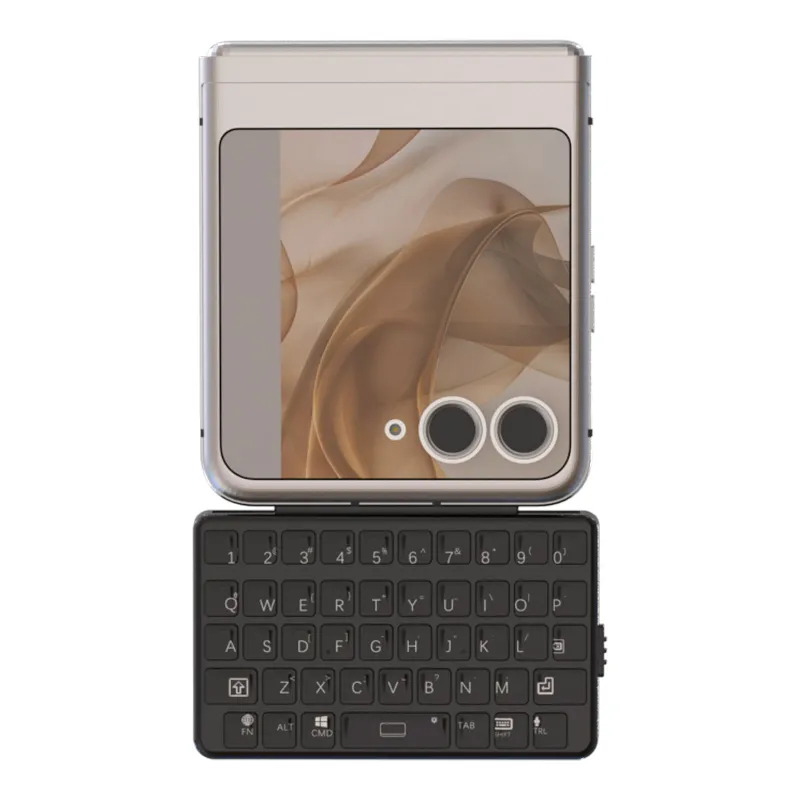
Go with the z flip 7 keyboard case if: you primarily type on your phone and want the keys ready every time you flip it open. The integrated design means you never forget the keyboard, never have to pair it, and never have to charge a separate battery. This is ideal for commuters, field workers, and anyone who answers long messages or writes quick notes throughout the day. The z flip 7 keyboard case keeps everything in one package that folds up small enough for a jacket pocket.
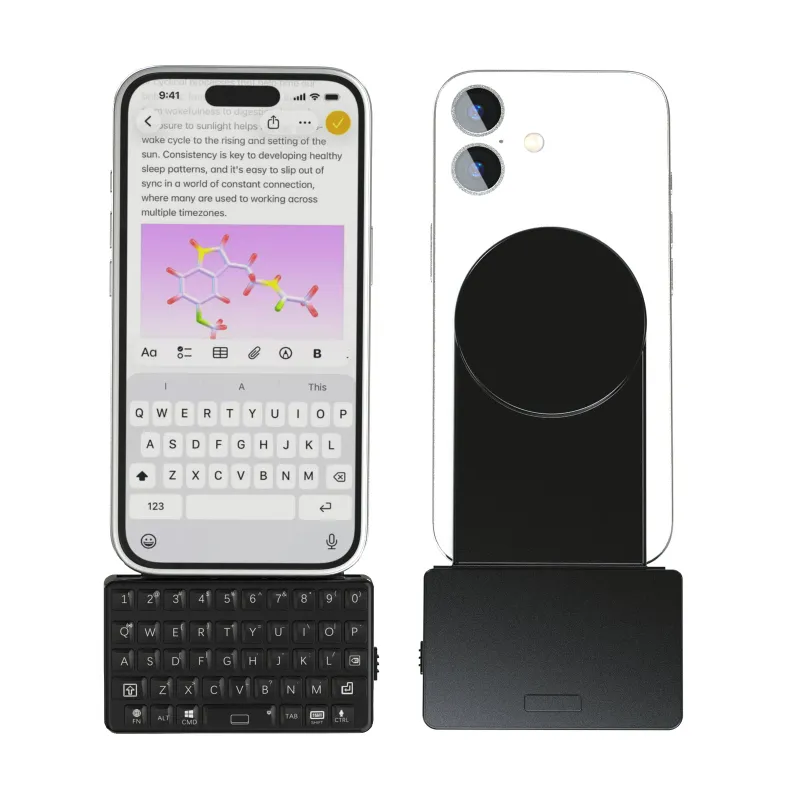
Go with a MagSafe keyboard if: you type across multiple devices (phone, tablet, maybe a laptop stand) and want one keyboard to rule them all. It also wins for people who only need physical keys occasionally and prefer their phone to stay slim the rest of the time. The magsafe keyboard we recommend snaps on and off in seconds and works with any phone that has a MagSafe case or adhesive ring.
For users in Austria looking for a reliable option, the samsung flip phone keyboard and related case styles are worth checking out as dedicated alternatives. You can also explore the range of available models at Samsung Galaxy Z Flip 7 Keyboards to see what fits your exact model.
Other Mobile Setup Upgrades Worth Considering
While you are optimizing your mobile typing setup, it is worth thinking about the rest of your interaction with the phone. If you game or do precise editing, a physical keyboard is only half the equation, controller-style inputs can also make a big difference.
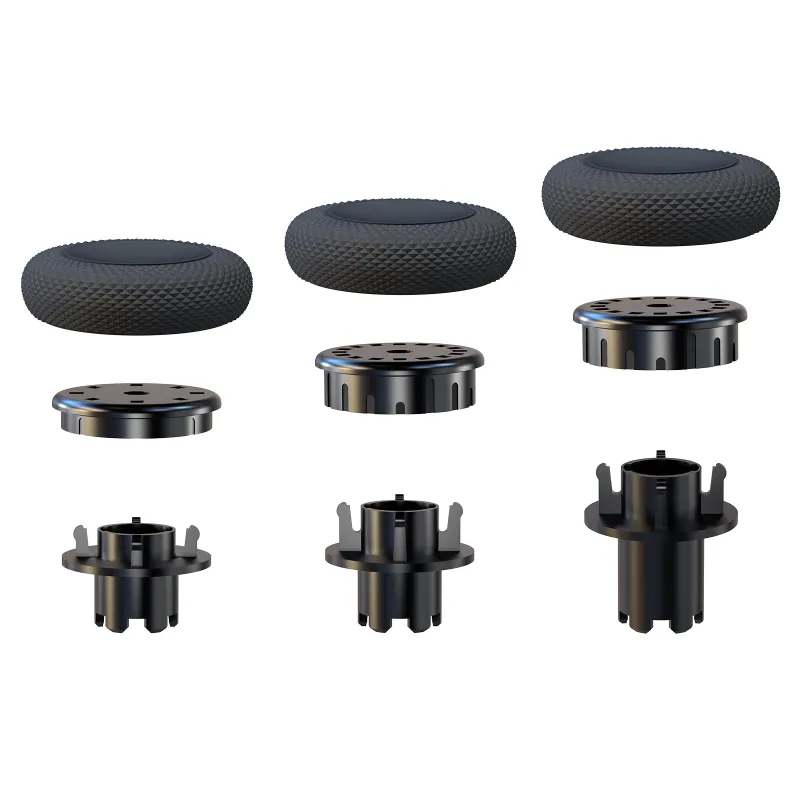
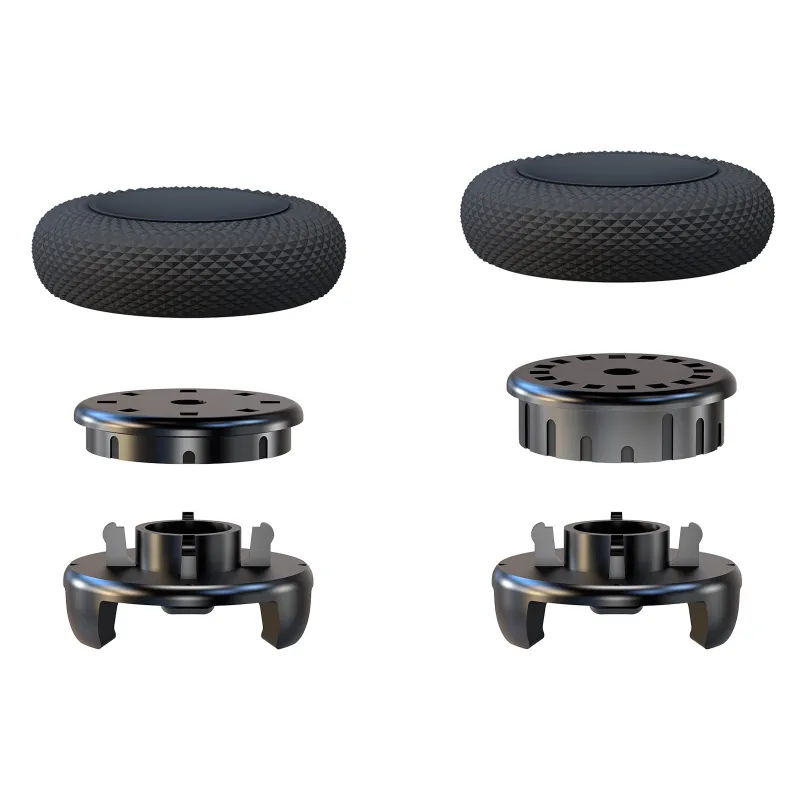
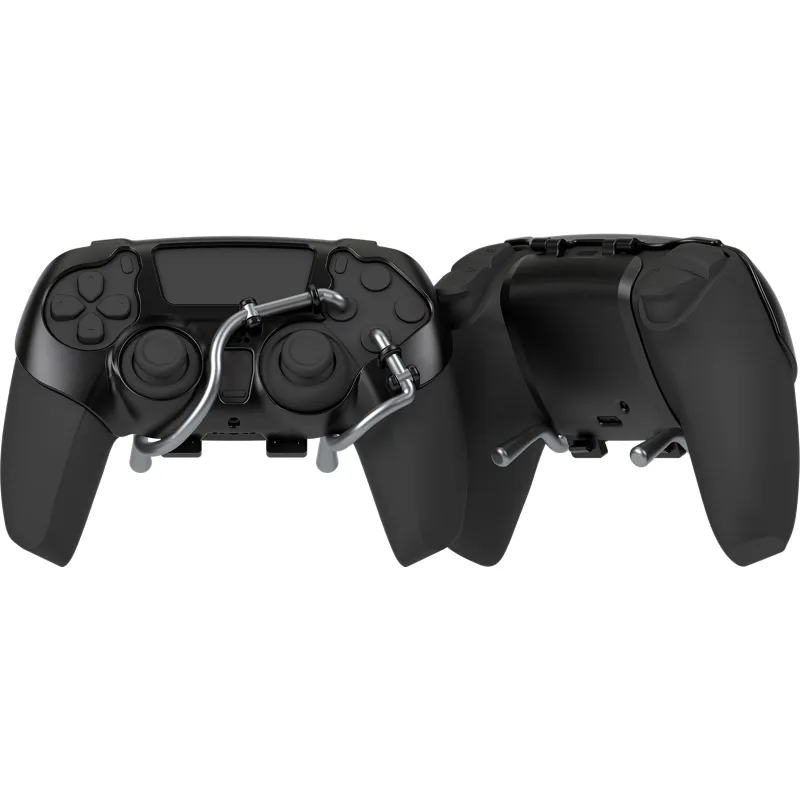
Products like kontrol freeks ps5 and the control freak österreich improve thumbstick accuracy for console gaming on the go. The ps5 controller back paddles and ps5 paddle attachment add extra buttons without changing your grip, which is useful for mobile shooters and platformers streamed to your phone. And if you want the full package, the pro ps5 controller with paddles gives you built-in back buttons from the start paired with the ps5 controller paddles attachment for customization.
These accessories are not directly about typing, but they complete a mobile productivity or gaming station that pairs nicely with a z flip 7 keyboard case or MagSafe keyboard.
Where to Find the Best Deals on Mobile Typing Gear
Pricing on these cases and keyboards shifts regularly, so the best way to get current numbers is to check the store directly. We recommend you grab the code for a 5% discount on any of the products above, including the z flip 7 keyboard case and the magsafe keyboard. The store updates inventory often, so check the latest price before you decide.
For a deeper look at the broader trend of bringing physical keys back to smartphones, the Clicks Keyboard case project shows how much demand exists for tactile typing on modern devices. Whether you go with an integrated case or a magnetic snap-on solution, adding real buttons to your mobile workflow can seriously cut down typos and speed up your response time.
Questions
Does the z flip 7 keyboard case work with a screen protector?
Most z flip 7 keyboard cases are designed to accommodate a standard screen protector, but you should check the case depth. Some integrated keyboard flaps may add pressure if the protector is very thick. We recommend installing the protector first and then testing the case fit.
Can I use a MagSafe keyboard with a non-MagSafe phone?
Yes. You just need a magnetic adhesive ring or a third-party case that includes a metal plate. The MagSafe keyboard magnet will attach to that ring securely. This works with most Android and iPhone models.
How long does the battery last on a flip phone keyboard case?
Battery life varies by model. The integrated keyboard in a z flip 7 keyboard case is often powered by the phone itself through side pins, so there is no separate battery to worry about. Bluetooth versions typically last several weeks on a single charge with normal use.
Is the motorola razr keyboard case compatible with the Z Flip 7?
No. The motorola razr keyboard case is shaped specifically for Motorola Razr foldables. The Z Flip 7 has different dimensions and hinge placement, so you need a case built for the Z Flip 7. The samsung z flip keyboard line is the correct match.
Which is better for one-handed typing: the flip keyboard case or MagSafe keyboard?
The z flip 7 keyboard case is generally better for one-handed typing because it keeps the keyboard in a fixed, balanced position on the phone. A MagSafe keyboard has to be held separately or placed on a surface, which makes true one-handed use more awkward.
Can I attach a MagSafe keyboard while the phone is in a standard case?
Yes, as long as the case has a MagSafe magnet ring built in or you stick a metal adhesive plate to the back. Without that ring, the magnet will not hold securely. Many slim cases include the ring, or you can buy a separate adapter.
Products in this guide
 Shopping at EXknight? See the discount code
5% OFF All Orders
Shopping at EXknight? See the discount code
5% OFF All Orders
More in this series
Is a Pro PS5 Controller with Paddles Worth the Upgrade Over Standard Add-Ons?7 Sep 20265 minWhy Your PS5 Paddle Attachment Isn’t Registering and How to Fix It7 Sep 20264 minHow to Clean and Maintain Your Samsung Z Flip Keyboard Case for Long-Term Use7 Sep 20265 minKontrol Freek Thumbsticks vs Back Paddles: Which Upgrade Helps Your Aim More?7 Sep 20263 minHow to Install PS5 Controller Back Paddles Without Damaging Your Controller7 Sep 20265 min