 A MAXKGO guide
Flipsky FT85BD Not Working? Power, Remote and ESC Tool Checks
A step-by-step check for a Flipsky FT85BD that will not work, built on its NON-VESC specs and the Flipsky ESC Tool.
If your Flipsky FT85BD is not working, check it in this order: battery voltage and power wiring, the smart power switch and its auto shutdown, the input signal from your remote, then the motor setup and firmware in the Flipsky ESC Tool. One point catches people out first: MAXKGO lists the FT85BD as a NON-VESC dual ESC, so the VESC Tool and VESC guides do not apply to it. Below we walk through each check using the specs on the product page. Our MAXKGO discount code page lists the current code and how to use it.
Know what the FT85BD is
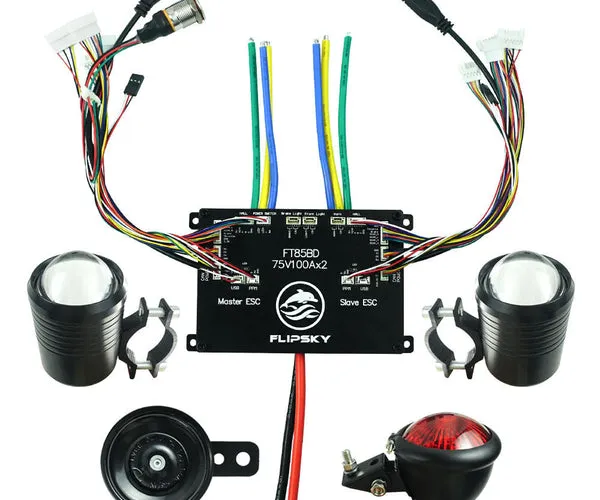
From MAXKGO’s listing for the Flipsky FT85BD Dual ESC:
| Spec | Listed value |
|---|---|
| Type | Dual ESC, NON-VESC, aluminum case |
| Voltage | 14 to 84V (4S to 20S) |
| Continuous current | 100A single, 200A dual (depends on mounting and ambient temperature) |
| Peak current | 250A single, 500A dual |
| Firmware and tool | V1.4 or above, updated through the Flipsky ESC Tool |
| Ports | USB, CAN, UART, PPM, ADC |
| Inputs | PPM, ADC, UART (Flipsky VX4 and VX3 Pro remotes only at present), PAS |
| Start modes | IPDS and HFPI (sensorless), HALL (sensored), encoder (ABI, AS5047) |
| Wires | 10 AWG power, 12 AWG motor |
It is sold in three versions: ESC only, with lights and horn, or with a Bluetooth module.
Step 1: power, wiring and the smart switch
Start with power, since nothing else can be checked until the board turns on.
- Measure the pack. Use a multimeter on the battery leads. The FT85BD is listed for 14 to 84V. Below or above that, the low and high voltage protection the listing describes can keep it off.
- Check the connectors. Make sure the power connector is fully seated and the 10 AWG power leads are not damaged.
- Check the switch. The FT85BD uses a self-resetting switch with a green LED button. Confirm the button lights.
- Check auto shutdown. The listing describes slide power-on and automatic shutdown, with the shutdown time adjustable in the Flipsky ESC Tool. If the board turns itself off after sitting still, that setting is the place to look.
- Check accessories. On the lights and horn version, compare your wiring with the wiring diagram on the product page.
Step 2: the input signal and remote
If it powers on but will not respond to the throttle, check how your remote talks to it. The FT85BD accepts PPM, ADC, UART and PAS input, but the listing says UART is compatible only with the Flipsky VX4 and VX3 Pro remotes at present. A different UART remote will not work over that port. With the VX4, the listing also says the ESC can be programmed from the remote on remote firmware VX4_V1.2.1 or above, so check your remote’s firmware too.
Step 3: the Flipsky ESC Tool and motor setup
Use the Flipsky ESC Tool and the software and manual download link on the product page. Neither the VESC Tool nor MAXKGO’s ESC-Link (which is for MAXKGO’s own AM32 drone ESCs) is the listed tool for this controller.
- Connect over USB and follow the manual’s connection steps.
- Check the firmware is V1.4 or above, and update through the tool if needed. Do not cut power during an update.
- Match the start mode to your motor: HALL if your motor has hall sensors wired in, sensorless (IPDS or HFPI) if not, or encoder if you use one.
- Set the battery limits to your pack’s voltage, and the current limits to what your motors and battery can take.
- Check the speed gear: the FT85BD has low, medium, high and reverse levels, and a low gear can feel like a weak motor.
The listing says the FT85BD supports real-time data and fault alerts, so read any fault the tool reports before changing settings at random.
Step 4: heat, protection cut-outs and hardware
If it works and then cuts out under load, think heat. MAXKGO notes that the current ratings depend on mounting and the temperature around the device, and the listing includes MOSFET over-temperature, motor over-temperature and over-current protection. Give the aluminum case airflow and contact with a surface that carries heat away. If it still cuts out, lower the current limits in the tool.
Stop and contact the seller if you see burn marks, smell burning, the case gets hot the moment power is applied, or the tool cannot connect at all over a known-good USB cable. Do not keep powering a controller that shows those signs.
For other controllers, MAXKGO also sells the Flipsky 75100, a single-channel VESC-based ESC for 14 to 84V, but check that it suits your build before treating it as a swap.
Questions
Is the Flipsky FT85BD a VESC controller?
No. MAXKGO lists it as a NON-VESC dual ESC, programmed and updated through the Flipsky ESC Tool.
Why does my FT85BD turn itself off?
It has slide power-on and automatic shutdown, and the listing says the shutdown time is adjustable in the Flipsky ESC Tool. Check that setting first, then the battery voltage.
Which remotes work with the FT85BD over UART?
The listing says UART is compatible with Flipsky's VX4 and VX3 Pro remotes only at present. Other remotes can use PPM or ADC input.
What voltage battery does the FT85BD take?
MAXKGO lists 14 to 84V, which it says is safe for 4S to 20S packs.
What current can the FT85BD handle?
The listing gives 100A continuous per channel (200A dual) and 250A peak per channel (500A dual), and notes these depend on mounting and ambient temperature.
Products in this guide
Shopping at MAXKGO? See the discount code
2% OFF Sitewide
More in this series
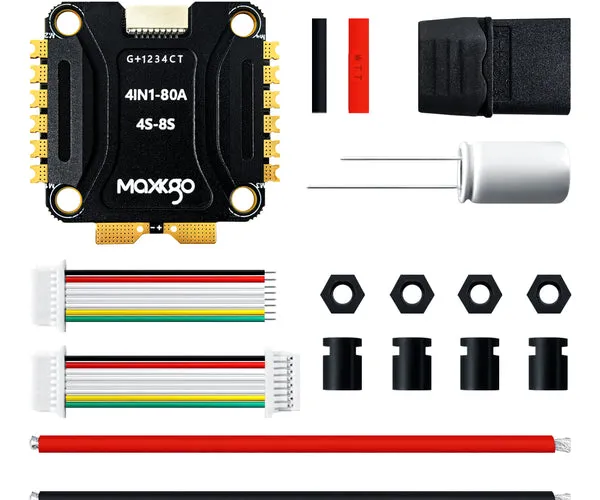 How to Wire the MAXKGO 4-in-1 80A AM32 ESC in a Drone Build5 Sep 20263 min
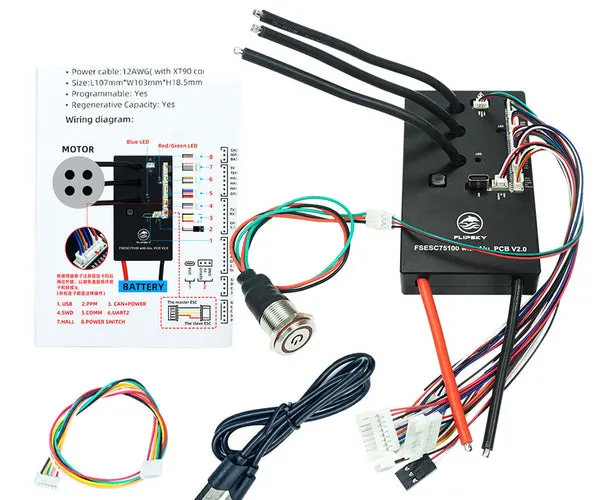 Can You Use a Onewheel Pint Battery Module With a Flipsky ESC?5 Sep 20263 minWhat to Look for in a 12S ESC for Your Electric Skateboard or E-Bike5 Sep 20263 min4-in-1 ESC vs Individual ESCs: Which Is Right for Your Build?5 Sep 20265 minFlipsky 75100 ESC Setup: Specs, Switch Options and Which Tool to Use5 Sep 20263 min