 A Colaboxs guide
Colabox L2 Plus WiFi or Remote Not Working? What the Colabox FAQ Says
The steps the Colabox FAQ gives for WiFi and remote pairing problems on the L2 Plus, and what to do when they do not work.
If your Colabox L2 Plus will not find your WiFi or will not pair with its remote, the Colabox FAQ lists a short set of steps to try before you contact the seller. You can find the current code on our Colaboxs discount code page.
When the box cannot see your WiFi
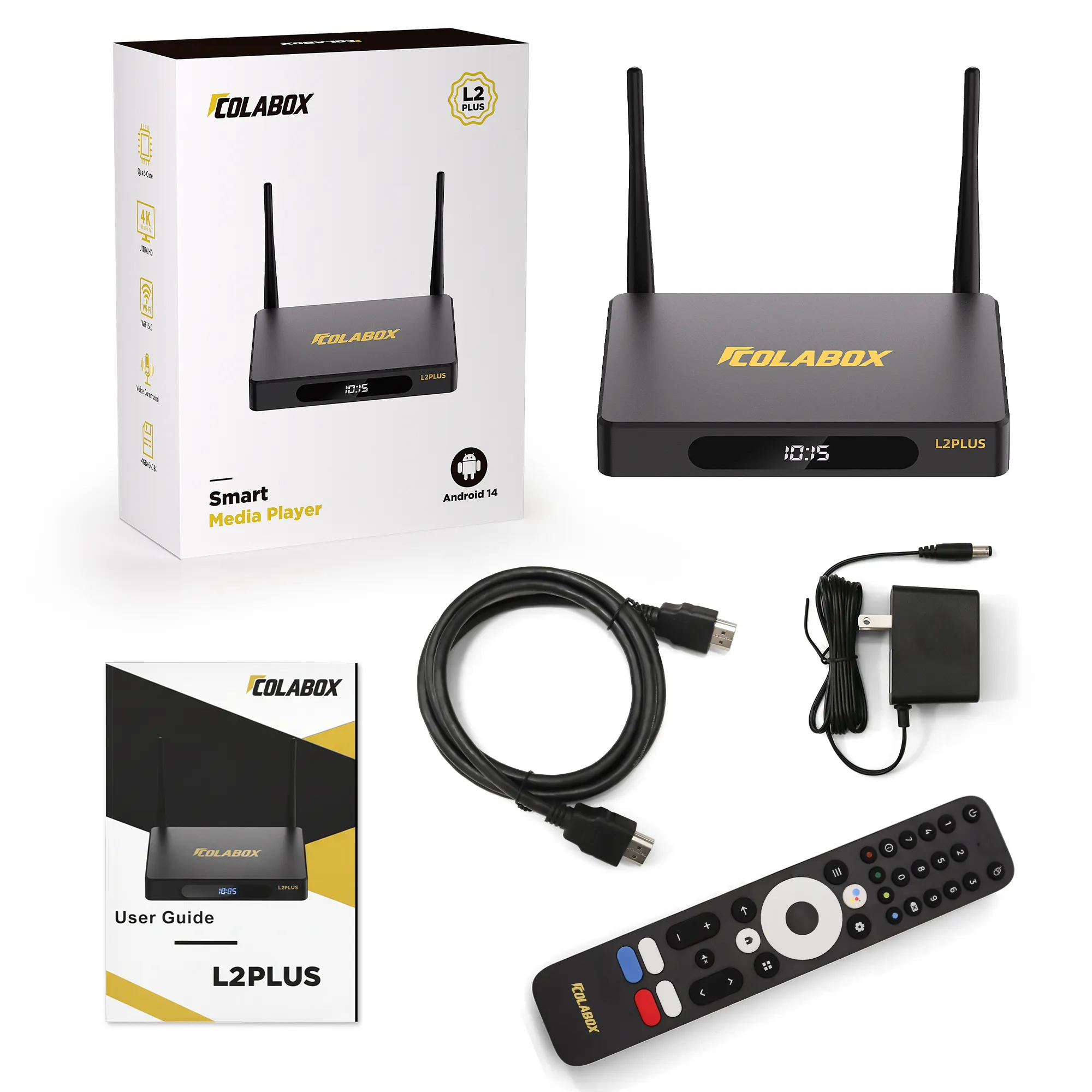
The Colabox L2 Plus Android TV box has dual-band WiFi and a 1000Mbps Ethernet port, according to the store’s product details. The Colabox FAQ gives this order for a box that does not recognise your wireless network:
- Check that your WiFi signal is working properly, for example on another device.
- Open a hotspot on your phone and see whether the box can find that instead. This tells you whether the problem is your home router or the box.
- Restart the box, or reset it in its settings, and look for your network again.
- Connect with an Ethernet cable. The FAQ recommends this if the box still cannot connect.
- If none of that works, contact your seller for support.
The hotspot step is the useful one. If the box sees your phone but not your router, you have narrowed the search to the router. If it sees neither, the box itself needs the seller’s attention. Note what you tried, because the seller will ask.
What the FAQ says about internet speed and VPNs
Two answers in the FAQ can save you from chasing the wrong fix. On speed, the store says a network bandwidth of 100M is sufficient. On VPNs, it says none is needed, and that you simply connect to WiFi or Ethernet normally. The FAQ also says only one device can be connected to the same box at the same time, so the box is not meant to be shared between several TVs at once.
When the remote will not pair
The L2 Plus ships with a voice remote. The FAQ says voice commands work after Bluetooth pairing, with the microphone on top of the remote. If pairing looks wrong, the store gives these steps:
- Check that the batteries are actually installed in the remote.
- If it still will not pair, restart the box several times and try pairing again.
- If that fails too, contact your seller for after-sales support.
You may have another remote at home. The FAQ says an infrared remote can be used with the box, but it will not support voice commands, and the store suggests using the remote that came with the Colabox. Setup itself starts with remote pairing on screen, followed by language, time zone, network and display area, so a remote that will not pair can look like a box that is stuck at the first screen.
Who to contact and what comes in the box
The FAQ lists the L2 Plus package as the box, a remote, an HDMI cable, a power cord and a user manual. If you are missing one of those, say so when you contact support. The store’s answer to almost every problem is to contact the seller, so keep your order details to hand. The FAQ also says after-sales support and the one-year warranty go through authorized dealers, and the brand runs a distributor verification page where you can check a seller’s authorization code. If you bought from a seller you do not know, check that first.
The store also says the L2 Plus supports over-the-air upgrades. We cannot say which software version fixes which fault, so we do not list any.
Contact details and shipping notes
The Colaboxs site lists [email protected] for customer service, with weekday working hours of 9:00 AM to 6:00 PM. Its shipping policy says orders go out by FedEx, DHL or USPS, that processing takes 1 business day and may take up to 3, and that you can follow an order from your account or from the email sent when you buy. The policy gives more than one delivery window, so read the date shown at checkout rather than relying on a single figure.
When you write to support about a connection fault, include the order number, which seller you bought from, what the screen shows, and each step above that you already tried. That lets the reply start from where you left off instead of repeating the FAQ back to you.
Questions
What should I do if my Colabox L2 Plus cannot find my WiFi?
The Colabox FAQ says to check that your WiFi signal is working, try your phone's hotspot to see if the box can find that, then restart or reset the box. It also recommends connecting by Ethernet, and contacting the seller if nothing works.
How fast does my internet need to be for the Colabox L2 Plus?
The Colabox FAQ says a network bandwidth of 100M is sufficient.
Do I need a VPN with the Colabox L2 Plus?
No. The Colabox FAQ says no VPN is needed, and that you connect to WiFi or Ethernet normally.
What if the Colabox remote will not pair?
The FAQ says to check that the remote's batteries are installed, restart the box several times and try pairing again, then contact the seller if it still fails.
Can I use a different remote with the Colabox L2 Plus?
The FAQ says an infrared remote can be used, but it will not support voice commands. The store suggests using the remote supplied with the box.
Products in this guide
Shopping at Colaboxs? See the discount code
10% OFF All Orders