 A Colaboxs guide
Colabox L2 Plus vs Colastick V1 Plus: What to Know
The Colabox L2 Plus is a set-top box with more memory, more storage and a wired Ethernet port, while the Colastick V1 Plus is a smaller stick that plugs straight into an HDMI port and connects over Wi-Fi.
The Colabox L2 Plus is a set-top box with more memory, more storage and a wired Ethernet port, while the Colastick V1 Plus is a smaller stick that plugs straight into an HDMI port and connects over Wi-Fi. Colaboxs lists Android 14 on both, so the choice comes down to hardware, connection and where the device will live. You can find the current code on our Colaboxs discount code page.
The specs side by side
Here is what Colaboxs lists on each product page.
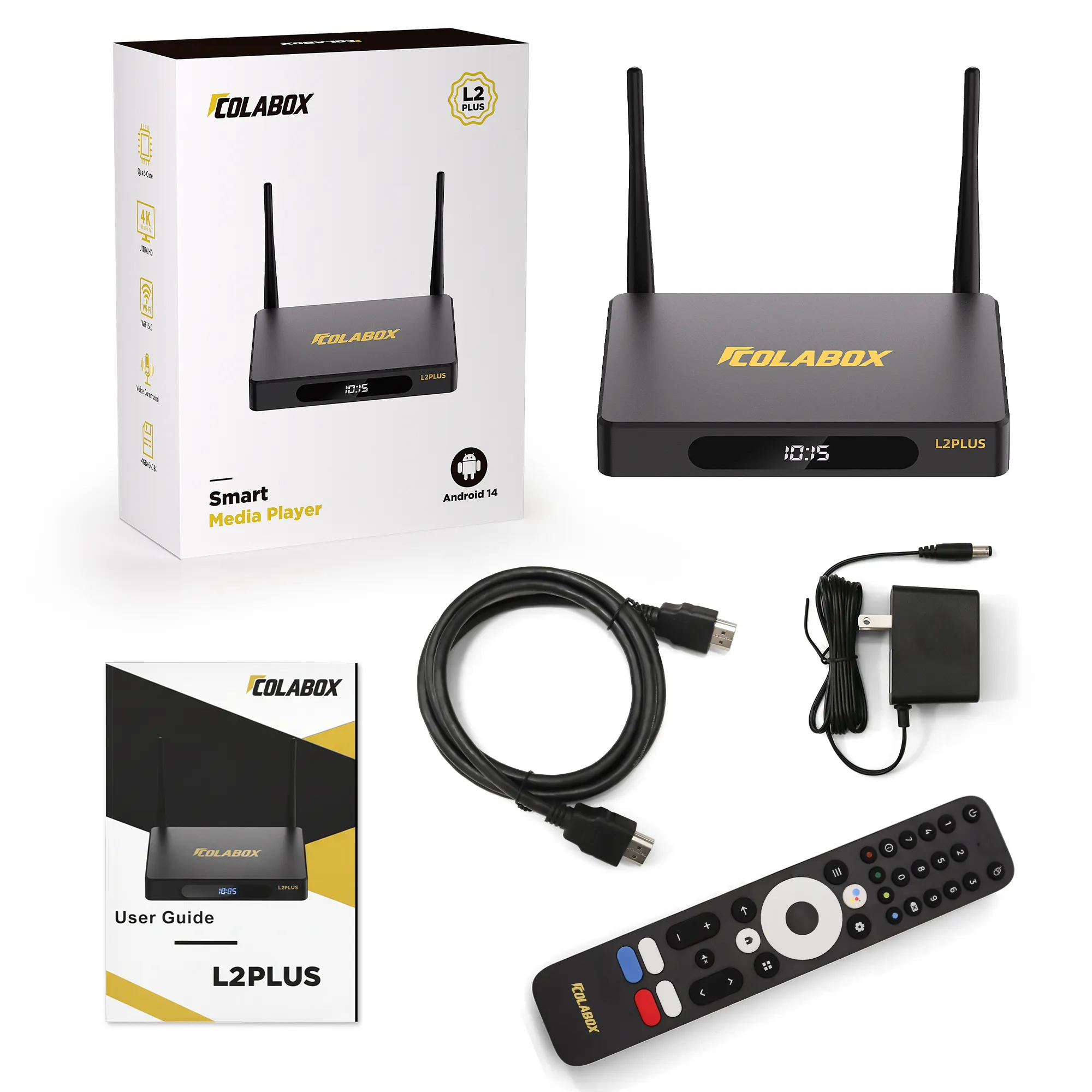
- Android 14, a GK63 quad-core 64-bit ARM Cortex-A55 processor and a Mali450 GPU
- 4GB of RAM and 64GB of eMMC storage
- Dual-band Wi-Fi 6 and a 1000Mbps Ethernet port
- Bluetooth 5.2 and a USB 3.0 port
- H.265 video decoding up to 6K at 60fps
- A DC 12V/1A power supply
The Colastick V1 Plus streaming stick:
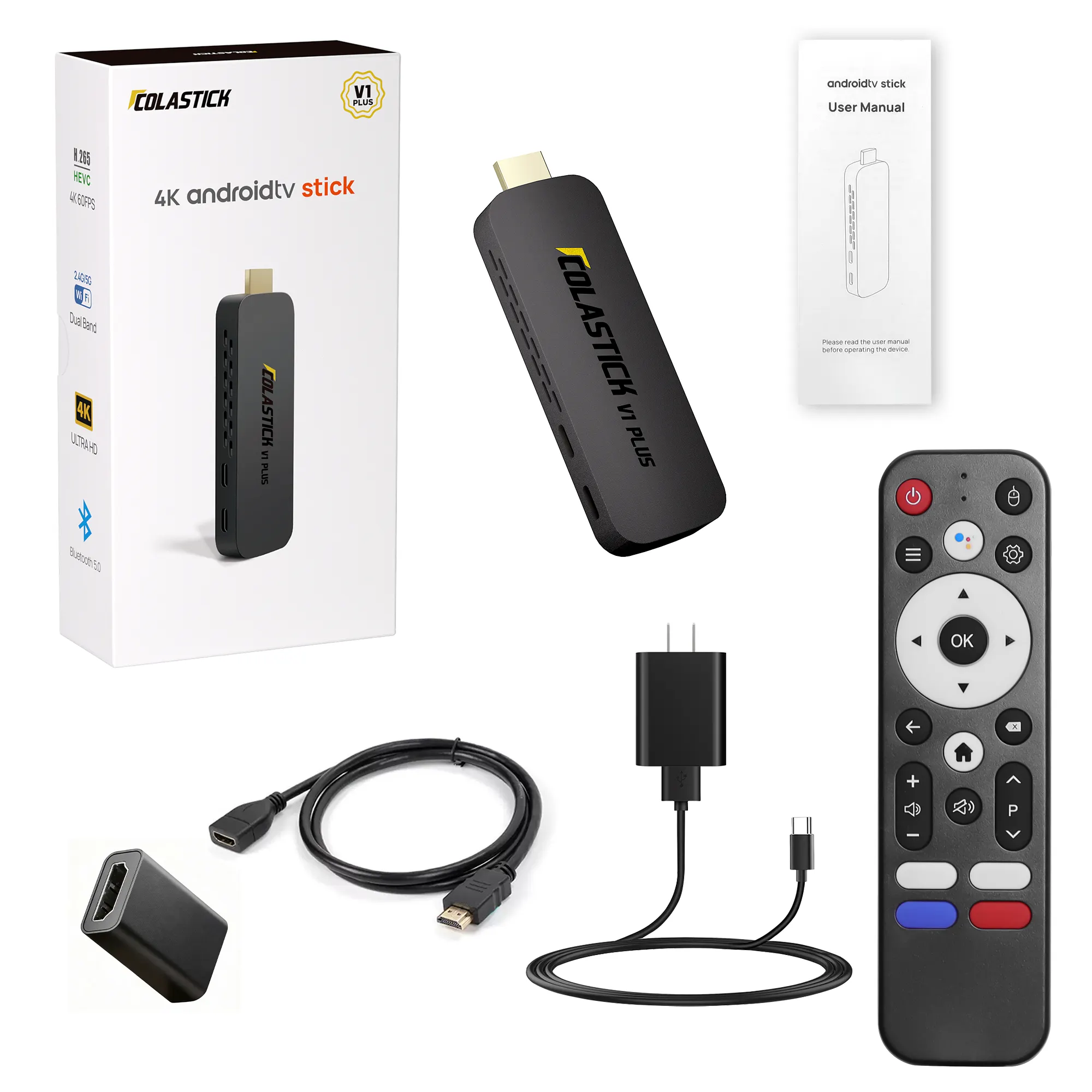
- Android 14, the same GK63 quad-core processor and a Mali450 GPU
- 2GB of RAM and 32GB of storage
- Dual-band Wi-Fi 5 (2.4GHz and 5GHz)
- Bluetooth 5.0
- 4K at 60fps with H.265 and HDR10+
- HDMI 2.0 and USB-C power at 5V/2A
In short, the two share a processor. The L2 Plus doubles the memory and storage and adds a wired network port and a USB port.
Wired or wireless: the biggest practical difference
The L2 Plus has a 1000Mbps Ethernet port, so you can run a cable from your router for a steady connection. The V1 Plus spec list does not include an Ethernet port, so it relies on Wi-Fi.
Colaboxs says a network bandwidth of 100M is enough, and its FAQ suggests switching to Ethernet if the box has trouble with Wi-Fi. If your router sits far from the TV and the Wi-Fi signal is weak there, the L2 Plus with a cable is the safer pick. If your Wi-Fi is strong in that room, the stick is fine.
Where each one sits
The V1 Plus plugs straight into the TV’s HDMI port and hides behind the screen. Colaboxs says it also works with monitors and projectors that have a standard HDMI port, which makes it easy to move between rooms or pack for a trip. It draws power over USB-C at 5V/2A. Some TV USB ports cannot supply that much, so use a wall adapter if the stick restarts or will not power on.
The L2 Plus is a small box that sits on a shelf or TV stand. It comes with its own HDMI cable and power cord, according to Colaboxs, and needs a nearby power outlet. Colaboxs describes a metal housing with vents on both sides, so leave some space around it rather than closing it into a tight cabinet.
Remote and voice control
Both come with a voice remote. For the L2 Plus, Colaboxs says voice works after the remote is paired over Bluetooth, and the microphone is on the top of the remote. The V1 Plus page describes a Bluetooth (BLE) remote with voice search.
Colaboxs also notes that a standard infrared remote can usually control the box, but without voice, so it suggests keeping the remote that came with it.
Before you order
- Check that your TV has a free HDMI input.
- Decide whether you can run an Ethernet cable. If yes, the L2 Plus uses it. If not, both work on Wi-Fi.
- Colaboxs says only one TV can be connected to a box at a time, so plan one device per screen.
- Keep your order number. Colaboxs asks for proof of purchase for returns, which it accepts within 30 days of purchase for unused items in the original packaging.
One plain rule for any streaming device: only watch content from services you are licensed to use.
Questions
What is the main difference between the L2 Plus and the V1 Plus?
Colaboxs lists 4GB of RAM, 64GB of storage and a 1000Mbps Ethernet port on the L2 Plus, and 2GB of RAM, 32GB of storage and Wi-Fi only on the V1 Plus stick. Both run Android 14 on the same GK63 processor.
Does the Colastick V1 Plus have an Ethernet port?
Its spec list on colaboxs.com does not include one. It connects over dual-band Wi-Fi 5.
How fast does my internet need to be?
Colaboxs says a network bandwidth of 100M is enough.
Can I use the V1 Plus with a monitor or projector?
Colaboxs says yes, as long as the display has a standard HDMI port.
Can one box feed two TVs?
No. Colaboxs says only one device can be connected at a time.
What comes in the L2 Plus box?
Colaboxs lists the box, a remote, an HDMI cable, a power cord and a user manual.
Products in this guide
 Shopping at Colaboxs? See the discount code
10% OFF All Orders