 A Omoni Designs guide
Arabic vs. Japanese Keyboard Stickers: Which Layout Works Best for Your Needs?
Find out whether japanese keyboard stickers or Arabic keyboard stickers best match your typing style, device, and language goals.
When you are learning a new script or setting up a multilingual workstation, japanese keyboard stickers offer one of the most practical ways to add Hiragana, Katakana, or Arabic characters to your existing keyboard without buying a whole new board. Whether you are a language student, a translator, or a remote worker handling multiple writing systems, the right set of overlay labels can save you hours of hunt-and-peck frustration.
Japanese Keyboard Stickers: Understanding the Layout Options
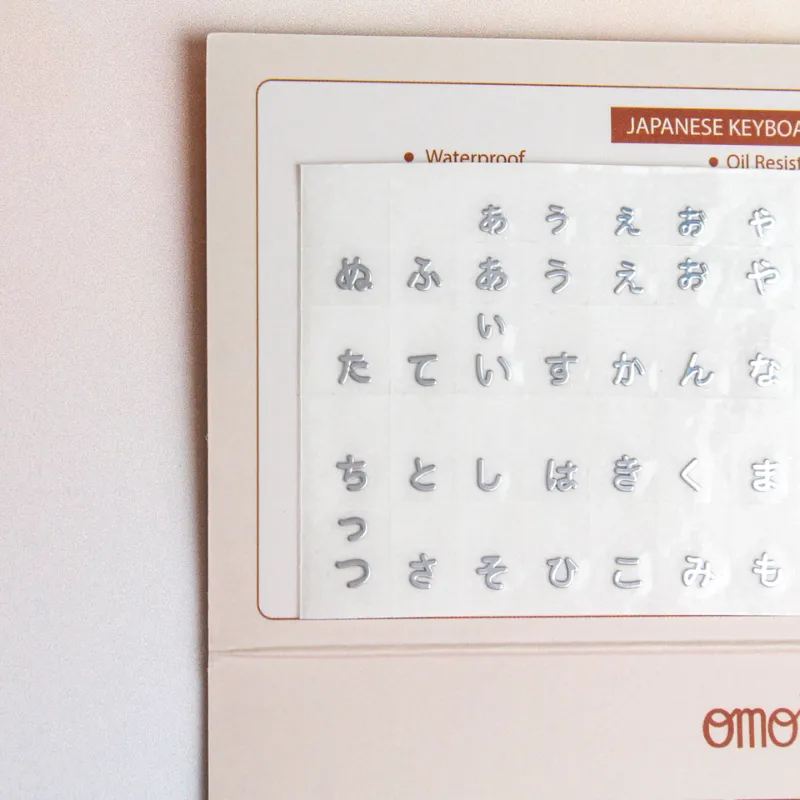
A standard japanese keyboard stickers set typically prints Hiragana characters in the top-left corner of each key and the corresponding English letter in the center. This arrangement matches the familiar QWERTY physical layout while adding the phonetic layer you actually read when typing Japanese. Many stickers also include the Dakuten and Handakuten marks, so you get fully voiced variations without needing a memory chart nearby.
Three common variations exist:
- Standard Hiragana overlay: prints Hiragana over QWERTY; best for learners who rely on phonetic input methods
- Hiragana + Romaji combo: shows both the Japanese character and the Latin letter; useful for intermediate typists
- Transparent background: lets your original key legends show through; a clean look for those who want to preserve their keyboard’s branding
If you prefer zero visual clutter, look for japanese keyboard stickers transparent options. These use a clear polycarbonate film so the only new graphics are the Japanese characters themselves. For Mac users specifically, japanese keyboard stickers mac kits match the smaller keycap sizes and modifier-key widths found on Apple keyboards.
Arabic Keyboard Sticker vs Japanese: Key Differences
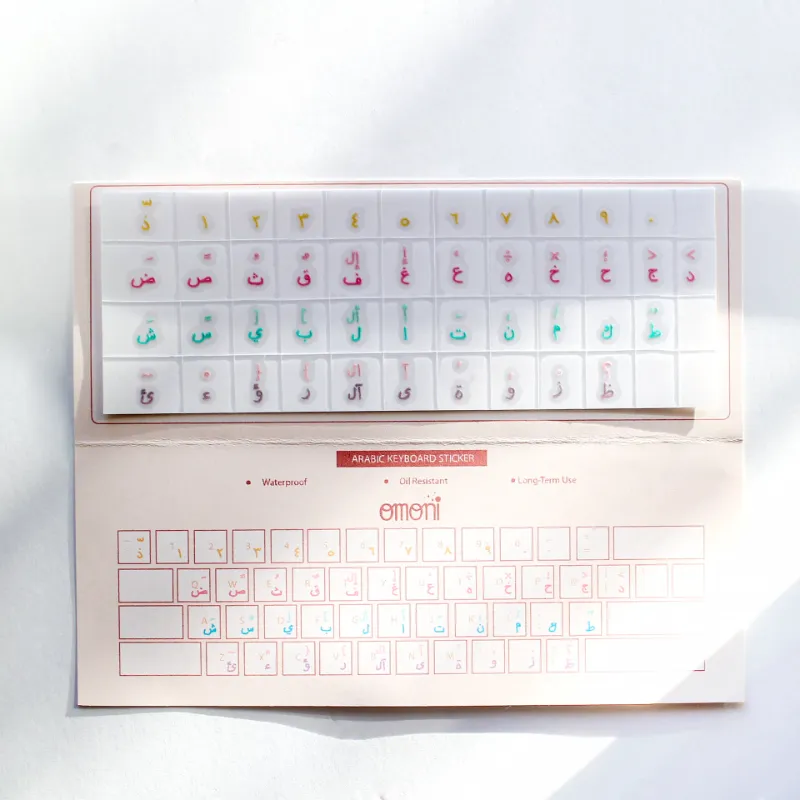
Switching from a Latin-only keyboard to an arabic keyboard sticker layout involves a fundamentally different mapping. Arabic script reads right to left, and the keyboard layout positions letters based on frequency in Arabic text, which means the key positions bear little resemblance to QWERTY. A typical keyboard sticker arabic set covers all twenty-eight letters plus the Hamza and Tashkeel diacritics.
Here is how the two sticker types compare side by side:
| Feature | Japanese Keyboard Stickers | Arabic Keyboard Sticker |
|---|---|---|
| Script direction | Left to right | Right to left |
| Character set | ~46 Hiragana + Dakuten/Handakuten | 28 letters + diacritics |
| Overlay style | Hiragana top-left, English center | Arabic on key face, English bottom |
| Typical input method | Phonetic (Romaji → Kana) | Direct Arabic keystroke |
| Best for | Learners, bilingual typists | Native speakers, Arabic writers |
The practical difference is input logic. With japanese keyboard stickers you can keep typing by sound (type “ka” and get か), whereas an Arabic sticker expects you to learn physical positions for each letter. If you work in both languages, you may need two separate overlay sets, or a single board with bilingual keys on each cap.
Korean Keyboard Stickers and Multi-Keyboard Setups
A korean sticker keyboard layout places consonants on the left half and vowels on the right, matching the standard Korean 2-set input method. The Hangul characters are printed in the top-left corner with English in the center, so you can glance down during the learning phase without leaving the home row.
If you are setting up a workstation that serves multiple languages, you have a few routes:
- Buy separate sticker sets for each language and swap as needed
- Use a single keyboard with a bilingual overlay (Japanese + English or Korean + English)
- Label modifier keys with keyboard label stickers that show language-switch shortcuts (Alt+Shift or Cmd+Space)
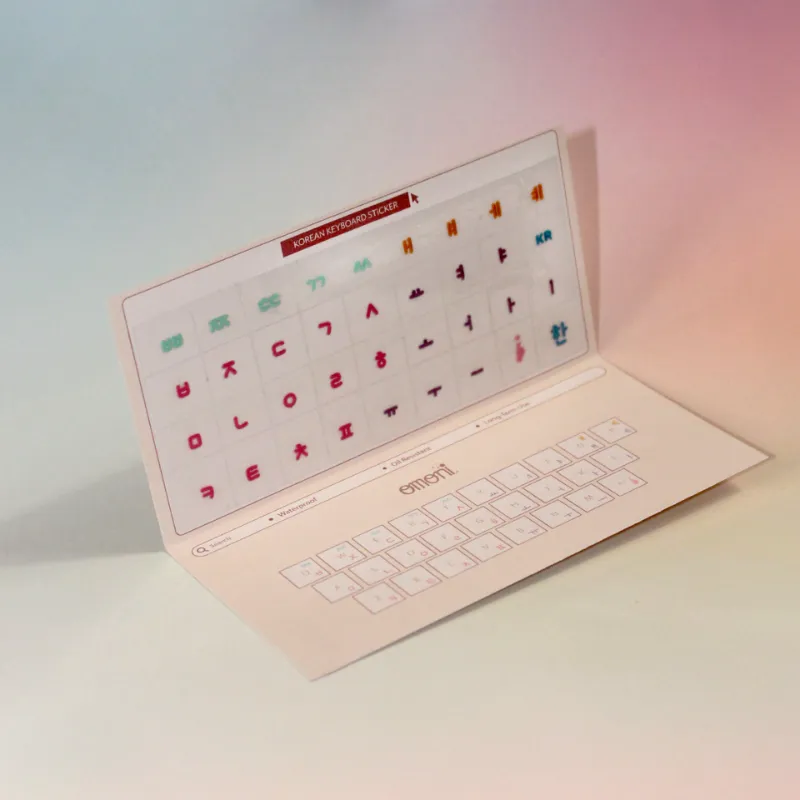
For users who want total control, create your own keyboard stickers with a blank template and a permanent marker, though the print quality and durability of a manufactured set is hard to beat. The korean sticker keyboard kit from our store holds up well under daily use because the laminate layer resists fading and edge peeling.
Materials Matter: Transparent vs Colored Keyboard Label Stickers
Not all keyboard label stickers are built the same. The base material determines how long the legends last, whether they yellow under sunlight, and how easily they come off when you want to rearrange.
We sorted the main material types:
- Clear polycarbonate: used in most japanese keyboard stickers transparent sets; nearly invisible on dark keyboards, but the white print can feel low-contrast on light-colored keys
- White vinyl: high contrast for light or translucent keys; common in korean keyboard stickers because Hangul strokes are dense and benefit from a bright background
- Laser-etch film: fused onto the keycap surface; nearly impossible to peel off accidentally, but also permanent once applied
- Silicone skin: a full cover that fits over the keyboard; not a sticker, but a good option if you want to protect the original keys from dust
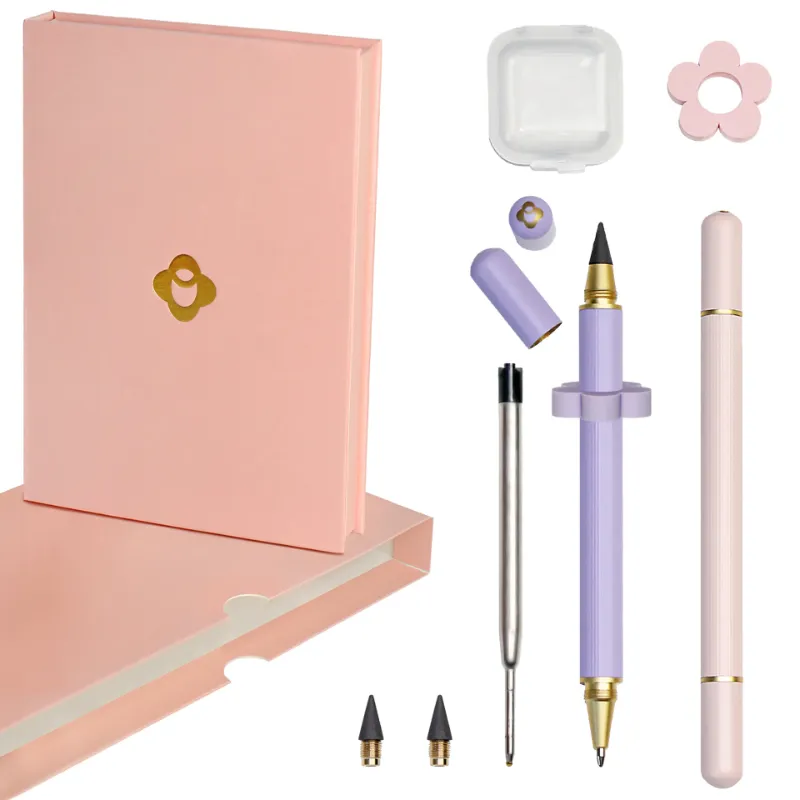
The omni pens included in our kit let you hand-write rarely used symbols or personal shortcuts on blank labels. That is especially handy for Arabic letters that require the Shift-key diacritic forms, you can place the exact character you need without memorizing a secondary layer.
Which Keyboard Layout Works Best for Your Device?
Device compatibility is often the overlooked factor when buying custom laptop keyboard stickers. Laptop keycaps are shorter and flatter than desktop keys, so a sticker designed for a full-size mechanical board may overhang or curl at the edges.
Check these measurements before you buy:
- Keycap width: standard desktop keys are about 18 mm wide; most laptops are 14 to 16 mm
- Keycap profile: scissor-switch (laptop) keys are concave; mechanical keys are taller and more cylindrical
- Function row shape: Mac and Windows keyboards differ in the width of Fn, Control, and Option keys
We recommend measuring a single keycap on your board and matching it to the sticker dimensions listed in the product description.
How to Apply and Care for Your Keyboard Stickers
Getting a clean application is straightforward, but a few mistakes can ruin the alignment. Here is the method we use every time:
- Remove the keycaps (optional but recommended for precise placement)
- Clean each key surface with a microfiber cloth and isopropyl alcohol
- Peel the sticker from the backing using tweezers to avoid fingerprints
- Align the top-left corner first, then press outward
- Smooth with a credit card wrapped in a soft cloth to push out air bubbles
For daily care, wipe the stickers with a damp (not wet) cloth. Avoid alcohol-based cleaners after application, as they can break down the adhesive over time. If a corner lifts, press it back down with a warm (not hot) fingertip to reactivate the glue.
We always suggest grabbing the current store offer so you can stock the layouts you need without paying full retail. Check the latest price and code before checking out, our readers get a regular 10 % discount on all orders, including multi-pack purchases that pair Arabic and Japanese sets for the same board.
Final Recommendation
For most learners, japanese keyboard stickers are the better starting point because the phonetic input method allows you to type accurately while still building character recognition. Arabic stickers require more memorization upfront, but they are indispensable if you actually compose in Arabic daily. Whichever route you take, match the material and size to your specific device, and do not hesitate to grab the coupon to cover both sets in one order.
Questions
Can I use Japanese keyboard stickers on a MacBook Air?
Yes, but look specifically for japanese keyboard stickers mac sets. Mac keycaps are slightly narrower than standard desktop keys, and the modifier keys (Command, Option) have different widths. The transparent vinyl sets from our store fit both Mac and Windows layouts.
Will Arabic keyboard stickers work with a right-to-left typing setting?
The stickers themselves only label the keys. You still need to enable Arabic as a keyboard language in your operating system settings. Once that is done, the keyboard sticker arabic set shows you which physical key produces each letter.
How long do japanese keyboard stickers transparent typically last?
With normal daily use, a clear polycarbonate sticker should stay legible for 12 to 18 months. The laminate coating resists fading, but oils from your fingertips will eventually wear down the adhesive near high-use keys like Enter and Space.
Can I remove and reapply keyboard label stickers without damaging the keycaps?
Most quality keyboard label stickers can be peeled off within the first few hours and reapplied once. After 24 hours the adhesive sets permanently, and removal may leave residue. Use a tiny drop of isopropyl alcohol to soften the glue if needed.
Do you sell a combined Arabic and Japanese sticker set for one keyboard?
We sell each language as a separate kit. You can pair an arabic keyboard sticker set with a japanese keyboard stickers set in the same cart and use the store coupon to save on the total order.
Are korean keyboard stickers compatible with a 60% mechanical keyboard?
Most 60% boards use standard 1U keycaps, so the korean sticker keyboard sets fit well. Check the product dimensions to confirm the right-Shift and spacebar sizes match your specific layout.
Products in this guide
Shopping at Omoni Designs? See the discount code
10% OFF All Orders
More in this series
Can You Use Omni Pens on a Touchscreen? A Complete Guide7 Sep 20264 minSetting Up Your Laptop for Bilingual Typing After Applying Korean Keyboard Stickers7 Sep 20264 minWhy Keyboard Stickers Wear Out and How to Make Korean Keyboard Stickers Last7 Sep 20264 minHow to Apply Arabic Keyboard Stickers Without Damaging Your Keys7 Sep 20265 min