 A Amolen guide
Amolen Crystal-Transparent PLA Settings: How to Print Clear With a 0.2mm Nozzle
Amolen's published settings for Crystal-Transparent PLA, how to tune a 0.2mm nozzle inside them, and what keeps clear prints from turning cloudy.
For clear prints with Amolen PLA Crystal-Transparent, start inside the ranges Amolen publishes (nozzle 210 to 230 C, bed 30 to 65 C, cooling fan on, speed under 220 mm/s), dry the spool at 55 C for 6 to 8 hours before a big print, and design the part with thin walls so light passes through. If you use a 0.2mm nozzle for fine detail, stay inside the same ranges and print slower, since a smaller nozzle lays thinner lines. Below we cover Amolen’s figures, how to dial in a fine nozzle and how to keep prints from turning cloudy. Our Amolen discount code page lists the current code and how to use it.
Amolen’s published settings for Crystal-Transparent
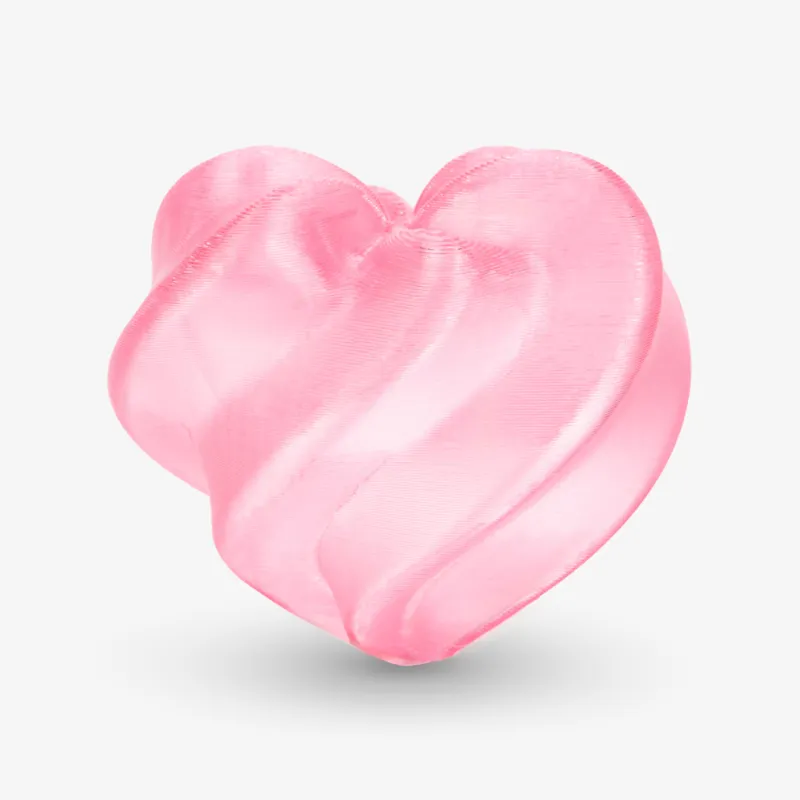
These figures come from the PLA Crystal-Transparent product page:
| Setting | Amolen’s figure |
|---|---|
| Nozzle temperature | 210 to 230 C |
| Bed temperature | 30 to 65 C (varies by printer and plate) |
| Bed surface | PEI, glass or textured, with or without glue |
| Cooling fan | On |
| Print speed | Under 220 mm/s |
| Drying | 55 C (plus or minus 5) for 6 to 8 hours |
| Diameter | 1.75mm, plus or minus 0.02mm |
| Spool | 1kg (2.2lb) |
Amolen describes the filament as 100% PLA from virgin-grade raw material, with a crystal-clear, glass-like finish, excellent light transmission, and a bubble-free, clog-resistant build. It comes in colours such as Crystal White, Crystal Blue, Crystal Green, Crystal Pink, Phantom Blue, Haze Blue, Amber Yellow and several rainbow blends, and as a 4 x 200g gradient variety pack.
Using a 0.2mm nozzle
Amolen does not publish settings for a 0.2mm nozzle. Its mechanical figures were measured on parts printed with a 0.4mm nozzle. So treat the published ranges as the outer limits and tune inside them:
- Print a temperature tower from 210 to 230 C with your nozzle and pick the step that gives clean walls with little stringing.
- Slow down. A 0.2mm nozzle moves far less plastic than a 0.4mm one, so the 220 mm/s ceiling is not a target. Lower the speed until the walls come out smooth and even.
- Set line width close to the nozzle size in your slicer, and lower the layer height to suit the finer line.
- Check the filament path. A fine nozzle is less forgiving of a damp spool or a dirty feed, so dry and store the filament as Amolen describes.
- Save the fine nozzle for detail. Lithophanes and small display pieces benefit. For large lampshades, a 0.4mm nozzle prints far faster.
How to keep prints clear, not cloudy
Amolen itself asks why “transparent” prints still look cloudy, which is a fair warning: the finish depends on how you print, not only on the spool. Things to control:
- Moisture. Dry the spool at 55 C for 6 to 8 hours before a long print, and store it cool and dry, resealed with desiccant, as Amolen advises.
- Wall count. Every extra wall adds another layer of plastic for light to cross. Use as few walls as the part can take.
- Infill. Infill lines show through a clear shell. For lamps, print a hollow shell or vase mode where the model allows.
- Top and bottom layers. Thick solid layers block light. Keep them as thin as the part allows.
- Consistent extrusion. Gaps and blobs scatter light. A calibrated flow rate gives even walls.
Heat limits, strength and returns
Amolen lists a glass transition temperature of 57 to 60 C and a heat deflection temperature of 56 to 58 C, so keep clear prints away from hot cars, sunny windowsills and heat sources. For lamps, use LED bulbs that stay cool. It lists a tensile strength of 46 MPa (plus or minus 4) and a flexural strength of 80 MPa (plus or minus 4) on 0.4mm, 100% infill sample parts. Amolen ships from the US, Europe and China, and offers a full refund, excluding shipping costs, on returns within 30 days.
Questions
What temperature should I print Amolen Crystal-Transparent PLA at?
Amolen lists a nozzle temperature of 210 to 230 C and a bed temperature of 30 to 65 C. Print a temperature tower to find the right point for your printer.
Does Amolen publish settings for a 0.2mm nozzle?
No. Its published ranges and mechanical figures are based on a 0.4mm nozzle, so stay inside those ranges and print slower with a 0.2mm nozzle.
Why does my transparent PLA print look cloudy?
Moisture, thick walls, visible infill and thick solid layers all reduce clarity. Dry the spool at 55 C for 6 to 8 hours, as Amolen advises, and design thin-walled parts.
Is Amolen Crystal-Transparent PLA heat resistant?
Amolen lists a heat deflection temperature of 56 to 58 C, so keep prints away from hot cars and direct heat.
Can I return Amolen filament?
Amolen offers a full refund, excluding shipping costs, on returns within 30 days. Contact Amolen to start a return.
Products in this guide
Shopping at Amolen? See the discount code
5% OFF Sitewide