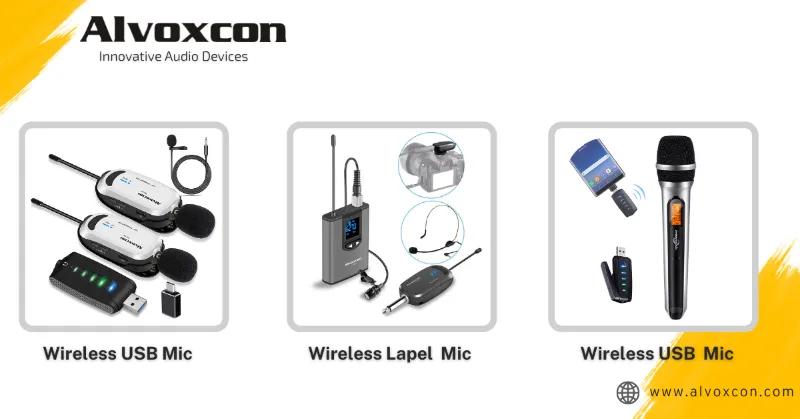
 A Alvoxcon Audio guide
Which Alvoxcon Wireless Mic Works for Teaching Through a Speaker?
Some Alvoxcon mics are built to send your voice through a classroom speaker; others are listed for recording only. Here is how to tell them apart.
For teaching or presenting through a speaker, the Alvoxcon systems built for live voice are the dual handheld system with a 1/4 inch receiver and the wireless headset and lavalier system, while its USB Wireless Microphone for PC is listed as for recording only, not live projection. The USB receiver kits for iPhone and computer sit in between, and their listings need a careful read before you rely on them in a classroom. For the current code, see our Alvoxcon Audio codes and deals.
Live voice or recording: the question that decides it
A teaching mic does one of two jobs. It either sends your voice out of a speaker or amplifier in the room right now (live projection), or it captures your voice into a computer or phone for a lesson video or a call (recording). Alvoxcon’s listings separate these two jobs, and some of its systems are only meant for one of them. Before you compare range or battery life, decide which job you need, or whether you need both.
| System | Receiver plugs into | Listed for live speaker use? | Listed range | Power |
|---|---|---|---|---|
| Dual handheld wireless mic system | 1/4 inch MIC IN jack (speaker, amp, mixer), plus adapters | Yes | Up to 80 ft | Rechargeable, 4 to 6 hours |
| Wireless headset and lavalier system | 1/4 inch MIC IN jack, DSLR camera | Yes | Up to 100 ft | Rechargeable |
| Dual wireless mic for iPhone and computer | USB port (computer or phone), 3.5 mm AUX out | Listing names classroom amplifier use | Up to 60 ft | Rechargeable, 7 hours |
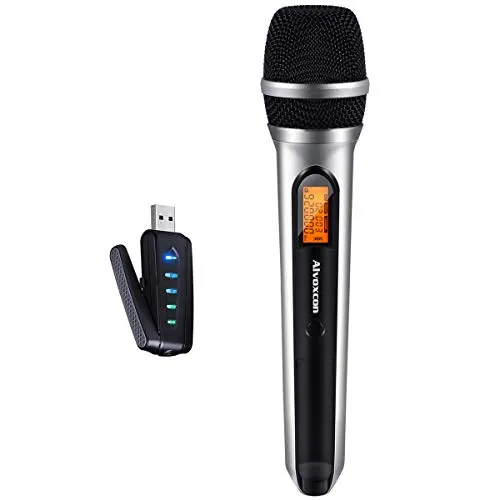
| USB Wireless Microphone for PC | USB port, or 1/4 inch MIC IN with the included cable | No, recording only | Up to 130 ft | AA battery, 10 to 12 hours |
The ranges and battery times above are Alvoxcon’s own figures from each product page.
If you need your voice through a speaker
Dual handheld wireless mic system
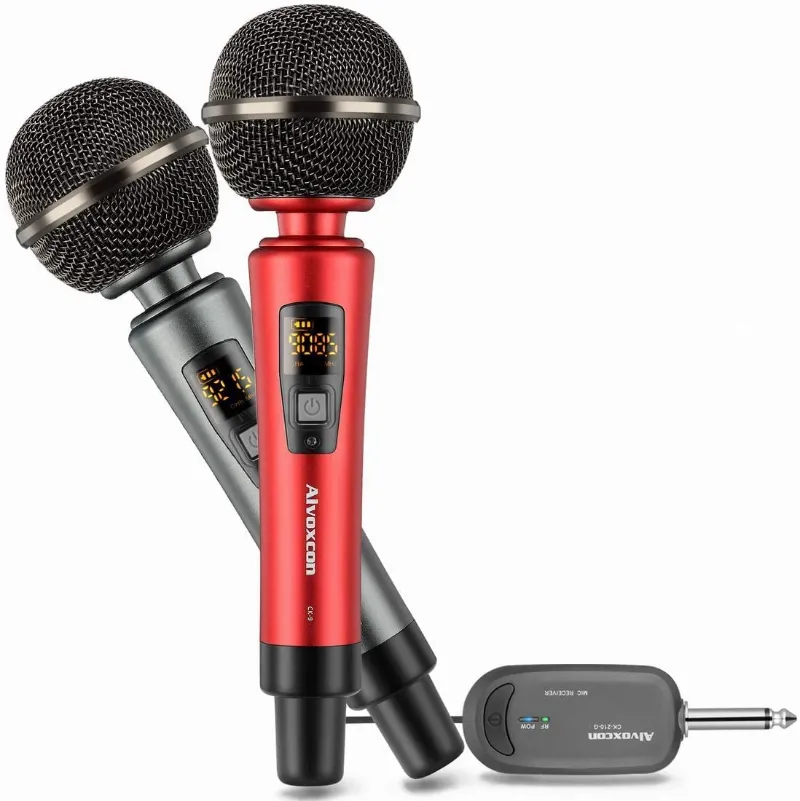
The Alvoxcon dual handheld wireless mic system comes with two handheld mics and a receiver with a 1/4 inch (6.35 mm) plug, which Alvoxcon says fits any device with a 1/4 inch MIC IN jack, such as a PA speaker, voice amplifier or mixer. Two mics suit a classroom where a teacher and a student, or two presenters, take turns. Both mics and the receiver are rechargeable over USB, and a cold shoe mount is included if you also want to record on a camera.
Wireless headset and lavalier system
If you need your hands free, for writing on a board, running a fitness class or demonstrating something, Alvoxcon’s wireless headset system pairs a belt pack transmitter with a headset mic or a clip-on lavalier. Its receiver uses the same 1/4 inch MIC IN connection. Alvoxcon names classroom, gym, stage, church and meeting use, and says you can set frequency and volume from buttons on the transmitter.
If you are recording lessons or teaching online
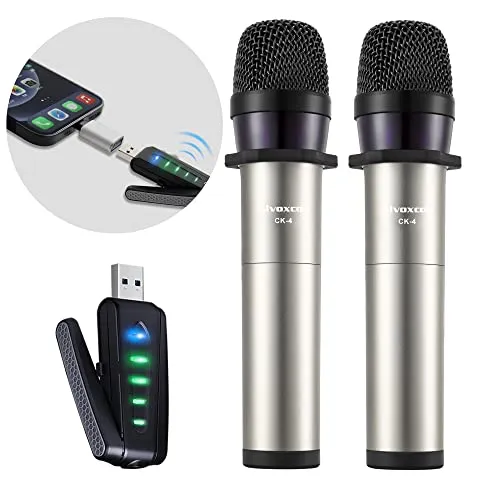
The Alvoxcon dual wireless mic for iPhone and computer plugs into a USB port, and Alvoxcon says its dual-mode receiver has a built-in sound card that works with Windows and Mac computers, iPhone and Android phones without extra drivers. Its listing names online teaching, Zoom lessons and teacher classroom amplifier use, and the receiver has a 3.5 mm AUX jack that Alvoxcon says can monitor your recording or connect to a speaker with an AUX input.
The single handheld version of this kit carries the same features, but its listing also says it is for recording only and not for live presentation. Because the two statements pull in opposite directions, ask Alvoxcon to confirm live speaker use before you buy either kit for that purpose.
The Alvoxcon USB Wireless Microphone for PC is clear on this point: Alvoxcon says it is for recording only, not for real-time uses such as karaoke or live presentation, and not for iPhone or iPad. It runs on an AA battery rather than a built-in one.
A setup checklist for the classroom
- Check the speaker’s input. Look for a 1/4 inch MIC IN jack. Alvoxcon says not to connect its USB receivers to a “Line in” or “Aux in” jack.
- Run one set per room. Several listings warn against using two sets, or another wireless mic of any brand, at the same time because of interference.
- Charge before class. Rechargeable systems need the mic and receiver charged; the PC mic needs a fresh AA battery.
- Start the volume low. The headset system’s listing says to turn the speaker down before plugging in, then raise it slowly to avoid feedback.
- Set the input on a computer. For USB receivers, you may need to choose the receiver as the default input device.
Questions
Which Alvoxcon mic works through a classroom speaker?
The dual handheld wireless mic system and the wireless headset and lavalier system both use a 1/4 inch receiver for speakers, amplifiers and mixers with a MIC IN jack.
Can I use the Alvoxcon USB Wireless Microphone for PC for live presentations?
No. Alvoxcon lists it as for recording only, not for real-time uses such as karaoke or live presentation.
Is there a hands-free Alvoxcon mic for teaching?
Yes. The wireless headset system comes with a headset mic and a clip-on lavalier on a belt pack transmitter.
Can I run two Alvoxcon mic sets in the same room?
Alvoxcon warns against it on several listings, because two sets, or another wireless mic of any brand, can cause interference.
Which Alvoxcon system has two mics?
The dual handheld wireless mic system and the dual wireless mic for iPhone and computer each come with two handheld mics.
Products in this guide
Shopping at Alvoxcon Audio? See the discount code
6% OFF All Orders
More in this series
 How to Clean and Store Your Alvoxcon Lavalier and Wireless Microphones7 Sep 20264 minAlvoxcon UHF Wireless Microphone Not Working? Common Fixes to Try First7 Sep 20264 minCan You Connect an Alvoxcon Microphone to Any iPhone? What Each Model Supports7 Sep 20263 minAlvoxcon Wired vs Wireless Lavalier Mic: Which Clip-On Setup Fits Your Device?7 Sep 20264 min
 How to Set Up Your Alvoxcon USB Microphone for PC Podcasts and Streaming7 Sep 20265 min