 A Alvoxcon Audio guide
Alvoxcon Wireless vs Wired Lavalier Mic: Which Is Better for iPhone Video?
Compare a wired lavalier mic vs wireless options for iPhone video. We test Alvoxcon's lineup to help you pick the right external mic for your recording style.
If you are shooting iPhone video and wondering whether a wired lavalier mic or a wireless setup sounds better, the short answer is: wired gives you the most reliable, interference-free audio, while wireless offers movement freedom.
Wired Lavalier Mic vs Wireless: Key Differences
Before picking a mic, it helps to understand the core trade-offs between a traditional wired lavalier microphone and a wireless system. Here is how they stack up on the specs that matter most.
| Feature | Wired Lavalier Mic | Wireless Microphone for iPhone |
|---|---|---|
| Audio reliability | Zero latency, no dropouts | Occasional RF interference in crowded spaces |
| Setup time | Plug and play | Requires pairing and dongle |
| Mobility | Tether to your phone | Free movement up to 30-50 ft |
| Battery dependence | None | Built-in rechargeable battery |
| Typical price point | Lower | Higher |
If your priority is clean, uninterrupted dialogue for an interview or talking-head video, a wired lavalier mic is the simpler choice. If you need to move around a room or hide the cable completely, a wireless system gives you that flexibility.
Why a Wired Lavalier Mic Still Wins for iPhone Video
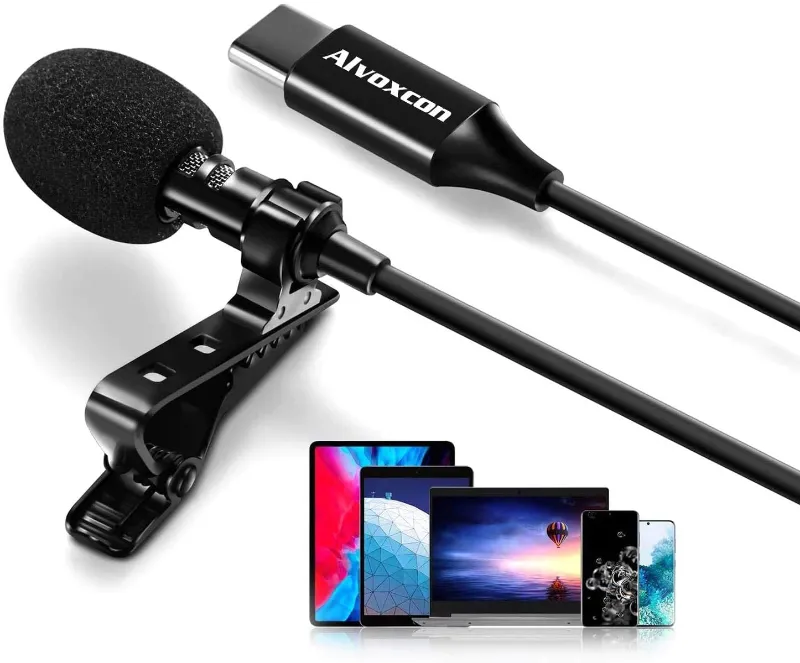
We reach for the wired lavalier mic whenever we record seated interviews, voiceovers, or product demos. The reasons are straightforward.
- No pairing hassle: plug the 3.5 mm jack into your phone (via a lightning or USB-C adapter) and you are recording.
- No battery anxiety: it works as long as your phone has power.
- Consistent sound: no compression artifacts or signal drops that you sometimes get with budget wireless kits.
- Smaller footprint: the cable is thin and easy to hide under clothing.
For most creators, a wired lavalier microphone for iPhone is the most cost-effective path to professional audio. If you prefer a sleek all-white look that matches modern gear, the white microphone option blends right in with a light-colored wardrobe or studio setup.
When to Go Wireless: Bluetooth Microphone for iPhone Setup
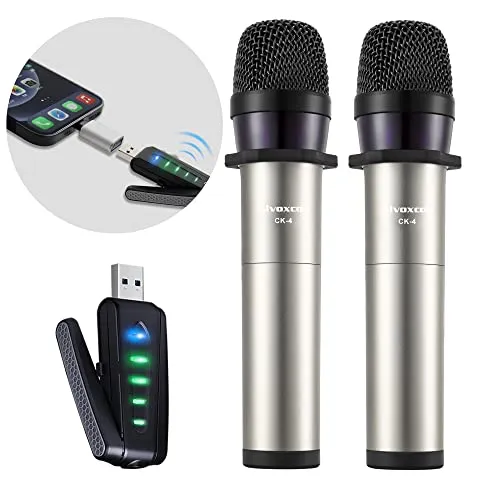
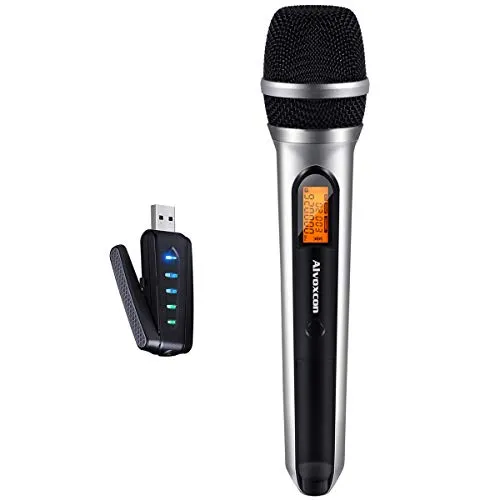
Wireless makes sense when you cannot stay near the camera. If you are hosting a livestream and pacing a stage, or recording a cooking tutorial where you move between the counter and the oven, a wireless microphone for iphone gives you range.
It pairs fast and eliminates the cable, but you do trade a tiny bit of audio fidelity for that convenience. For most short-form content, the trade is worth it.
For creators who need even more reach (say, a presenter walking an auditorium aisle) a wireless headset microphone with a headworn form factor keeps the mic position fixed while you move. That is a different league of mobility, though the price climbs with the transmitter range.
What You Need to Connect a Wired Lavalier Mic to iPhone
Modern iPhones no longer include a headphone jack, so connecting a wired lavalier mic requires a small adapter. Here is what we use.
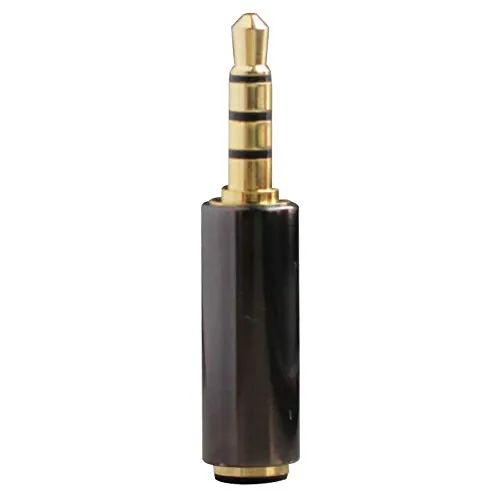
- Lightning to 3.5 mm adapter (for iPhone 7 through 14)
- USB-C to 3.5 mm adapter (for iPhone 15 and later)
- TRS to TRRS adapter: Some lav mics ship with a TRS plug meant for cameras. If your mic has a two-ring TRS plug, you need a trs to trrs adapter to route both audio and power correctly into the phone.
After you connect the mic, open your camera app, plug in the lav, and you should see the audio meter respond instantly. No menus, no app permissions, just clean sound.
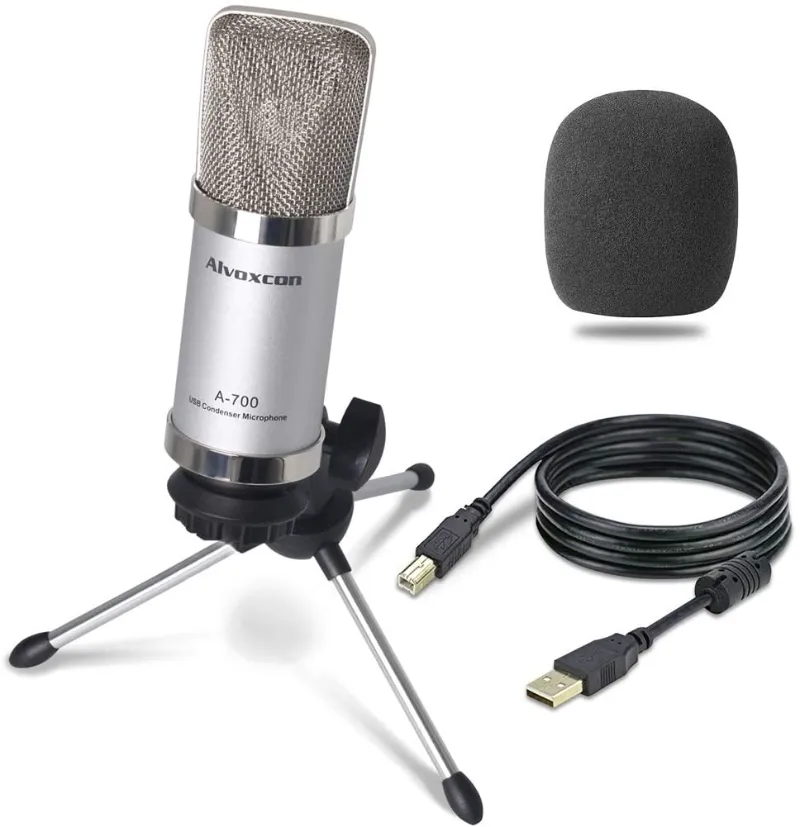
If you are also using the mic with a computer for remote meetings, the usb mic for pc or a dedicated pc microphone usb gives you a similar plug-and-play experience on Windows and Mac.
Our Pick: Alvoxcon Wired and Wireless Options
| Scenario | Recommended Product | Why |
|---|---|---|
| Sit-down interviews, voiceovers | wired lavalier mic | Zero latency, battery-free |
| Mobile content, vlogging | wireless microphone for iphone | Walk-and-talk freedom |
| Desktop meetings, podcasting | usb mic for pc | Plug into computer directly |
| Studio / on-camera presenter | radio microphone receiver | Pro dual-channel system |
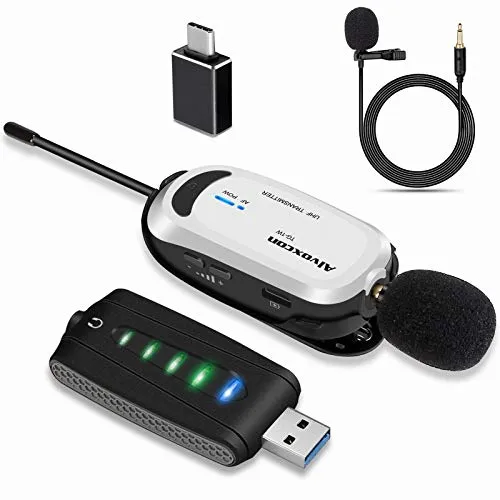
When you need a versatile external mic for iPhone that works for both wired and wireless tasks, the external mic for iphone category at Alvoxcon covers both bases. We also like the Alvoxcon raummikro for room recording where you want a wider pickup pattern than a lav provides.
Who Should Choose Which?
Choose a wired lavalier mic if:
- You record in a controlled indoor space
- You want the cleanest audio for the lowest price
- You dislike charging extra devices before each shoot
- You are new to video and want one simple cable
Choose a wireless microphone for iPhone if:
- You move freely during your recordings
- You shoot outdoors or across larger spaces
- You do not mind charging the transmitter before use
- You need the cable-free look for fashion or on-camera appearance
For a deeper look at how lavalier mics compare across brands and use cases, the guide on how to choose the best lavalier microphone from Shure is a great reference. Another solid roundup of top performers is available at The Podcast Host.
If you are still on the fence, start with a wired lavalier microphone for iPhone, it is the lowest-risk way to lift your audio quality immediately. You can always add a wireless system later when your setup demands more range. And before you buy, check the latest price and code to make sure you get the best deal on whichever route you choose.
Questions
Does a wired lavalier mic work with iPhone 15?
Yes, but you need a USB-C to 3.5 mm adapter. Most wired lavalier mics use a standard TRRS plug, so the adapter handles the connection. No extra power is needed.
Can I use a Bluetooth microphone for iPhone video recording?
You can, but Bluetooth introduces latency and audio compression. For video, a dedicated wireless microphone for iPhone that uses a 2.4 GHz dongle will sound better than standard Bluetooth.
What is the difference between a lavalier and a lapel mic?
There is no technical difference, lavalier and lapel mic refer to the same clip-on microphone design. Lavalier is the original French term, while lapel mic is the English shorthand. Both clip onto clothing near the chest.
Do I need a TRS to TRRS adapter for my wired lavalier mic?
You need it if your mic has a two-ring TRS plug (designed for cameras) and you are plugging into a phone or computer with a TRRS jack. The [trs to trrs adapter](/go/p/8037) reroutes the ground and mic channels so the audio reaches your device correctly.
How long do wireless lavalier mics typically last on a charge?
Most wireless microphone kits for iPhone last between 4 and 8 hours of continuous use. Always check the product specs, and charge both the transmitter and receiver before a long recording session.
Which is better for interviews: wired lavalier mic or wireless headset microphone?
For seated interviews, a wired lavalier mic is usually better because it has zero latency and no chance of signal dropout. A wireless headset microphone is better if the interviewer and subject need to move around freely.
Products in this guide

 Shopping at Alvoxcon Audio? See the discount code
6% OFF All Orders
Shopping at Alvoxcon Audio? See the discount code
6% OFF All Orders
More in this series
How to Clean and Store Your Alvoxcon Lavalier and Wireless Microphones7 Sep 20264 min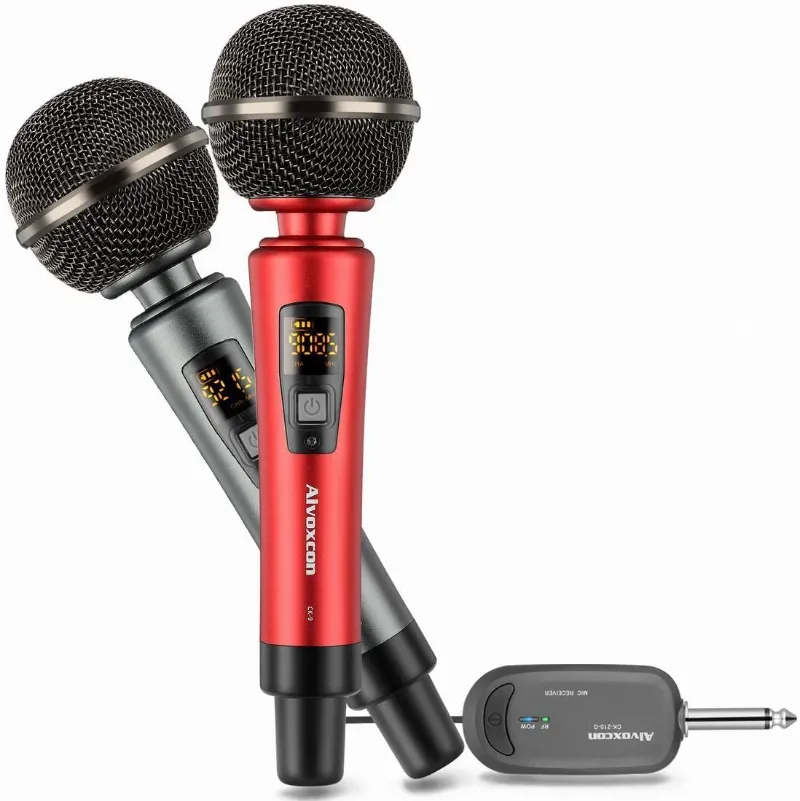 Alvoxcon UHF Wireless Microphone Not Working? Common Fixes to Try First7 Sep 20264 minCan You Connect an Alvoxcon Bluetooth Microphone to Any iPhone Model?7 Sep 20264 minWhy Your iPhone Videos Sound Better with an Alvoxcon External Microphone7 Sep 20266 minHow to Set Up Your Alvoxcon USB Microphone for PC Podcasts and Streaming7 Sep 20265 min