 A QRing guide
QRing Smart Ring Sizing: How to Find Your Size Before You Order
QRing rings come in US 8 to 13 (8 to 11 for the original Titan) with model-specific diameters. Here is how to choose a finger, measure it and order the right size once.
To get the right QRing smart ring size, pick your finger first (the store recommends the index finger), measure it or use a ring you already wear, and match the inside diameter to the size chart for your exact model, because the original Titan runs in different millimetre sizes and a smaller range than the newer rings. Getting it right before you order matters, since qringstore.com only takes back rings that are unused and unopened. We keep the current code for QRing on its store page.
QRing sizes and inside diameters by model
Each size on the store is listed as a US number with an inside diameter in millimetres. There are two sets:
| US size | Titan 2, Titan 2S, Titan Pro, Smart Ring 3, 3 Pro | Original Smart Ring Titan |
|---|---|---|
| 8 | 18.3 mm | 18.1 mm |
| 9 | 19.1 mm | 18.9 mm |
| 10 | 20.0 mm | 19.8 mm |
| 11 | 20.8 mm | 20.6 mm |
| 12 | 21.6 mm | Not offered |
| 13 | 22.4 mm | Not offered |
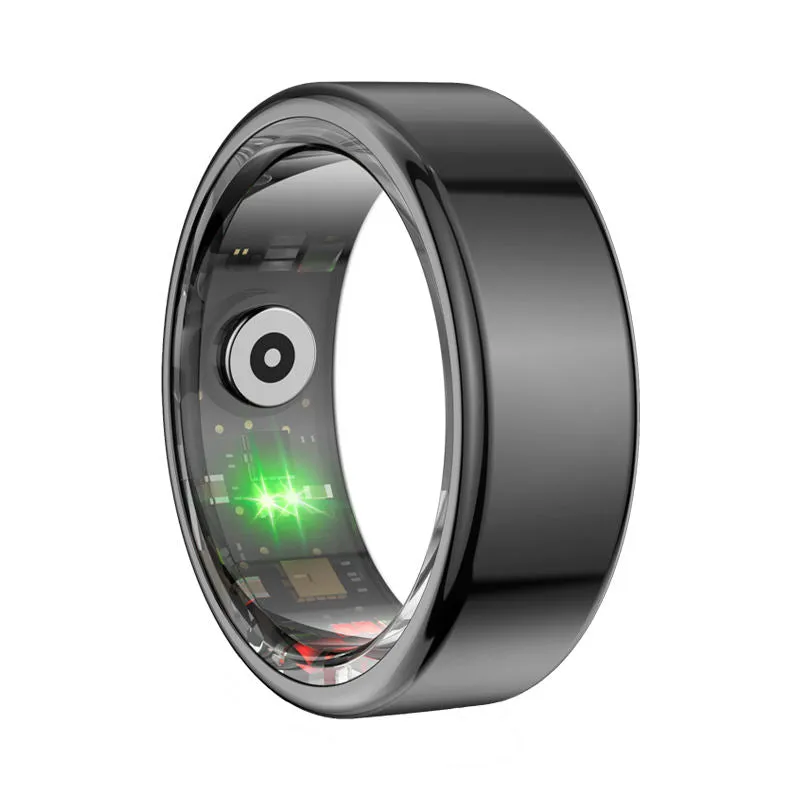
Two things stand out. The Smart Ring Titan stops at size 11, so if your finger measures larger, look at the newer rings such as the Smart Ring 3, which go to 13. And the Titan’s diameters run 0.2 mm smaller than the same US size on the other rings, so do not assume a size 10 in one model is the same ring as a size 10 in another.
Step 1: choose the finger
The store recommends the index finger for accuracy, and says the middle and ring fingers also work. Decide this before you measure, because each finger has its own size and your usual ring size on one finger will not carry over to another.
Think about your day as well. The store’s FAQ says not to wear the ring while carrying weights or gripping bars, as it can scratch like regular jewellery. If you lift, you will be taking it off and putting it back on, so a ring that slides over your knuckle without force is easier to live with.
Step 2: measure your finger
The store gives three routes: measure with a tape, use a traditional ring size you already know, or have your finger measured at a jewellery store. It strongly encourages the last two.
If you measure at home:
- Wrap a thin strip of paper or a soft tape around the base of the chosen finger. It should sit snug but not pinch.
- Mark where the end overlaps, then lay it flat and measure the length in millimetres. That is your finger’s circumference.
- Divide the circumference by 3.14 to get the diameter, then compare it with the chart above.
- Check that a ring of that diameter will pass over your knuckle. If the knuckle is much wider than the base, measure it too.
If you prefer to work in circumference, these are the diameters converted (diameter times 3.14) for the newer rings: size 8 about 57.5 mm, size 9 about 60.0 mm, size 10 about 62.8 mm, size 11 about 65.3 mm, size 12 about 67.9 mm, size 13 about 70.4 mm. The store publishes diameters, so treat these as a working aid.
If you already own a ring that fits the finger you chose, measure its inside diameter straight across with a ruler. That is the number to match.
Step 3: check the chart, then order once
Compare your measurement with the store’s size chart for inside diameter and circumference, using the chart for your exact model. If you sit between two sizes, measure again on a different day and at a different time before you decide. The store does not give a rule for in-between sizes, so a second measurement is your best guide.
A smart ring needs its sensors against your skin, so it should feel snug without leaving a deep mark or stopping the ring from turning entirely. A ring that spins freely or slides up and down the finger is too big for steady readings.
Why sizing right the first time matters
The store says that exchanging for a different size later involves extra effort, and that a ring can only be exchanged if it shows no signs of wear. Its FAQ goes further and says it does not offer exchanges, only returns.
The return policy sets the conditions: within 15 days of receiving the ring, unused with no wear, dirt or scratches, in the original packaging with everything included, and with approval by email first. The FAQ describes the package as needing to be unopened. If you do return a ring to swap sizes, the policy says you pay return shipping and that a restocking fee may be deducted.
In practice, that means you cannot wear a ring for a few days to see how it feels. Measure carefully, use the right chart for your model, and if in doubt, get your finger sized at a jeweller before you order.
Questions
What sizes do QRing smart rings come in?
The Titan 2, Titan 2S, Titan Pro, Smart Ring 3 and Smart Ring 3 Pro come in US sizes 8 to 13. The original Smart Ring Titan comes in US sizes 8 to 11.
Is a size 10 the same across every QRing model?
Not exactly. The store lists size 10 as 20.0 mm inside diameter on the newer rings and 19.8 mm on the original Titan. Use the chart for the exact model you are buying.
Which finger should I size for?
The store recommends the index finger for accuracy, and says the middle and ring fingers also work. Measure the finger you will actually wear it on.
How do I measure my finger for a QRing ring?
Wrap a strip of paper around the base of the finger, measure the length in millimetres, divide by 3.14 to get the diameter, and compare it with the size chart. The store also suggests using your usual ring size or a jeweller's measurement.
Can I exchange my QRing ring for another size?
Only if it is unused. The store says a ring can only be exchanged if it shows no signs of wear, and its FAQ says it does not offer exchanges, only returns within the return window.
What if I am between two sizes?
The store does not publish a rule for in-between sizes. Measure again on a different day, or have your finger measured at a jeweller before you order.
Products in this guide
 Shopping at QRing? See the discount code
$20 OFF Sitewide
More in this series
QRing Titan vs Titan Pro vs Smart Ring 3: Which Ring Fits?7 Aug 20263 min QRing Battery Life: How Long Does It Last Between Charges?7 Aug 20263 minDo Smart Rings Actually Work for Fitness Tracking?7 Aug 20264 minHow to Clean a Titanium Smart Ring Without Voiding Your Return7 Aug 20263 minDoes QRing Track Sleep? What Each Smart Ring Records Overnight7 Aug 20263 min