 A QRing guide
How to Clean and Maintain Your Titanium Smart Ring
A titanium smart ring needs regular cleaning and simple maintenance to stay accurate, comfortable, and looking new.
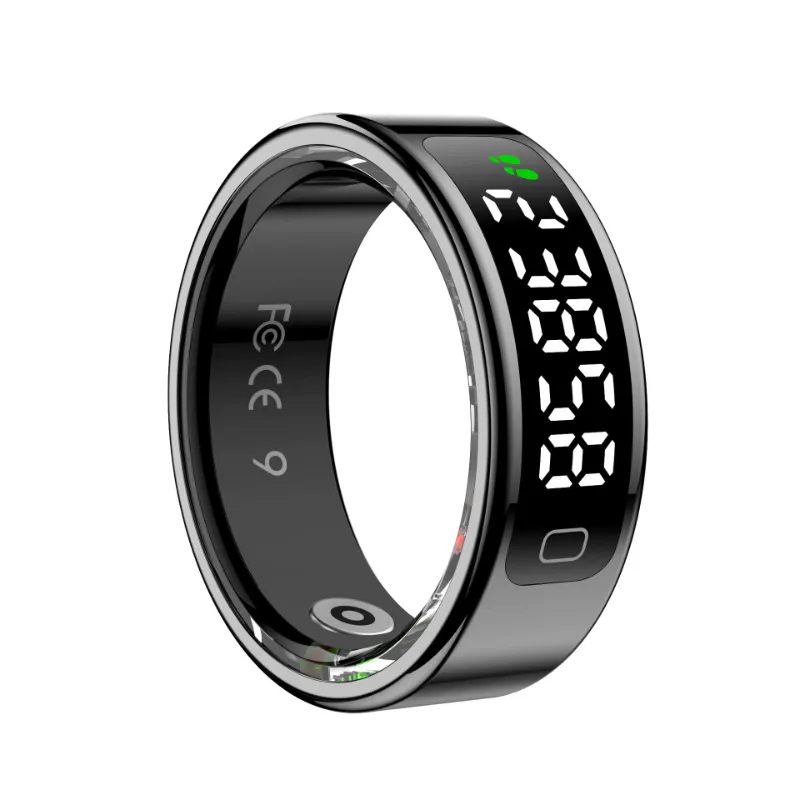
A titanium smart ring needs regular cleaning and simple maintenance to stay accurate, comfortable, and looking new. Whether you own a QRing, PulseRing, or data ring, proper care ensures your sensors stay responsive and your finish stays scratch-free for years.
Why Titanium Smart Rings Need Regular Cleaning
Your smart ring sits against your skin 24/7, collecting sweat, soap residue, lotions, and natural oils. This buildup does three things: it blocks the optical sensors that track your heart rate and blood oxygen, it creates a breeding ground for bacteria between the ring and your finger, and it dulls the titanium finish over time.
Titanium is naturally corrosion-resistant and hypoallergenic, which is why brands like Samsung and Oura use it for their flagship devices. But even medical-grade titanium benefits from weekly cleaning. The sensors on the inner band are especially vulnerable. A thin film of lotion or dead skin can throw off your sleep tracking or cause failed readings during workouts.
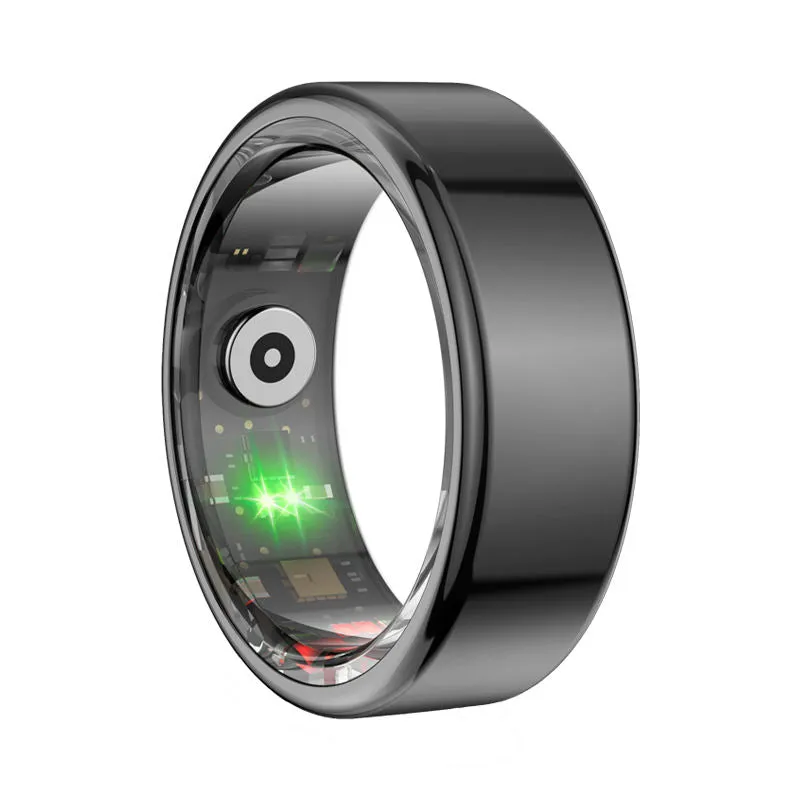
We recommend a quick rinse after sweaty activities and a deeper clean once a week. If you notice your titanium smart ring feels slippery or your app reports more “incomplete data” than usual, it’s time to clean.
How to Clean Your Titanium Smart Ring Daily
For everyday maintenance, use these steps after you shower, work out, or apply hand lotion:
- Rinse under lukewarm water for 10 to 15 seconds, rotating the ring to flush debris from the sensor wells
- Add one drop of mild, fragrance-free hand soap to your fingertip and gently rub the entire surface, inside and out
- Rinse thoroughly to remove all soap residue, which can leave a film on the sensors
- Pat dry with a lint-free cloth or microfiber towel; avoid paper towels that can scratch the finish
- Air dry for 2 minutes before putting the ring back on, so moisture doesn’t get trapped against your skin
Skip antibacterial soaps with triclosan or moisturizing soaps with oils. Both leave residues that interfere with optical heart-rate sensors.
Deep Cleaning Your Smart Ring Weekly
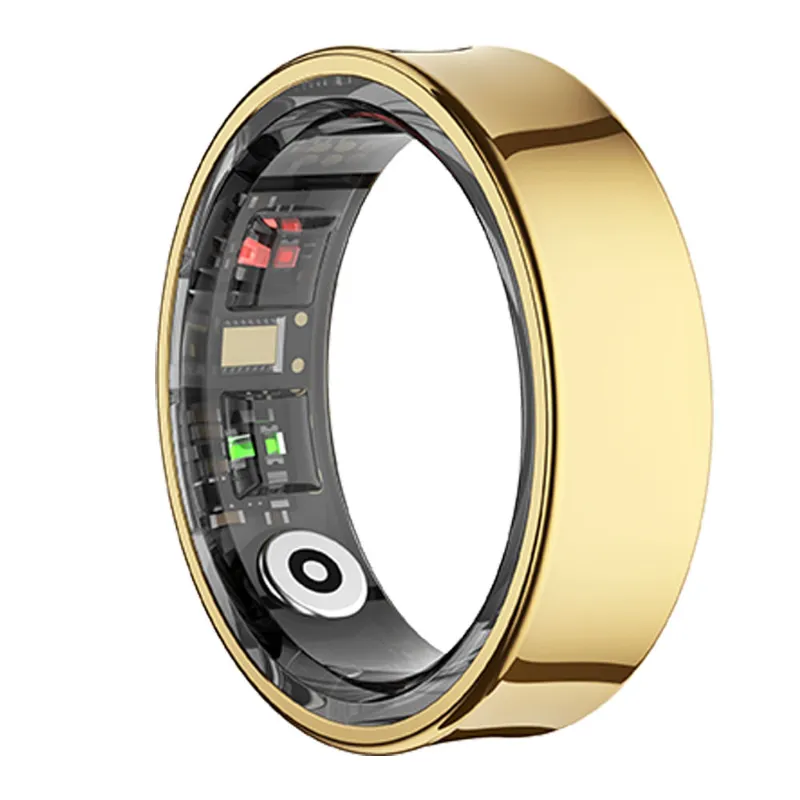
Once a week, give your smart ring a deeper clean to remove buildup the daily rinse misses:
- Soak in warm soapy water for 3 to 5 minutes to loosen dried sweat and skin cells
- Use a soft-bristle toothbrush (designate one just for your ring) to gently scrub the sensor area and any textured surfaces
- Clean the charging contacts with a cotton swab dipped in 70% isopropyl alcohol; let it evaporate fully before charging
- Inspect the inner band for any green or black discoloration, which signals trapped moisture or a reaction with lotions
- Dry completely and let the ring air out for 10 minutes before wearing
For stubborn grime in the sensor wells, dip a wooden toothpick wrapped in a tiny piece of microfiber cloth into soapy water and carefully wipe the recessed areas. Never use metal tools, which can scratch the sapphire sensor windows or damage the charging pins.
What to Avoid When Maintaining Your Titanium Smart Ring
Titanium is tough, but smart rings contain delicate electronics. These common mistakes can permanently damage your device:
- Ultrasonic jewelry cleaners generate vibrations that can crack internal circuits or dislodge sensors
- Harsh chemicals like bleach, ammonia, acetone, or chlorine (pools and hot tubs) corrode the charging contacts and degrade adhesives
- Abrasive cleaners such as baking soda paste, toothpaste, or scouring pads scratch the finish and sensor windows
- High heat above 140°F (saunas, dishwashers, blow dryers) warps the internal battery and sensor calibration
- Submerging while charging introduces the risk of short circuits; always dry your ring before placing it on the charger
We also advise removing your Dante ring or other model before applying hand sanitizer. The high alcohol content won’t harm titanium, but repeated exposure can degrade the protective coating some brands apply to the inner band. If you must use sanitizer while wearing your ring, rinse it within an hour.
The Samsung smart ring and similar models rated IP68 can handle brief submersion, but “water-resistant” does not mean “chemical-resistant.” Check the latest price and specs for your specific model to confirm its resistance ratings.
Storage and Handling Tips for Long-Term Performance
When you’re not wearing your smart ring, store it properly to prevent scratches and sensor drift:
- Use the included charging case or a soft pouch; never toss it loose in a gym bag or pocket with keys and coins
- Keep it away from magnets (purse clasps, phone mounts, magnetic chargers for other devices) that can interfere with the accelerometer
- Store at room temperature in a dry place; extreme cold or humidity can affect battery life and sensor accuracy
- Remove before heavy lifting or activities where you grip metal bars, which can dent even titanium if you catch the ring at the wrong angle
If you own multiple models like the best smart ring options for different activities, label the charging cases so you don’t mix up firmware updates or pairing.
Sizing and Fit Maintenance
Even a perfectly sized ring can feel tighter or looser depending on temperature, hydration, and sodium intake. If your smart ring starts spinning freely or feels uncomfortably snug:
- Check for swelling from heat, salt, or inflammation; remove the ring until your finger returns to normal size
- Reassess your size every six months, especially if you’ve gained or lost weight or started a new exercise routine
- Contact the manufacturer if the ring no longer stays in place; most brands offer a one-time free resize within the first year
A loose ring produces unreliable data because the sensors lose consistent skin contact. A too-tight ring restricts circulation and can cause discoloration or numbness. Grab the code for $20 off a replacement size if you need to swap.
Troubleshooting Common Maintenance Issues
Ring won’t charge after cleaning: You likely left moisture on the charging contacts. Dry them thoroughly with a cotton swab and let the ring sit for 30 minutes before trying again.
Sensors giving inconsistent readings: Remove the ring and inspect the inner band under bright light. Look for a cloudy film (lotion or soap residue), lint, or tiny scratches over the sensor windows. Clean with isopropyl alcohol and a microfiber cloth.
Finish looks dull or hazy: This is usually dried soap or hard-water deposits. Soak the ring in distilled white vinegar for 2 minutes, rinse well, and dry. For persistent haze, the protective coating may be wearing off; contact support.
Skin irritation or green discoloration: This points to trapped moisture or a reaction with a product on your hands. Remove the ring, clean both the ring and your finger, and let your skin breathe for 24 hours. If irritation continues, you may need to remove the ring during sleep or workouts when you sweat most.
For detailed comparisons of durability and sensor tech across brands, Wareable’s testing covers the Oura smart ring, RingConn smart ring, and newer titanium models.
Maintaining Your Charging Case and Accessories
Your charging case also needs occasional care. Wipe the interior contacts weekly with a dry microfiber cloth to remove dust and oils. If the case has a USB-C port, check for lint buildup every month and clear it gently with a wooden toothpick or compressed air.
Never spray cleaning solution directly into the case. Instead, dampen a cloth with soapy water, wring it nearly dry, and wipe the exterior. Let the case air dry completely with the lid open before storing your ring inside.
Most smart rings ship with a sizing kit. Keep it even after you’ve confirmed your size. Finger dimensions change with age, season, and activity level, and having the sizers on hand helps you catch fit issues early.
With these simple routines, your titanium smart ring will deliver accurate health data and maintain its finish for years. Regular cleaning takes less than five minutes a week and prevents the sensor failures and skin issues we see in neglected devices. Visit our QRing discount code page to save on your next purchase or replacement band.
Questions
How often should I clean my titanium smart ring?
Rinse your titanium smart ring daily after sweaty activities or applying lotions, and perform a deep clean with mild soap and a soft brush once a week. This prevents sensor buildup and keeps readings accurate.
Can I wear my smart ring in the shower or pool?
Most titanium smart rings rated IP68 handle showers and brief swimming, but remove them before hot tubs or chlorinated pools. Harsh chemicals corrode charging contacts and degrade internal seals over time.
What's the safest way to dry my QRing after cleaning?
Pat your QRing dry with a lint-free microfiber cloth, then let it air dry for 2 to 3 minutes before wearing or charging. Never use a blow dryer, which can warp the battery and sensors with high heat.
Why is my smart ring giving inconsistent heart rate readings?
A cloudy film of lotion, soap residue, or skin oils on the inner sensor band blocks accurate readings. Clean the sensors with a cotton swab and 70% isopropyl alcohol, then rinse and dry thoroughly.
Can I use an ultrasonic jewelry cleaner on my data ring?
No. Ultrasonic cleaners generate vibrations that can crack internal circuits or dislodge the delicate sensors inside your data ring. Stick to gentle hand washing with mild soap and lukewarm water.
How do I prevent my titanium smart ring from scratching?
Store your ring in its charging case or a soft pouch when not wearing it, and remove it before heavy lifting or gripping metal equipment. Avoid abrasive cleaners and never toss it loose with keys or coins.
Products in this guide
Shopping at QRing? See the discount code
$20 OFF Sitewide
More in this series
Pulsering Review: Is This Budget Smart Ring Worth It?7 Aug 20263 minSmart Ring Sizing Guide: How to Get the Perfect Fit7 Aug 20264 minQRing Battery Life: How Long Does It Last Between Charges?7 Aug 20264 minDo Smart Rings Actually Work for Fitness Tracking?7 Aug 20264 minQRing vs Oura Ring: Which Smart Ring Tracks Sleep Better?7 Aug 20264 min