 A Untsmart guide
Indoor LED Display for Retail: Setup, Care and Common Issues
Where to place an indoor retail LED display, how to connect and schedule it, how to clean it safely and what to check when something goes wrong.
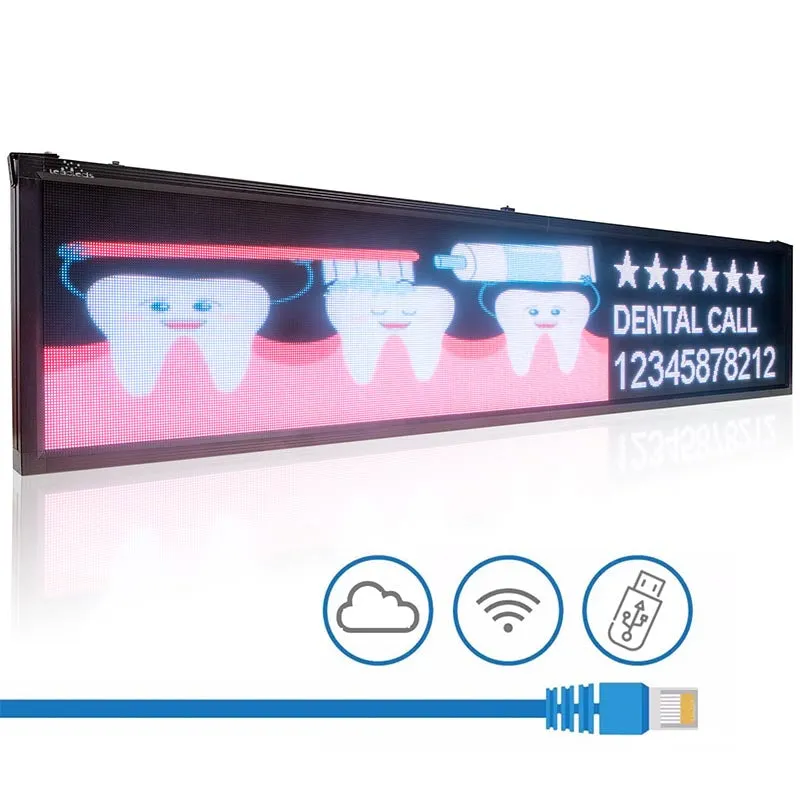
An indoor LED display for retail needs three things to run well: a spot inside the shop or behind the window where it stays within its listed temperature and humidity range, a reliable network or phone connection for updates, and gentle cleaning with no harsh chemicals. Untsmart’s 92 in Indoor Digital Signage Video Display Board is rated for indoor, window and semi-outdoor use and is not waterproof, so it belongs behind glass, not on an exposed wall. For the current code, see our Untsmart codes and deals.
What the indoor display is built for
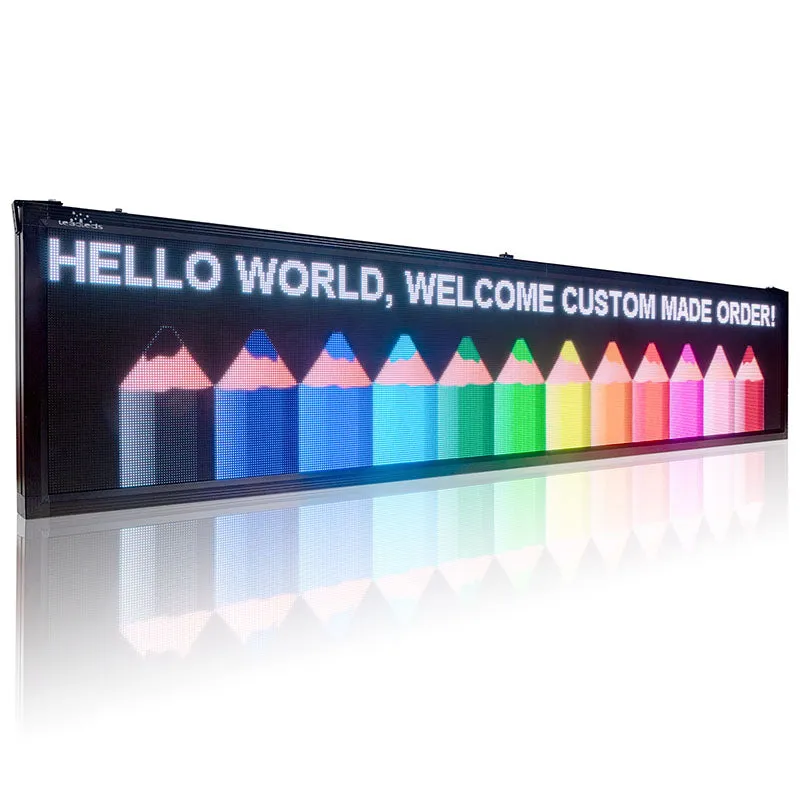
These details come from the listing for the Leadleds 92 in Indoor Digital Signage Video Display Board, sold by Untsmart.
| Spec | Listed value | What it means in a shop |
|---|---|---|
| Usage | Indoor, window, semi-outdoor, non-waterproof | Keep it out of rain. A window facing the street is fine. |
| Display area | 15.1 x 90.7 in | A long strip, suited to a window header or above a counter. |
| Resolution | 128 x 768 | Full-color video, pictures, text and animation. |
| Viewing distance | 3 to 100 ft | Readable close up in store or from across the street. |
| Viewing angle | Over 160° horizontal, over 130° vertical | Visible from wide angles, not only head on. |
| Working temperature | -14°F to 110°F | Check the hottest point of a sunny window in summer. |
| Humidity | 10% to 95% RH | Keep it away from steam and spray. |
| Control | Computer, laptop or phone, over Ethernet, Wi-Fi or cloud | Update offers from the counter or from home. |
| Power | AC 110V or 240V, plug type to suit your country | Plug and play, with no extra player box. |
Setting it up
- Choose the spot. Measure the wall or window space against the display size and plan the outlet position. A window display faces outward, so make sure staff can still reach it for cleaning.
- Mount it with the supplied accessories. The package includes installation accessories, an AC plug and an English user manual. Fix it to something solid and keep the back clear.
- Connect it. Choose Ethernet if a network point is close, or Wi-Fi if the signal is strong at the spot. Cloud control lets you update it away from the store.
- Load your first content. The display runs offline once loaded. Set text size, brightness and effects, then check it from where customers will stand.
- Set the schedule. The listing supports automatic on and off times, so match it to your opening hours.
Day-to-day care
- Dust with a soft, dry cloth with the display switched off. If you need to remove a mark, use a cloth barely dampened with water, never a spray aimed at the screen.
- Avoid harsh chemicals. Untsmart’s return policy excludes products exposed to corrosive substances or chemicals, and damage from misuse or poor maintenance.
- Keep the brightness sensible. Brightness is adjustable, so turn it down for an indoor aisle and up for a sunny window.
- Keep the area dry. The display is not waterproof, so mop and clean nearby surfaces carefully.
Common issues and what to check
| What you see | What to check first |
|---|---|
| Screen does not light | The outlet, the plug and any timer, then the on and off schedule in the software. |
| New content does not appear | The network connection: Ethernet cable seated, or Wi-Fi signal at the display. Try sending again from the phone or computer. |
| Text too small or hard to read | Font size and brightness, which are both adjustable, and the viewing distance from where customers stand. |
| Patches of LEDs out or wrong colors | Do not open the display. Contact Untsmart’s technical support. |
Untsmart’s technical support offers phone help, remote network debugging, and video calls with screen sharing, and it asks you to have your order number ready. The store lists a 1-year warranty and lifetime technical support.
A smaller option and ordering notes
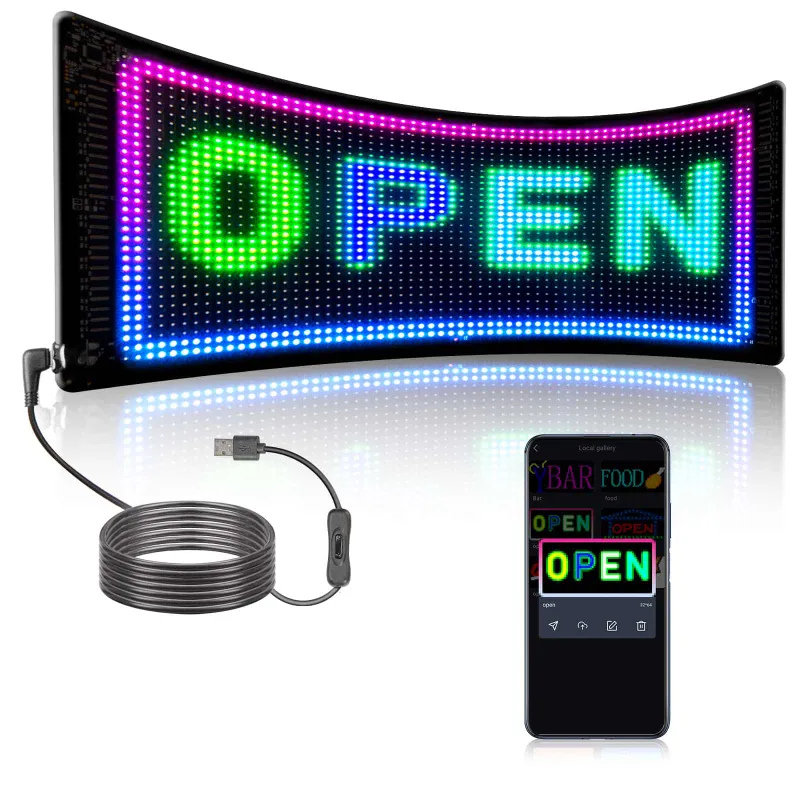
If a 92-inch board is more than you need, the Leadleds Flexible LED Poster is a thin, bendable panel for indoor or window use. It sticks to clean, flat glass with the supplied adhesive, runs from a 5V USB supply and is programmed from a phone app over Bluetooth.
The 92-inch display is listed as shipping out within 10 business days by FedEx, DHL or UPS, with an estimated 3 to 6 days in transit. Report any damage within 7 calendar days of delivery. Returns can start within 30 days of receipt for unused items in the original packaging, and a 7% payment processing fee is deducted from refunds.
Questions
Can the Untsmart indoor LED display go outside?
No. The 92 in Indoor Digital Signage Video Display Board is listed for indoor, window and semi-outdoor use and is not waterproof.
How do I update content on the indoor display?
From a computer, laptop or phone over Ethernet, Wi-Fi or the cloud. It plays offline once the content is loaded.
What temperature can the indoor display work in?
Untsmart lists a working temperature of -14°F to 110°F and humidity of 10% to 95% RH.
How should I clean an LED display in a shop?
Switch it off and dust it with a soft, dry cloth. Avoid harsh chemicals, as Untsmart's return policy excludes damage from corrosive substances or poor maintenance.
What if part of the display stops working?
Do not open it. Contact Untsmart's technical support, which offers phone help, remote network debugging and video calls. The store lists a 1-year warranty.
Products in this guide
Shopping at Untsmart? See the discount code
5% OFF Sitewide
More in this series
 Do Smart Plugs Work With Outdoor LED Displays? What You Need to Know26 Aug 20264 minWeatherproof LED Signs for Restaurants and Storefronts: What to Look For26 Aug 20263 min
 LED Display vs Traditional Signage: Which Fits Your Business?26 Aug 20263 min
 How to Install an Outdoor LED Screen for Retail, and When to Call a Pro26 Aug 20263 min