 A AAA AUTO TOOL guide
How to Program a Key With the Autel MaxiIM KM100 in 5 Steps
Our step-by-step guide to using the autel maxiim km100 for key programming covers preparation, vehicle matching, programming, testing, and session wrap-up.
The autel maxiim km100 is a dedicated key programmer that handles immobilizer work, key learning, and remote fob pairing across dozens of makes.
What You Need Before Starting With the Autel MaxiIM KM100
Before you touch the tool, gather three things.
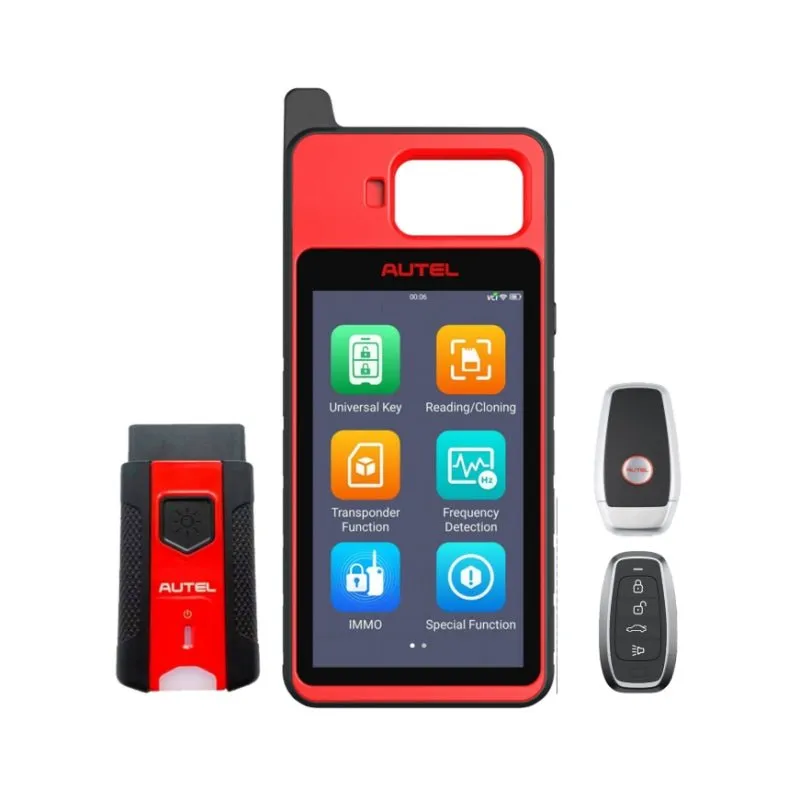
First, make sure your autel maxiim km100 has the latest firmware. Autel releases regular updates to add new vehicle models and fix existing protocols. Connect the device to Wi‑Fi and run the update check in the main menu.
Second, confirm your vehicle is supported. Autel publishes a MaxiIM KM100/KM100E/KM100X product page and a detailed autel km100 vehicle list that covers supported makes, models, and key types. You can also download the autel km100 vehicle list pdf from Autel’s support site. We recommend saving that PDF to your phone or tablet before you start a job.
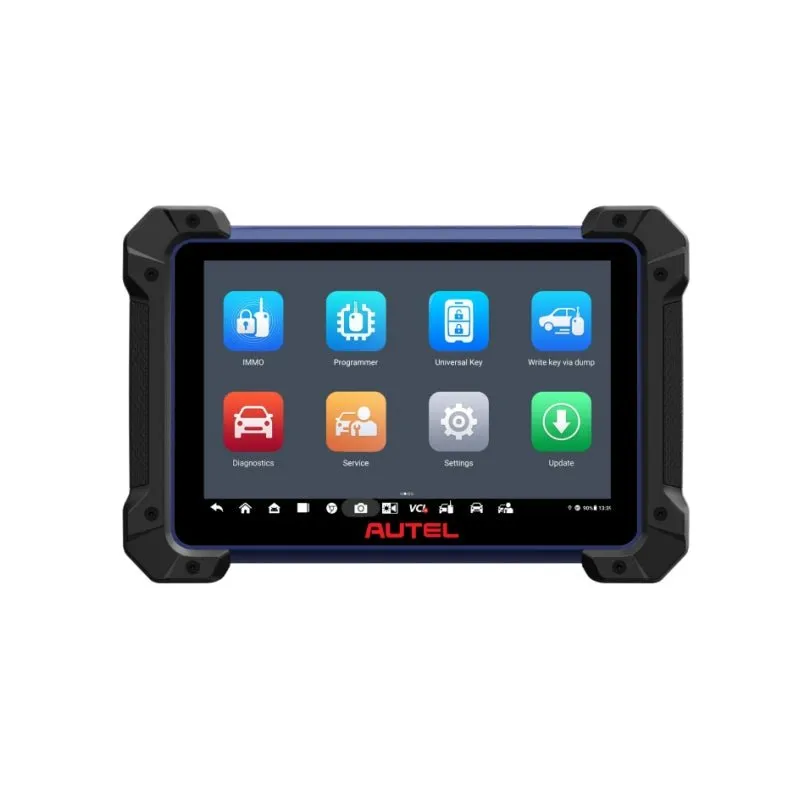
Third, have a compatible diagnostic tablet nearby for guided procedures. The KM100 works as a standalone programmer, but when you pair it with a scanner such as the autel im608, autel maxicheck mx900, or autel maxisys ultra, the tablet handles vehicle identification and data backup while the KM100 writes the key. This two‑device setup is the fastest way to work through difficult all‑keys‑lost situations.
Step 1: Power Up the Autel MaxiIM KM100 and Select IMMO
Press and hold the power button on the side of the KM100. The screen wakes up to the main menu. Tap IMMO (Immobilizer). This is the section that contains all key‑programming functions.
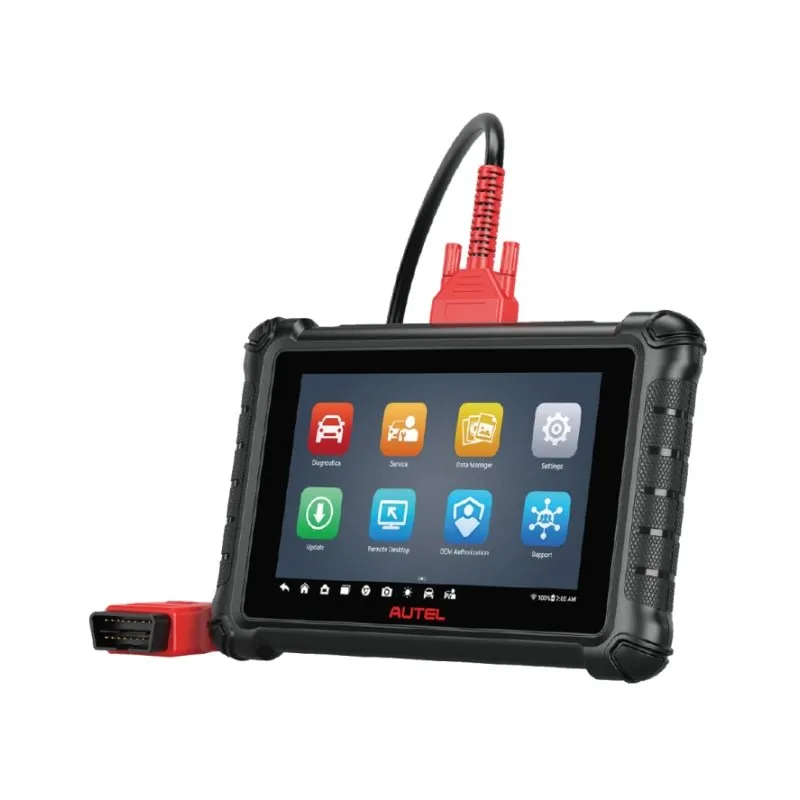
If you are using the KM100 with a tablet like the autel mx900 or autel ultra s2, connect them via the USB‑C cable or Bluetooth. The tablet will detect the KM100 automatically. You then launch the IMMO app on the tablet, and the key‑programming interface appears there while the KM100 acts as the physical key reader and writer.
Step 2: Identify the Vehicle and Confirm Compatibility
Select the vehicle manufacturer from the on‑screen list. Then choose the model and year. The KM100 cross‑references your selection against its internal autel km100 vehicle list to confirm the job is supported.
A green checkmark means the tool can read and write keys for that vehicle. A yellow warning means the procedure is possible but may require additional steps or a security PIN. A red X means the vehicle is not yet supported, check back after a firmware update.
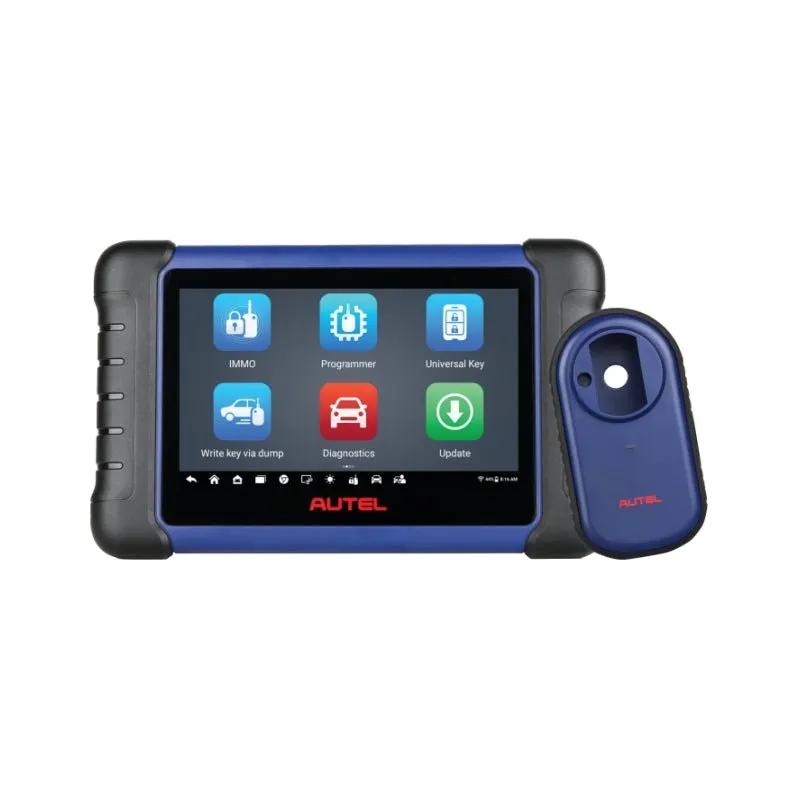
If you run into a yellow warning, many locksmiths pull the PIN via a diagnostic tablet before touching the KM100. The im508s and autel maxicheck mx900 are common choices for PIN extraction because they can retrieve security codes directly from the vehicle’s ECU.
Step 3: Follow the On‑Screen Key Programming Steps
Once the vehicle is confirmed, the KM100 displays a step‑by‑step procedure. These instructions differ per make and model, but they generally follow this pattern:
- Insert the key you want to program into the ignition (or hold it near the antenna ring).
- Turn the ignition to ON without starting the engine.
- Wait while the KM100 reads the immobilizer data from the vehicle.
- Write the new key data to the transponder chip.
- Remove the key and test it.
The tool shows a progress bar during the write phase. Do not turn off the ignition or disconnect the KM100 while the bar is moving. Interrupting a write can corrupt the transponder and force you to start over with a blank key.
For vehicles that use a smart key or push‑to‑start system, the KM100 prompts you to place the key in a specific location inside the car, usually the cup holder or a marked spot near the steering column.
Step 4: Test the New Key
After the KM100 confirms the write was successful, test the key immediately. Remove it from the ignition, wait a few seconds, then re‑insert it and start the engine. The car should crank and run without a security warning on the dashboard.
If the engine does not start, check three things:
- Did you use a blank transponder key that matches the vehicle’s frequency? Some immobilizer systems require a specific chip type (4D, 4C, Texas, etc.).
- Did the KM100 display a green success message? A “write incomplete” warning means the key was not fully programmed.
- Is the key physically cut to the correct profile? The KM100 programs the electronic side only, not the mechanical blade.
If the test fails, put the key back in the ignition and run the write procedure again. The KM100 allows repeated writes on a compatible blank until the key is accepted.
Step 5: Wrap Up and Save the Session Log
The step many people skip is saving the session data. The KM100 logs every key operation, vehicle VIN, key ID, date, and result. This log is useful for warranty purposes, customer records, or diagnosing a future issue.
To save the log, tap Save Report on the confirmation screen. You can email the report directly from the tool or export it to a USB drive. We recommend keeping a copy in your customer file.
Finally, turn off the KM100 by holding the power button. Store the tool in its case to keep the key reader and cables clean.
Which Autel Scanners Pair Best With the KM100?
The autel maxiim km100 is a single‑purpose programmer, but it works best alongside a full diagnostic tablet. Here is how we pair our gear in the shop.
| Scanner | Best For | KM100 Integration |
|---|---|---|
| autel im608 | All‑keys‑lost on high‑end vehicles | Full IMMO control plus PIN extraction |
| autel maxisys ultra | OEM‑level diagnostics and coding | Bluetooth wireless key programming |
| autel mx900 | Daily shop work under $2K | USB‑C direct connection, fast pairing |
| autel ultra s2 | Dealership‑level coverage | Touchscreen IMMO app with guided steps |
| im508s | Budget entry point for locksmiths | Reliable wired connection |
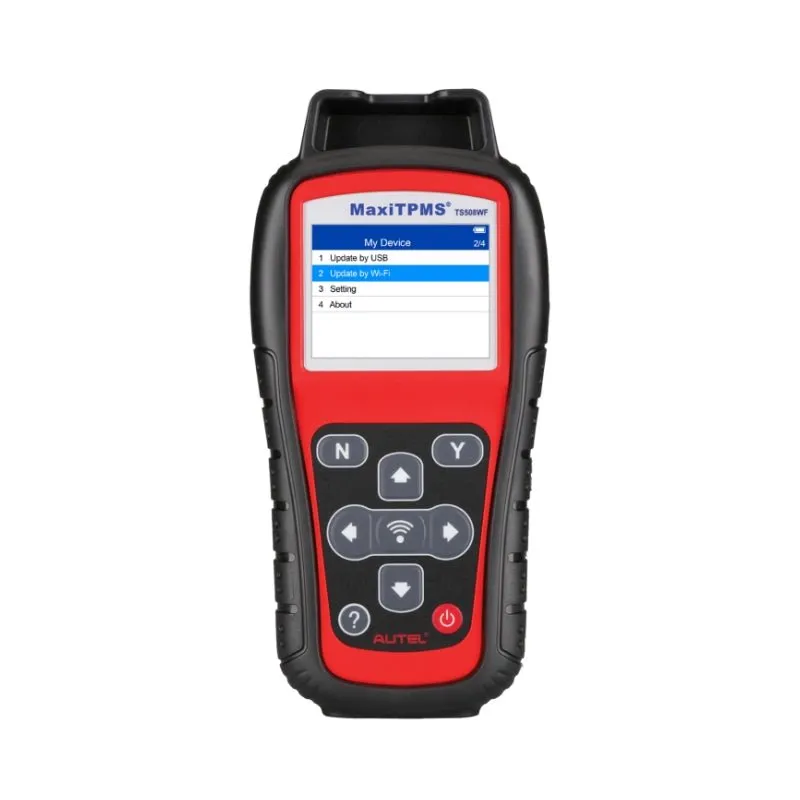
If your work also involves tire pressure sensors, the autel ts508, autel ts508wf, and maxitpms ts508 cover TPMS service while the KM100 handles immobilizer, a good combo for a full‑service mobile shop.
For current pricing on the KM100 and a 5% discount on the whole order, grab the code at our store page before you check out.
Need the Full Manual or Vehicle List?
Autel provides a comprehensive MaxiIM KM100_User Manual_EN that covers every menu option, connector diagram, and troubleshooting code. We also recommend bookmarking that autel maxiim km100 manual PDF for quick reference during a job.
For a broader look at what the tool can do, the Autel MaxiIM KM100 Review from Diagmart covers real‑world performance across multiple vehicle brands.
Whether you are a mobile locksmith or a shop tech, the KM100 paired with one of the Autel tablets above makes key programming a reliable process. Check our AAA AUTO TOOL discount page for the latest deals on the KM100 and any supporting gear.
Questions
What vehicles does the autel maxiim km100 support?
The KM100 supports most major makes including Ford, GM, Toyota, Honda, BMW, Mercedes, VW, and others. Autel publishes a vehicle list PDF on their support site that is updated with each firmware release.
Can I use the autel maxiim km100 without a diagnostic tablet?
Yes, the KM100 can operate as a standalone key programmer. However, pairing it with a tablet like the Autel IM608 or MX900 gives you access to PIN extraction and guided IMMO procedures that make difficult jobs faster.
Does the KM100 support all-keys-lost situations?
Yes, the KM100 handles all-keys-lost on many vehicles. You typically need a compatible diagnostic tablet to extract the security PIN first, then the KM100 writes the new key data. Check the vehicle list PDF to confirm all-keys-lost support for your specific model.
How do I update the firmware on my autel maxiim km100?
Connect the KM100 to Wi-Fi from the settings menu, then navigate to the update section. The tool checks for new firmware and downloads it automatically. We recommend updating before every difficult job.
What type of blank key does the KM100 use?
The KM100 works with standard transponder blanks that match your vehicle's chip type, 4D, 4C, Texas, or others. You supply the physical blank; the KM100 writes the immobilizer data to the chip inside it.
Can I program a key for a 2024 model year car with the KM100?
If Autel has released firmware support for that model, yes. The KM100 receives regular updates that add newer vehicles. Check the autel km100 vehicle list PDF or run a firmware update to see if your vehicle is listed.
Products in this guide
 Shopping at AAA AUTO TOOL? See the discount code
5% OFF All Orders
Shopping at AAA AUTO TOOL? See the discount code
5% OFF All Orders
More in this series
How to Test a Car Battery With the Autel Battery Tester, Step by Step9 Sep 20264 minAutel Maxisys Ultra vs. Autel Ultra S2: What’s Different in 2025?9 Sep 20265 minWhy Your TPMS Light Stays On and How the Autel TS508WF Fixes It9 Sep 20265 minAutel IM608 vs. IM508S: Which Diagnostic Scanner Should You Buy?9 Sep 20264 min