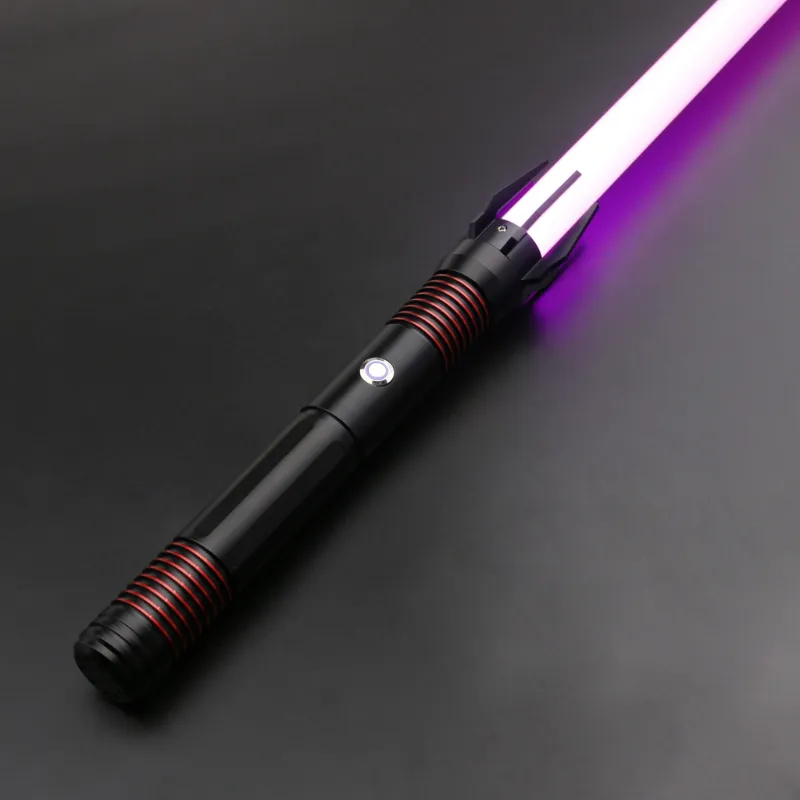
 A NEO Sabers guide
How to Clean and Care for Your Neopixel Lightsaber Blade
Keep your neopixel lightsaber blade looking and performing like new with our step by step cleaning and care guide.
A neopixel lightsaber blade deserves the same care you give the hilt. These blades use hundreds of individual LEDs to create the smooth, bright ignition and color effects that make them feel like a real lightsaber. Dirt, dust, and improper storage can dull the light or damage the electronics over time.
Why Your Neopixel Lightsaber Blade Needs Regular Care
Unlike a basic lightsaber toy that uses a single LED, a neopixel lightsaber has a strip of LEDs running the full length of the blade. That makes the visuals stunning, but it also means there are more points of potential failure. Dust on the diffuser film scatters light unevenly. Scratches on the polycarbonate tube create dark spots. Moisture inside the blade can short the LED strip. A few minutes of care after each use prevents these problems and keeps your blade igniting cleanly every time.
The honest answer is that a well cared for blade lasts for years. A neglected one can show dead pixels in months.
What You Will Need to Clean the Blade Safely
Cleaning a neopixel lightsaber is not complicated, but you need the right materials. Using the wrong cleaner can cloud the polycarbonate or damage the electronics.
- Microfiber cloth: standard cotton can leave lint that shows up when the blade is lit
- Isopropyl alcohol (70% or higher): safe for polycarbonate and electronics when used sparingly
- Distilled water: tap water can leave mineral deposits on the blade surface
- Compressed air or a soft brush: for clearing dust from the emitter and blade plug
- Cotton swabs: for reaching into the blade socket on the hilt
We recommend keeping a small cleaning kit with your neo sabers so you always have these items on hand. The build quality of the blade tube itself makes a real difference in how easy it is to keep clean.
Step by Step Guide to Cleaning the Blade
We follow this same routine whether we are cleaning a double bladed lightsaber or a single blade. The process is the same.
- Remove the blade from the hilt. Always disconnect the blade before cleaning. Pull it straight out of the emitter socket. Do not twist or wiggle it hard, because that can bend the pins.
- Wipe the exterior with a dry microfiber cloth. This removes fingerprints and surface dust. If the blade has stubborn smudges, dampen the cloth slightly with distilled water and wipe again.
- Clean the blade plug and emitter pins. Use a cotton swab lightly dipped in isopropyl alcohol to clean the contact pins on both the blade plug and the hilt socket. Let the alcohol evaporate fully before reattaching.
- Blow out the blade tube interior. If you see dust or debris inside the blade, use compressed air to clear it. Do not use a liquid cleaner inside the tube.
- Inspect the polycarbonate for scratches. Small surface scratches can be buffed with a polycarbonate polish. Deep scratches that affect light diffusion may require a replacement blade.
- Reattach the blade and test. Slide the blade back into the emitter, making sure it seats fully. Power on the hilt and cycle through the color profiles to confirm all LEDs are working.
This same method works on saber pro models and other neopixel lightsaber types. It takes about five minutes and saves you from bigger problems later.
Storage Tips to Protect Your Neopixel Lightsaber
How you store your neopixel lightsaber between uses matters as much as how you clean it. Heat, humidity, and pressure are the three things that damage blades over time.
- Keep the blade out of direct sunlight. UV light can yellow the polycarbonate tube and fade the diffuser film over time.
- Store the blade separately from the hilt if possible. A padded blade bag or a PVC tube with foam ends protects the blade from bending or scratching.
- Avoid extreme temperatures. Do not leave a neopixel lightsaber in a hot car or a cold garage. The LEDs and battery perform best at room temperature.
- Remove the battery if storing for more than a month. This prevents battery swell and protects the electronics.
If you are building a collection that includes a double bladed lightsaber or multiple neo sabers, a dedicated storage case makes a big difference. We keep our neosabers Scorpian and neo sabers LSW models in padded cases with individual slots for each blade.
Preventing Common Issues with Neo Sabers
Even with good care, you may run into a few common issues. Here is what we see most often and how to prevent it.
| Issue | Cause | Prevention |
|---|---|---|
| Dead pixels in the blade | Dust or debris on LED contacts | Clean the blade plug and hilt socket after every few uses |
| Flickering or unstable colors | Loose blade connection | Make sure the blade is fully seated in the emitter |
| Cloudy or dull blade | Scratches or residue on the polycarbonate | Use only microfiber cloths and avoid abrasive cleaners |
| Dim brightness | Dirty diffuser film or low battery | Clean the blade exterior and check battery voltage |
We also recommend checking the neopixel lightsaber price trends and current deals before you buy replacement parts. The store coupon page often has offers that make stocking up on spare blades more affordable. You can grab the code for 10% off all orders right now.
When to Replace Parts or Upgrade
Blades do wear out eventually. If you notice a cluster of dead pixels, a crack in the polycarbonate, or a loose connection that cleaning does not fix, it is time to replace the blade. The good news is that most neopixel lightsaber blades are modular, so you can swap in a new one without replacing the whole hilt.
We also see collectors upgrade their blades when they want a brighter diffuser, a different length, or a specific blade style for a jedi costume or cosplay build. If you pair a neopixel lightsaber with a jedi costume, the blade quality matters for the overall look. A dim or scratched blade ruins the effect.
For those who want to customize further, kyber crystals let you change the sound font and color profile on compatible hilts. Swapping a crystal is a quick way to freshen up your setup without buying a new blade.
Final Thoughts on Caring for Your Blade
A few minutes of cleaning and smart storage will keep your neopixel lightsaber performing at its best for years. Whether you own a single neopixel lightsaber or a full collection of neo sabers, the same principles apply. Keep it clean, keep it dry, and keep it stored safely.
For the latest prices and any active discounts, check the latest price on our store page before you order replacement parts or a new blade.
Questions
Can I use Windex or glass cleaner on my neopixel lightsaber blade?
We do not recommend it. Most glass cleaners contain ammonia or other chemicals that can cloud polycarbonate plastic over time. Stick with isopropyl alcohol and distilled water on a microfiber cloth.
How often should I clean my neopixel lightsaber blade?
We suggest wiping down the exterior after each use and doing a deeper clean of the blade plug and hilt socket every five to ten uses. This keeps dust from building up on the LED contacts.
What causes dead pixels in a neopixel lightsaber blade?
Dead pixels are usually caused by dust or debris on the LED strip contacts inside the blade. Cleaning the blade plug and the emitter pins with isopropyl alcohol often fixes the issue. If the pixels remain dead, the LED strip may need replacement.
Can I store my neopixel lightsaber blade attached to the hilt?
You can, but we recommend storing the blade separately in a padded bag or tube. Storing it attached puts pressure on the emitter socket and increases the risk of bending the pins or scratching the blade.
How do I know if I need a new blade for my neosabers Scorpian or neo sabers LSW?
If you see persistent dead pixels, a crack in the polycarbonate tube, or a loose connection that cleaning does not fix, it is time to replace the blade. Most blades are modular, so you can swap in a new one without replacing the hilt.
Does a neopixel lightsaber blade work with a saber pro hilt?
Yes, most neopixel blades use a standard connector that works across compatible hilts. Always check the pin layout on your specific hilt, but the saber pro and most neo sabers use the same neopixel blade standard.
Products in this guide
 Shopping at NEO Sabers? See the discount code
10% OFF All Orders
Shopping at NEO Sabers? See the discount code
10% OFF All Orders