 A NEO Sabers guide
How to Change the Blade Color on a NEO Sabers Saber (No Crystals Needed)
How to change the blade color on a NEO Sabers saber using the hilt controls in the store's own manuals.
You change the blade color on a NEO Sabers saber from the saber itself, using the hilt button and a twist of the hilt or the board’s settings, not by swapping a crystal. Our NEO Sabers discount code page lists the current code and how to use it.
How color works on a NEO Sabers saber

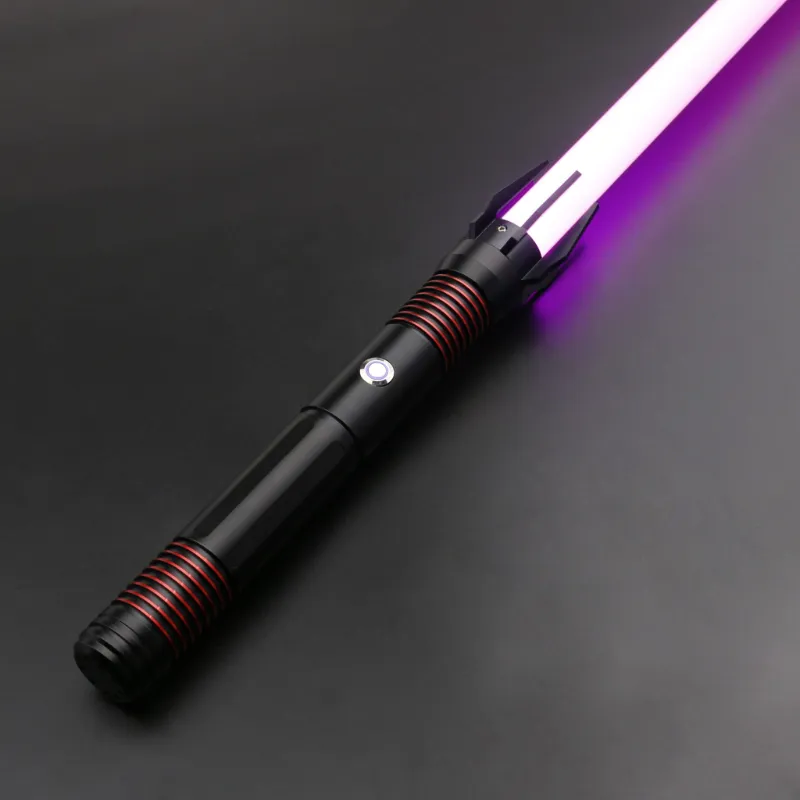
NEO Sabers does not sell separate crystals for its neopixel sabers. Its FAQ answers the color question directly: all of its sabers support a full RGB color spectrum, so you can switch between colors such as red, blue, green and purple. Its product pages say the same, for example on the Ripper Pro Xenopixel saber page: “a full spectrum of colors along with fixed presets of colors to choose from.” The page lists three board types for that saber: XRGB 3.0, Xenopixel V3 and NeoProffie 2.2. How you change color depends on the board inside your saber, so check which one you have.
Xenopixel V3 color controls
The Xenopixel V3 user manual on the NEO Sabers site lists three color controls. They work while the blade is on:
- Standard color change. Point the hilt downwards, hold the button, and twist the hilt counterclockwise and then clockwise.
- Twist color change. Point the hilt downwards, hold the button, and twist clockwise and then counterclockwise.
- Infinite color change. Hold the button for 1 second. The button LED flashes twice and a countdown sound plays twice. Release the button after the countdown sound to enter infinite color change mode.
The manual also says that in melt mode you hold the button, stab the hilt, and twist the hilt to change the color of the melting effect. It does not say how many presets there are, so we do not give a number.
XRGB 3.0 and Proffie controls
The other boards use different gestures, so do not assume the Xenopixel steps apply. These come from each board’s manual on the NEO Sabers site.
| Board | What the manual says |
|---|---|
| XRGB 3.0 | Jump color change: hold the button and twist the hilt anticlockwise, then clockwise, and click to lock the color. Rotate color change: point the hilt down, hold the button, rotate the saber quickly, and click to fix the color. The manual also lists infinite and fast color changes and says the Bluetooth app can control color. |
| Proffie V2.2 | Infinite color change: hold the effect button for about 1 second until the LED flashes twice, then release. Standard color change: hold the hilt and twist while pointing downwards. Twist color change: point down, hold the button and twist clockwise then counterclockwise. Blade color can also be set in the FireWire Configuration software. |
The pages for these boards are separate manuals, and each saber ships with its own instruction manual in the box, as the FAQ lists. Use the manual that matches your saber.
If the color looks wrong
The Xenopixel V3 manual says flickers, incorrect colors or no light at all on the blade can point to a loose connection between the blade and the retention screw. It also gives these points:
- Switch the power off before you align or insert anything, to avoid shorting the pins.
- Push the pixel blade all the way in, then tighten the set screw gradually with the 2 mm hex key. The manual says the blade is secure when it is hard to rotate, and it warns against over-tightening.
- The Xenopixel V3 needs a pixel blade and will not work with RGB blades.
- Do not remove the protective film from the chassis.
- Do not stare straight into the LEDs.
The manual warns that damage caused by opening the saber beyond what it recommends is not covered by warranty. The FAQ describes a 3-year warranty that covers manufacturing defects and electronic issues, and it asks you to send a video of the problem and your order details to [email protected]. If a color problem remains after you check the blade connection, contact the store, not the internals.
Questions
Does NEO Sabers sell kyber crystals?
No. The store sells complete sabers and accessories. Its FAQ says all sabers support a full RGB color spectrum, and color is changed on the saber.
How do I change the color on a Xenopixel V3 saber?
The manual says to point the hilt downwards, hold the button and twist the hilt, for a standard or twist color change. Hold the button for 1 second for infinite color change.
Are the color controls the same on every board?
No. The XRGB 3.0, Proffie V2.2 and Xenopixel V3 manuals list different gestures, so use the manual for your board.
Why does my blade flicker or show the wrong color?
The Xenopixel V3 manual says flickers, wrong colors or no light can point to a loose connection between the blade and the retention screw.
Can I open the saber to fix it?
The manual says not to open it beyond what it recommends and that damage from opening it is not covered by warranty. Contact [email protected] instead.
Products in this guide
Shopping at NEO Sabers? See the discount code
10% OFF All Orders