 A Comfier guide
Why Is My Comfier Knee Massager Not Heating Up? How to Fix It
A Comfier knee massager that will not heat may be on massage only, timed out or in overheat protection. Here is how to check, using Comfier's manual.
If your Comfier knee massager is not heating up, the cause is one of four things Comfier’s own manual covers: the heat was never switched on (it runs separately from the massage), the 30-minute timer has ended, the overheating protection has cut the power, or the adapter is not connected. Work through the checks below in order, then contact Comfier if the heat still does not come on, since a fault inside the wrap is a warranty matter. Our Comfier discount code page lists the current code and how to use it.
Quick checks before anything else
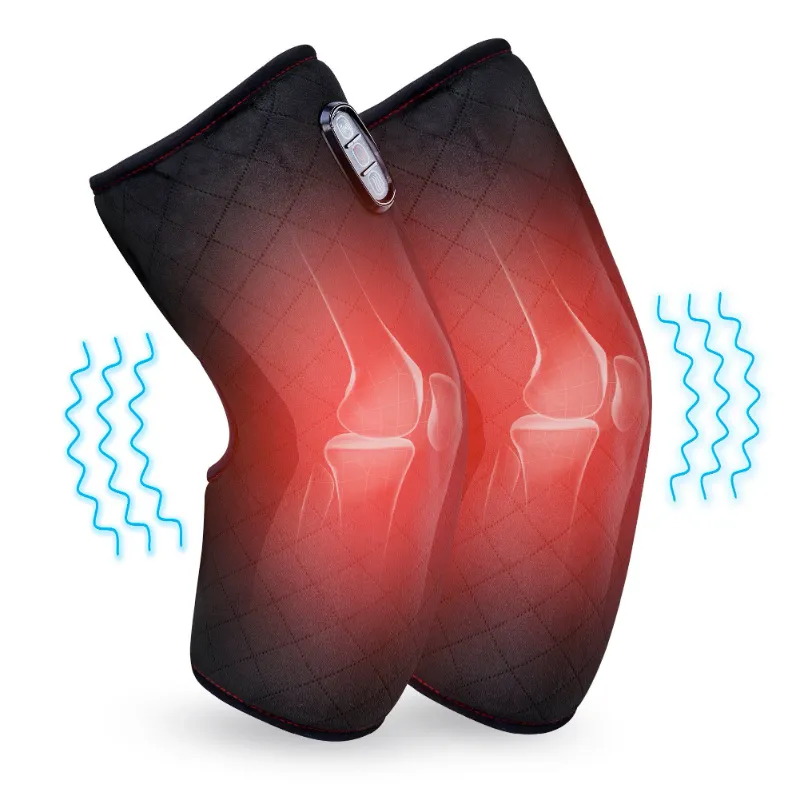
These steps come from the troubleshooting guide in Comfier’s manual for the Comfier Heated Knee Massager (CF-5701), the corded wrap sold in a pair with a 12V home adapter.
- Is the heat actually on? On the CF-5701, heat has its own button and can be turned on independently of the vibration. Pressing power alone does not start the heat. Press the heat button to cycle between High and Low.
- Is the adapter connected at both ends? The manual’s checklist asks you to confirm the adapter is in the socket and that the adapter’s output is connected to the wrap’s power wire.
- Using two wraps? The pair connects with a cable between the right and left knee wraps, and the power cable goes to the right-knee wrap. If one wrap warms and the other does not, check that linking cable.
- Have you given it a few minutes? Comfier’s manual says the heat takes a few minutes to reach maximum temperature, which it gives as approximately 130F. A wrap that feels cool in the first minute is not necessarily faulty.
The 30-minute timer and the overheating protection
Two safety features switch the heat off on purpose, and both can look like a fault.
The timer
The CF-5701 switches itself off after 30 minutes. To continue, press the power button. The manual adds that if the device has already run for 30 minutes, you should let it rest for 15 minutes before turning it back on.
Overheating protection
If the overheating protection activates, the device shuts off for your safety. Comfier’s instruction is to let it rest for 15 to 30 minutes before restarting, and it notes that the unit may need longer to cool in a warm room. The manual also says not to use the massager in a bathroom or similar damp area, and to keep it out of direct sunlight and away from other heat sources.
If your wrap goes off at a regular point in every session, the timer is the likely reason. If it cuts out earlier after heavy use, give it the full rest period before you try again.
If you have a cordless knee massager
Comfier also sells cordless knee massagers, such as the Cordless Knee Massager with Heat (CF-5512), and the checks are a little different:
- Charge level. The CF-5512 manual says the indicator flashes red while charging when the battery is below 40%, yellow when it is below 96%, and stays green when fully charged. A low battery is the first thing to rule out.
- Heat setting. Its heat button cycles High, Medium, Low and Off, so one extra press turns the heat off.
- Charging source. Comfier’s FAQ says battery units charge from a 5V/2A USB port or a specific 12V DC adapter, and to check the input label on the product.
- The battery is built in. Comfier states that the lithium-ion battery cannot be removed or replaced, and that opening the unit voids the warranty and is a fire risk.
Still not heating? Use the warranty
If you have been through every check and the heat still does not come on, stop troubleshooting and contact Comfier. Do not open the wrap. The warranty covers electrical malfunctions and manufacturing defects under normal use, and unauthorized repairs are excluded.
- Within 30 days of delivery: returns and refunds follow Comfier’s return policy. Start by emailing [email protected] with your order ID.
- 31 to 90 days: validated quality issues fall under Comfier’s 90-day quality support, and Comfier covers the return shipping.
- Up to 12 months: the standard warranty runs 12 months from purchase. Registering on Comfier’s warranty page within 30 days of purchase extends it to two years in total.
Comfier may ask for your order number, model number, a description and photos or a video of the problem, so have those ready. A lost adapter is not a warranty fault: Comfier sells replacement power adapters on its site, matched by model number.
One safety note from Comfier’s FAQ: stop and consult your physician before using a massager if you have a pacemaker or other implanted electronic device, have recently had joint surgery, are pregnant or have reduced sensation.
Questions
Why is my Comfier knee massager not heating up?
Check that the heat button is on (heat runs separately from massage), the adapter is connected at both ends, and the 30-minute timer or overheating protection has not switched it off. Give it a few minutes to warm up.
How long does a Comfier knee massager take to heat up?
Comfier's CF-5701 manual says it takes a few minutes to reach its maximum temperature of approximately 130F.
Why does my Comfier knee massager turn off after 30 minutes?
It has a 30-minute auto shut-off timer. Press power to continue; if it has run for 30 minutes, Comfier's manual says to rest it for 15 minutes first.
What should I do if the overheating protection switches it off?
Let the device rest for 15 to 30 minutes before restarting, longer in a warm room, as Comfier's manual advises.
Is a Comfier knee massager that will not heat covered by warranty?
Comfier's warranty covers electrical malfunctions and manufacturing defects under normal use for 12 months, or two years in total if you register within 30 days of purchase. Do not open the unit, as that voids the warranty.
Products in this guide
Shopping at Comfier? See the discount code
10% OFF All Orders